Mitel 6867i SIP Phone Release 4.0.0 SP1 User Guide
CONFIGURING AN AUTOMATIC CALL DISTRIBUTION (ACD) KEY USING
THE MITEL WEB UI
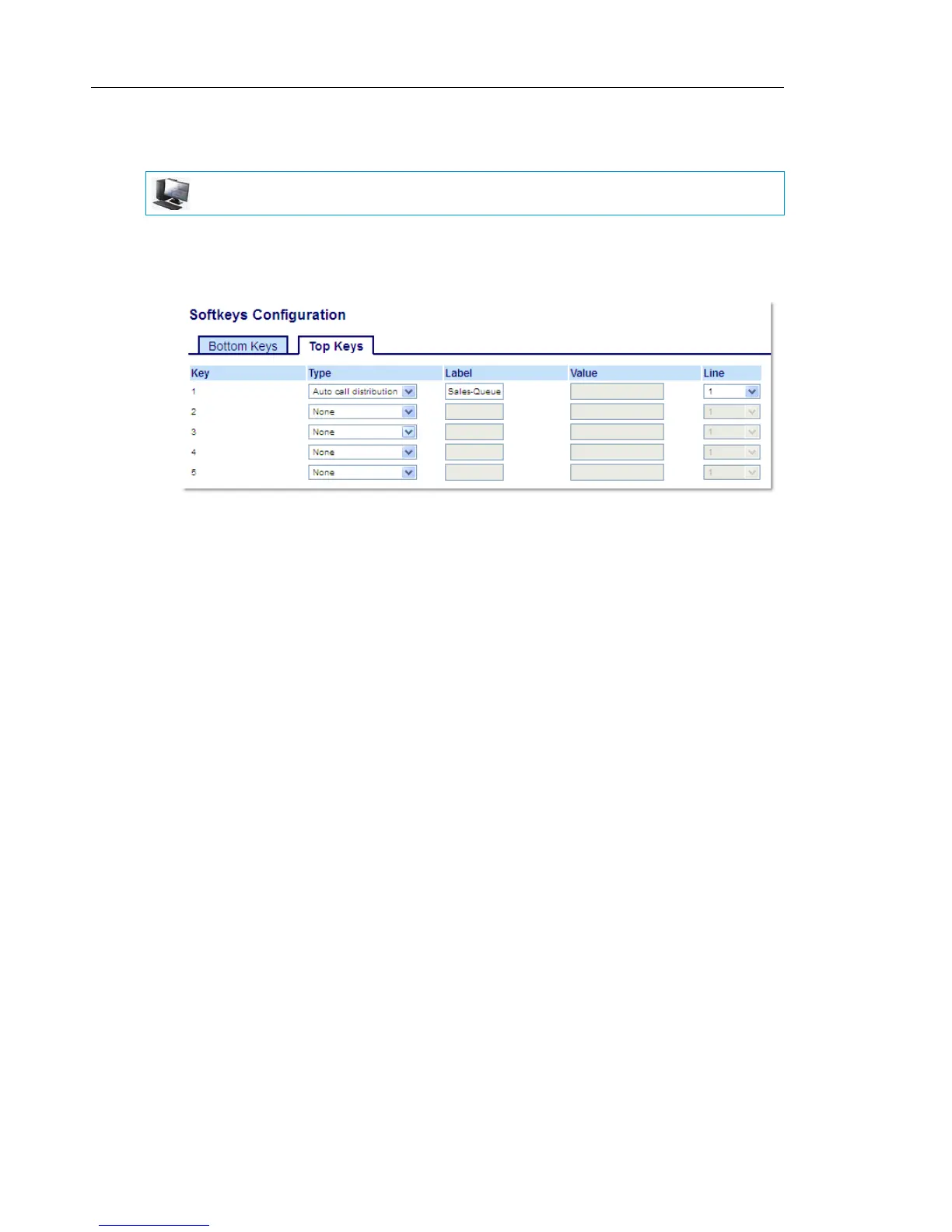
1. Click on Operation > Softkeys and XML.
or
Click on Operation > Expansion Module <N>.
Softkeys
2. Select from Key 1 through Key 20 on the Top keys.
3. In the Type field, select Auto call distribution.
4. In the Label field, enter a label to apply to this ACD key.
5. In the Line field, select a line to apply Automatic call distribution. Valid values are 1 through
24.
Expansion Module Keys
6. Select from Key 1 through Key 16 (M680i) or Key 84 (M685i).
7. In the Line field, select a line to apply Automatic call distribution. Valid values are 1 through
24.
8. Click Save Settings.
MITEL WEB UI



 To Next Page