144
M
ANAGING CALLS DIRECTORY
Accessing and Navigating Your Directory (External Directory Sources Configured/Enabled)
1. Press the softkey.
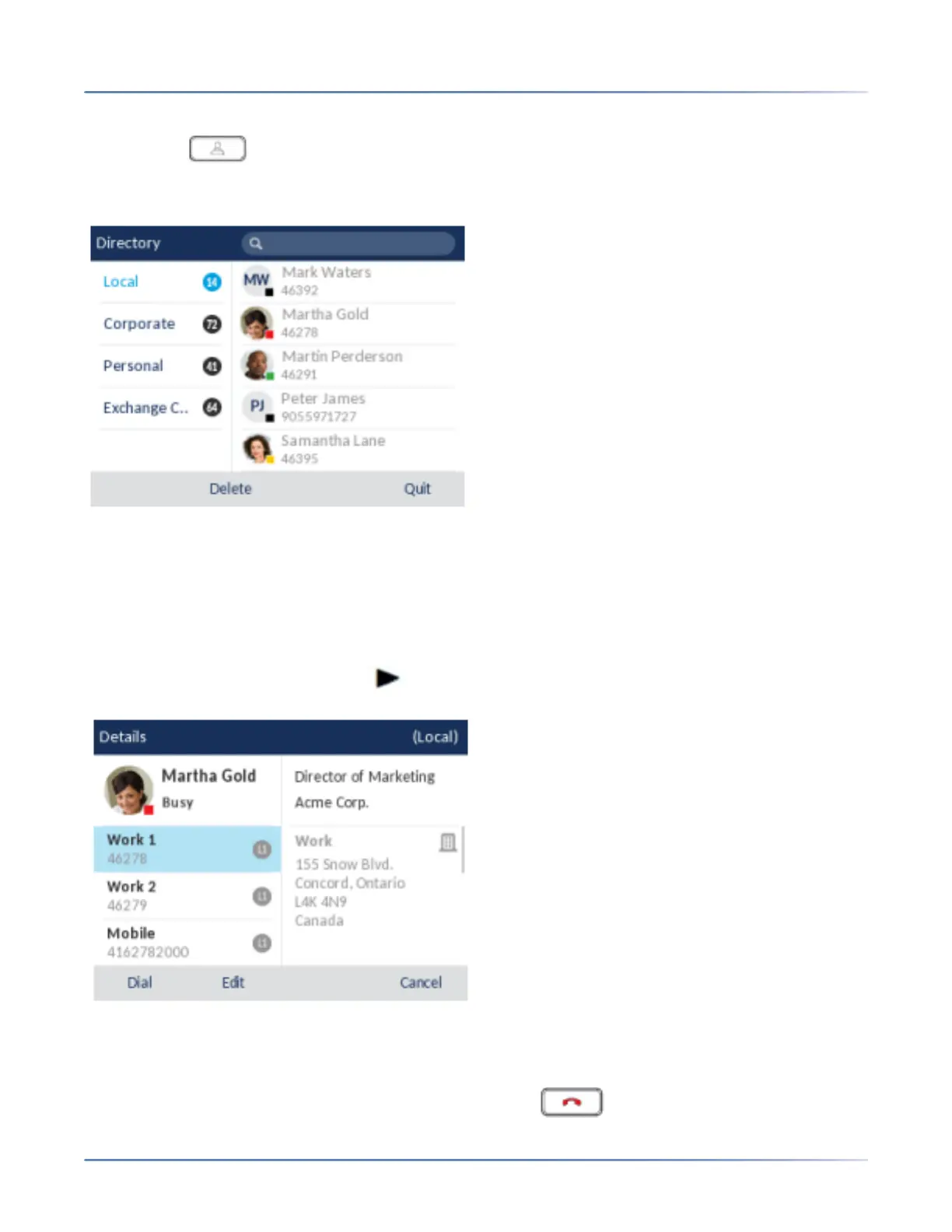
If additional external Directory sources are configured and enabled, the Directory screen encompass-
es the different source folders as per the following image.
NOTE: If the Directory is empty, a Directory empty message displays.
2. You can view the list of Directory entries on the right for each respective folder by pressing the up and
down navigation keys.
3. Press the right navigation key to move to the entry column. From this column, you can use the up and
down navigation keys to scroll through the list of entries.
4. From the entry column, press the navigation key to display the contact’s details screen.
You can use the up and down navigation keys to scroll through the list of numbers or press the right
navigation key to move to the address column and scroll through the contact’s addresses using the
up and down navigation keys.
5. Press the softkey configured with Directory functionality, key, or Quit softkey to exit.



 To Next Page