201
C
ONNECTING TO WI-FI ON 6920W IP PHONE CONNECTING TO A HOME NETWORK
Connecting to a home network
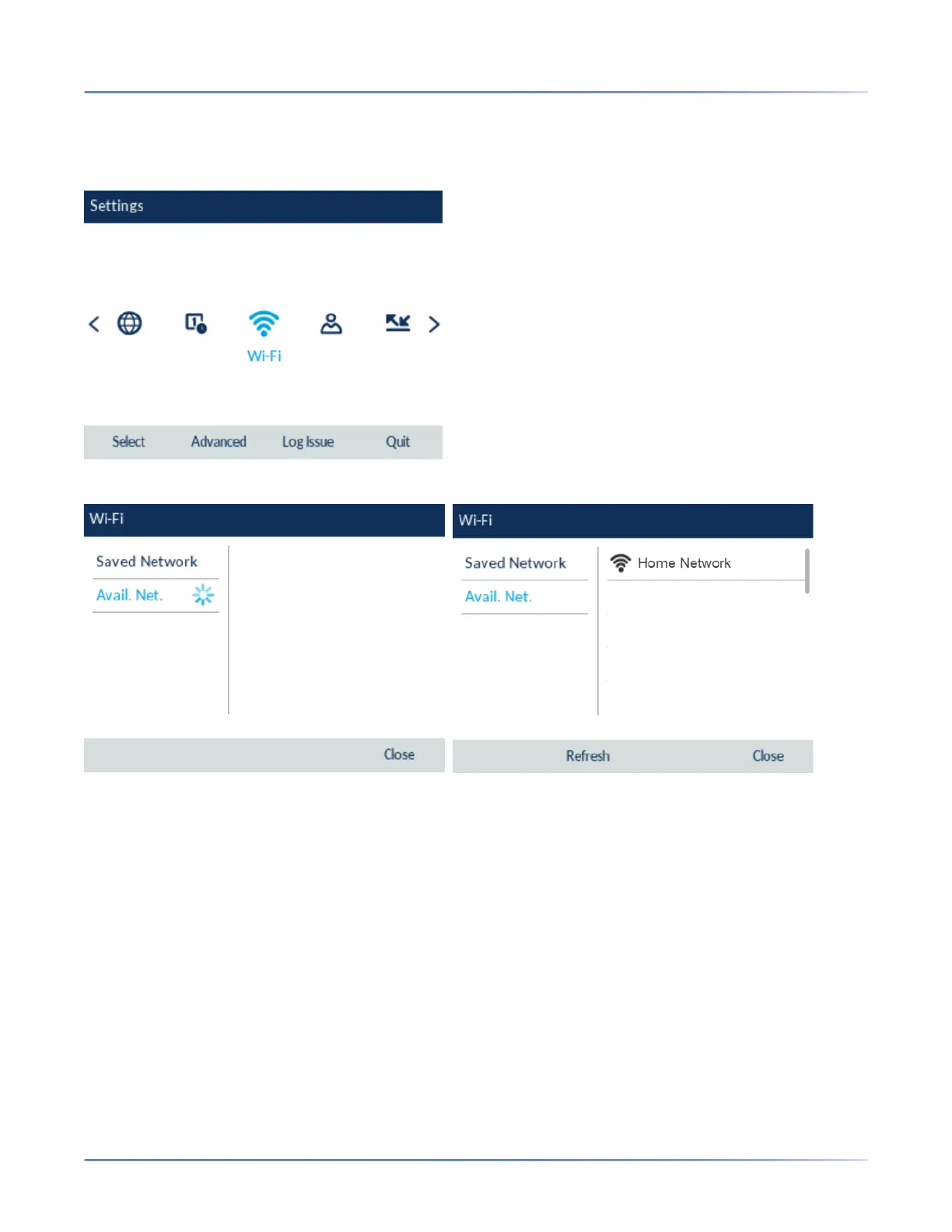
1. Navigate to Settings > Wi-Fi.
2. The Available Networks settings menu is displayed.
3. Select an SSID (that is, the name of a Wi-Fi network; for example, Home Network) from Available
Networks press Connect softkey. If the SSID is secured, a password prompt appears.
NOTE: You can connect to only one SSID at a time. The SSID can be any alphanumeric, case-sensi-
tive entry from 2 to 32 characters. The printable characters plus the space are allowed. However,
these characters are not allowed : ?, ", $, [, \, ], and +. In addition, ! # and ; cannot be the first char-
acter. Trailing and leading spaces are not permitted. This means that spaces are allowed within the
SSID, but not as the first or last character, and the period “.” is also allowed.
4. Enter the password for the network and select the Save softkey.



 To Next Page