191
A
DDITIONAL FEATURES GROUP RTP PAGING
Configuring Incoming Intercom Settings
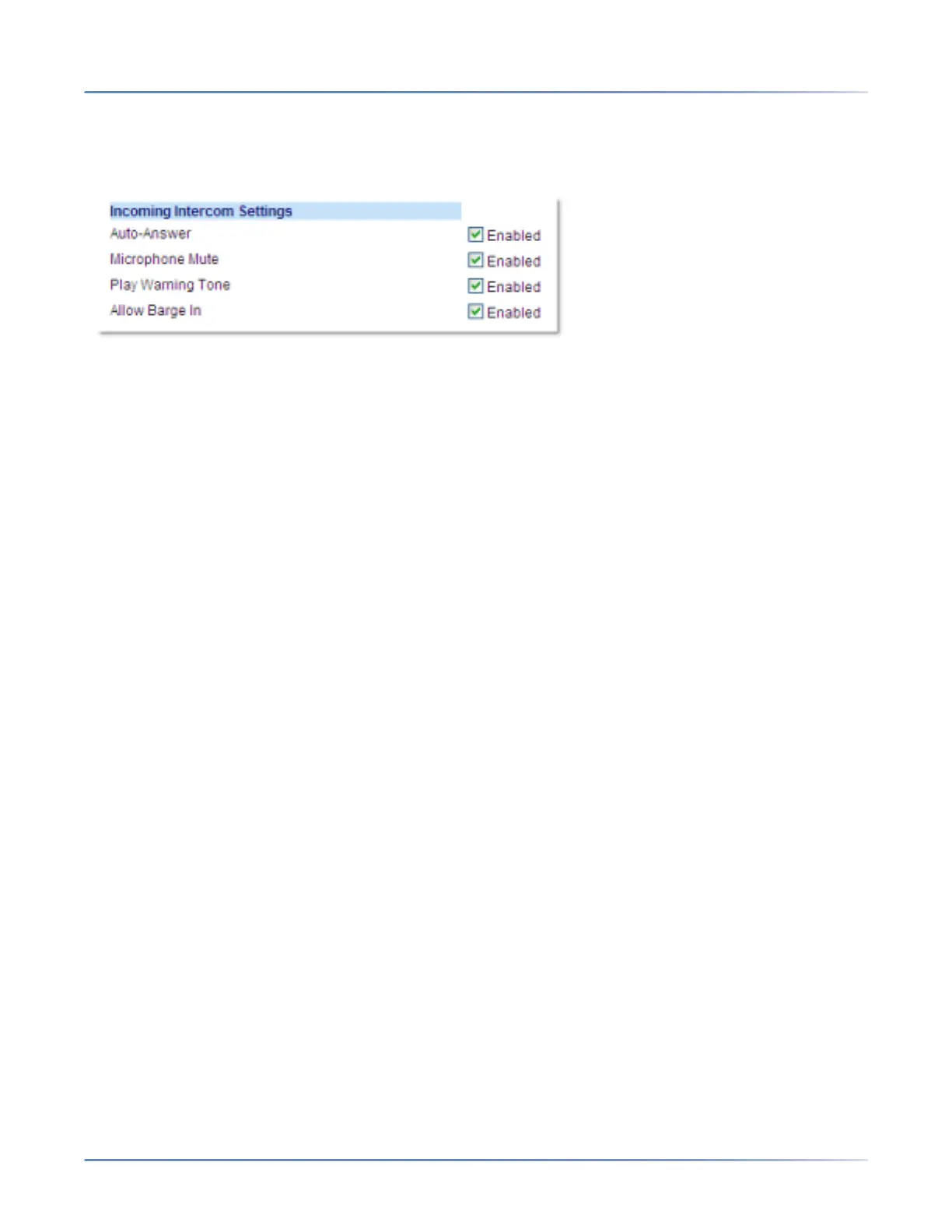
1. Click on Basic Settings > Preferences > Incoming Intercom Settings.
2. The Auto-Answer field is enabled by default. The automatic answering feature is turned on for the IP
phone for answering Intercom calls. To disable this field, uncheck the box.
NOTE: If the Auto-Answer field is not checked (disabled), the phone treats the incoming intercom call
as a normal call.
3. The Microphone Mute field is enabled by default. The microphone is muted on the IP phone for
Intercom calls made by the originating caller. To disable this field, uncheck the box.
4. The Play Warning Tone field is enabled by default. If Auto-Answer is enabled, the phone plays a
warning tone when it receives in incoming intercom call. To disable this field, uncheck the box.
5. The Allow Barge In field is enabled by default. If Allow Barge In is enabled, the phone puts an active
call on hold and answers the incoming Intercom call. To disable this field, uncheck the box.
6. Click Save Settings to save your settings.
Group RTP Paging
You can configure the phone to allow it to receive a Real Time Transport Protocol (RTP) stream from
pre-configured multicast address(es) without involving SIP signaling. This is called Group Paging on the
IP phones. You can specify up to 5 multicast addresses that the phone listens for on the network. This
feature is configurable using the Mitel Web UI only.
The 6920 in the local network listens for RTP on the pre-configured multicast address. The Phone
displays the Paging message to the phone’s LCD. It uses the G711 uLaw CODEC for multicast RTP.
The recipient can drop the incoming page if required. The recipient can also set DND to ignore any
incoming pages.
For incoming RTP multicasts, the ringing display is dependent on the setting for the Allow Barge In
parameter (see “Allow Barge In”). If this parameter is disabled, and there is no other call on the phone,
then the paging is automatically played via the default audio device.
If there is an existing call on the phone, the call initially displays in the ringing state. The user has the
option to accept/ignore the call. If the Allow Barge In parameter is enabled, the RTP multicast call barges
in, and any existing calls are put on hold.
If an RTP multicast session already exists on the phone, and the phone receives another incoming RTP
multicast session, the priority is given to the first multicast session and the second multicast session is



 To Next Page