171
M
ANAGING CALLS DND AND CALL FORWARD
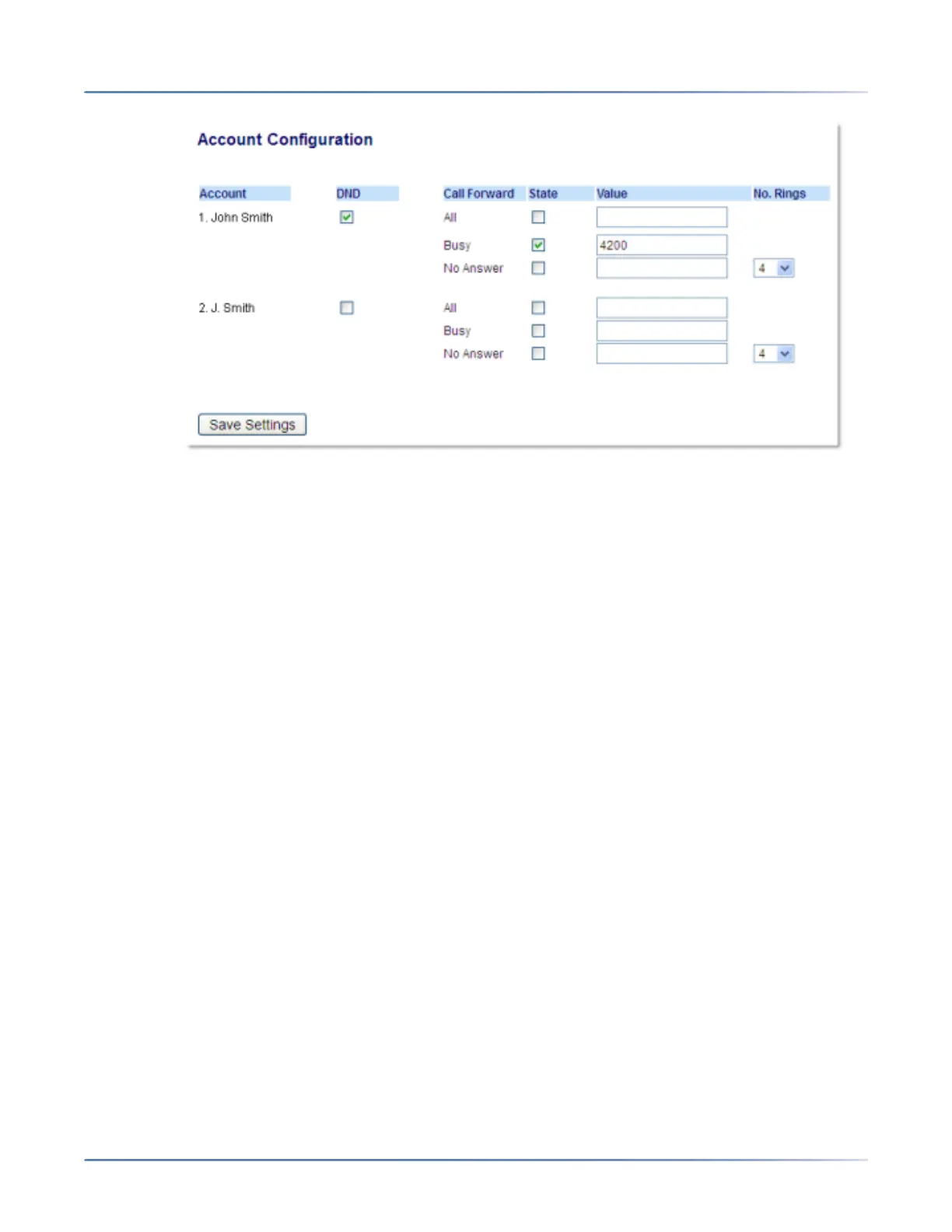
The illustration above shows 2 accounts configured on the phone. Accounts must be set up by your
System Administrator.
5. For each account, enable the Call Forward state by placing a check mark in one or more of the
following State fields:
– All
– Busy
– No Answer
The All option forwards all incoming calls for this account to the specified phone number regardless
of the state of the phone. The phone can be in the Busy or No Answer states, or can be in the idle
state. The phone still forwards all calls to the specified number.
The Busy option call forwards incoming calls only if the account is in the busy state. The calls are for-
warded to the specified phone number.
The No Answer option call forwards incoming calls only if the account rings but is not answered in the
defined number of rings. The call gets forwarded to the specified number.
NOTE: You can use the Busy and No Answer states together using different forwarding phone
numbers. If these states are enabled for an account (the All state is disabled), and the phone is in
the busy state when a call comes in, the phone can forward the call to the specified phone number
(for example, voicemail). If there is no answer on the phone after the specified number of rings, the
phone can forward the call to a different specified number, such as a cell phone number.
6. For each account, in the Value field, enter the phone number for which you want the incoming calls
to forward to if the phone is in the specified state.If using the Account mode or Custom mode, you can
enter different phone numbers for each account.
NOTE:
a. If you selected Account mode in Step 5, you can enable/disable each account or all accounts as
applicable. You can enter different phone number for each enabled state.
b. If you selected Custom mode, you can enable/disable each account or all accounts as appli-
cable. You can enter different phone numbers for each enabled state.



 To Next Page