199
C
ONNECTING TO WI-FI ON 6920W IP PHONE CONNECTING TO A WPA2 ENTERPRISE NETWORK
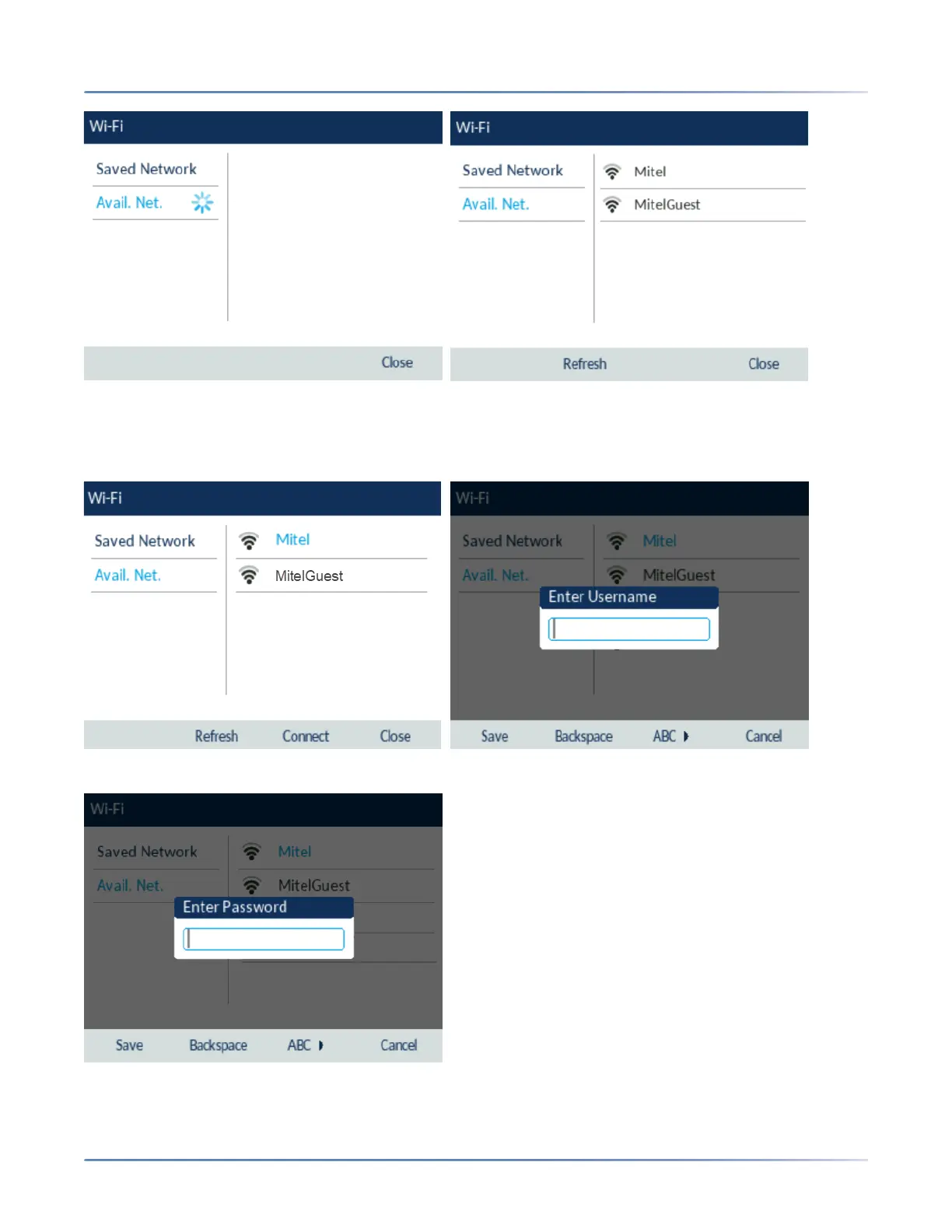
3. Select the name of the enterprise Wi-Fi network; for example, Mitel from Available Networks.
NOTE: You can connect to only one network at a time.
4. Enter the domain username of your enterprise network and select the Save softkey.
5. Enter the domain password for the network and select the Save softkey.
NOTE: If you enter an incorrect password, the following dialog box appears. Ensure you enter the correct
password.



 To Next Page