16
G
ETTING STARTED UI OVERVIEW
In addition to the phone/line status indicators, status messages with regards to the following are displayed
on the Home screen when the situation arises:
• Number of missed calls
• Phone lock status
• SCA Caller IDs
• XML-related text
• Network status
Softkeys
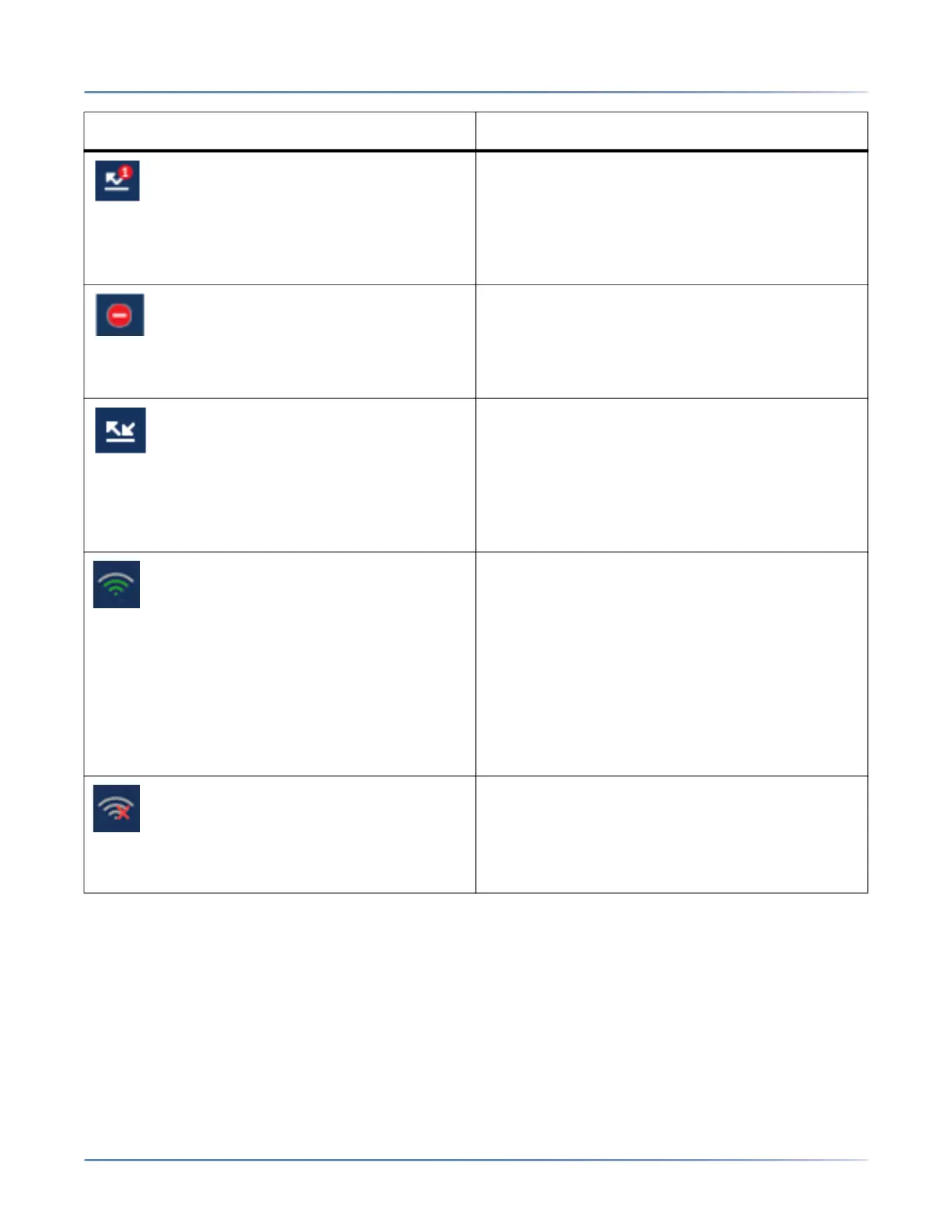
Missed Calls - The Missed Calls icon displays on
the Home screen only when incoming calls have
not been received. The number in the red circle
indicates how many calls were missed. To access
a list of your missed calls, press the Received
Callers List key.
Do Not Disturb- The Do Not Disturb (DND) icon
displays on the Home screen when the DND
feature is enabled. When DND is enabled, callers
calling into the phone hear a busy signal or a
message, depending on the configuration.
Call Forward- The Call Forward icon displays on
the Home screen when the Call Forward feature
is enabled. When Call Forward is enabled,
incoming phone calls are automatically forwarded
to a defined number when your phone is in a busy
state and/or when the call is not answered after a
specified number of rings.
Wi-Fi Connected If your phone is connected to
the Wi-Fi network Wi-Fi connected icon is shown
in the Status bar on the Home screen.
NOTE:
• Applicable to the 6920w IP Phones only.
• The bars in the Wi-Fi icon indicate the strength
or quality of the Wi-Fi network. Gray indicates
a weak/absent signal, green indicates a good
signal. The higher the green bar, the stronger
the network strength.
Wi-Fi Disconnected If your phone is
disconnected from the Wi-Fi network Wi-Fi
disconnected icon is shown in the Status bar on
the Home screen.
NOTE: Applicable to the 6920w IP Phones only.
Icon Description



 To Next Page