Operating Instructions MG3 Digital
How to …?
76609409EN-BA-MG3D-V1_6.docx 31/82 2010-08-02
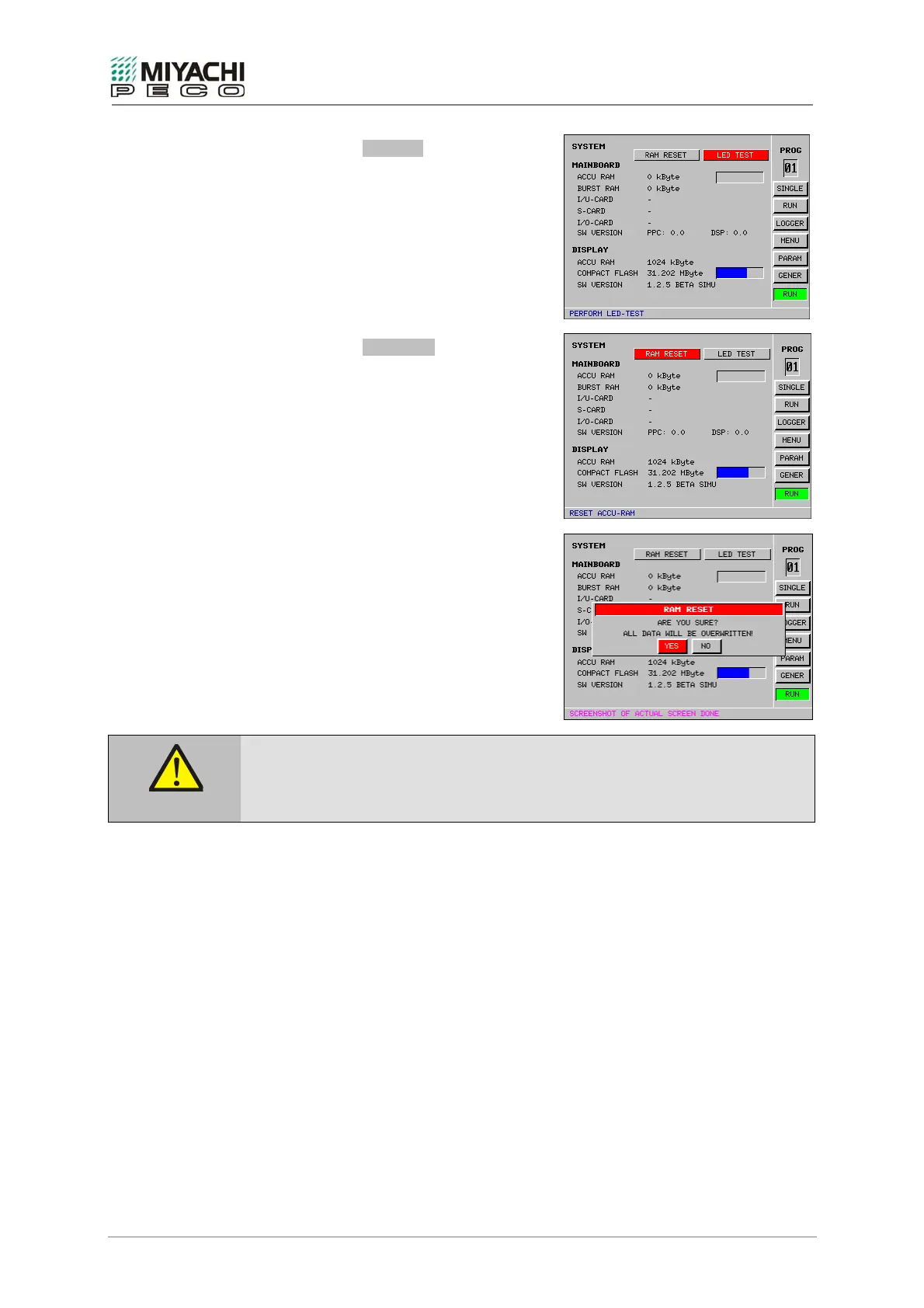
• Select button LED TEST with the
knob/pushbutton combination and depress
button.
• As function check, all LEDs on the
equipment front panel light shortly.
• Select button RAM RESET with the
knob/pushbutton combination and depress
button.
• Screen RAM RESET opens, allowing you to
reset RAM and MG3 Digital to its standard
(original) values.
• Use RAM RESET only, if you have no other
choice left. Before resetting, save your set
parameters to the compact flash card.
Loss of data!
If you perform RAM RESET, all set parameters will be lost!
Caution


 To Next Page