Operating Instructions MG3 Digital
How to …?
76609409EN-BA-MG3D-V1_6.docx 48/82 2010-08-02
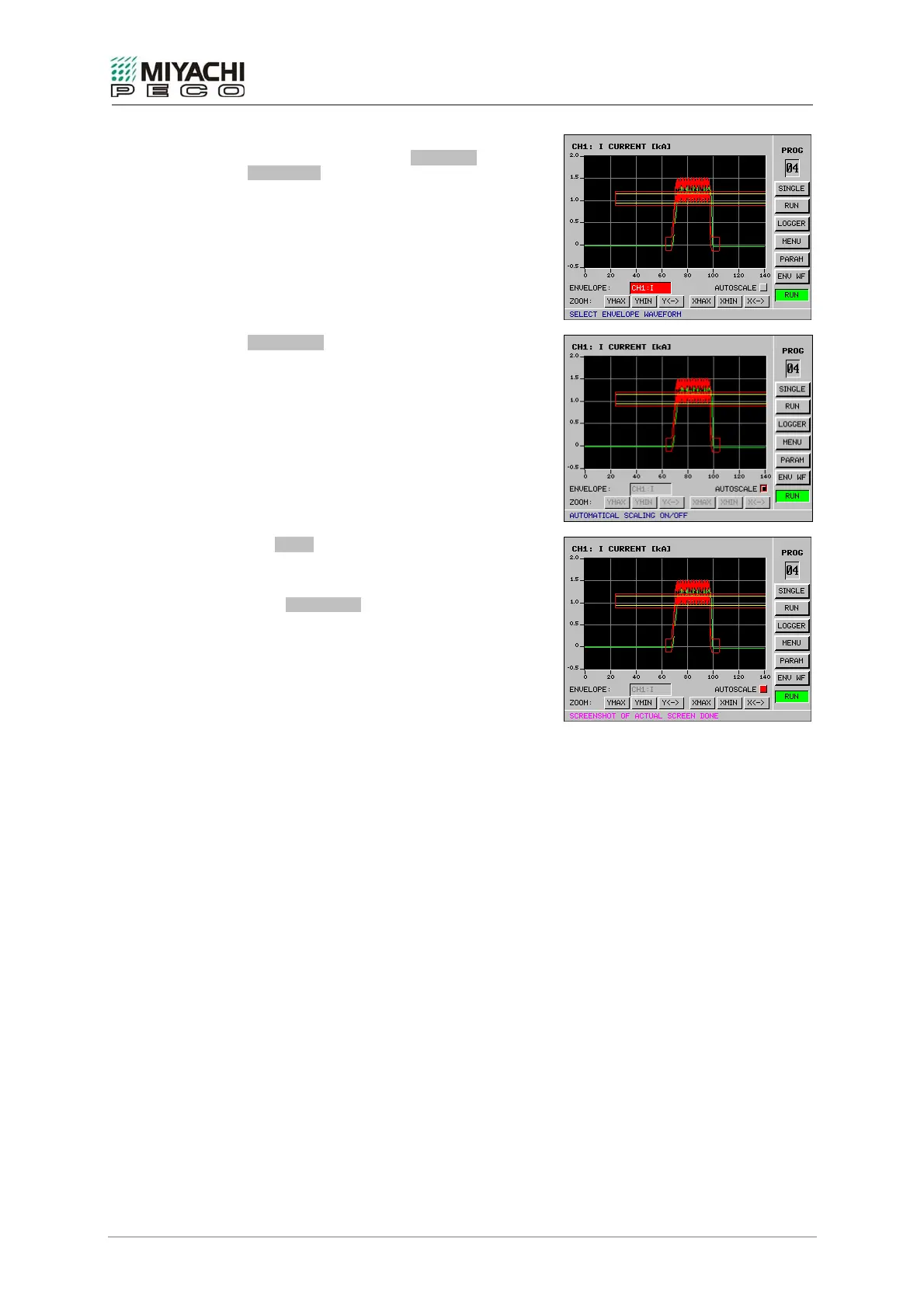
A envelope waveform can now be selected in
the selection field next to ENVELOPE
WAVEFORM if you have loaded at least two.
AUTOSCALE
The image mode is determined with the button.
Scaling is automatically selected if the button is
pressed which generates the best image of the
current envelope waveform.
The ZOOM enlargement mode is activated if the
button is not pressed. The line is activated.
Note
Press AUTOSCALE and the selected
measurement variable is automatically and
optimally adapted to suit the diagram.
This function can also be utilized to achieve a
clear representation again.


 To Next Page