SR3 Type 1 Technical Manual TSP005.doc Issue 5.0 – Jan 2005
Money Controls 2005. All rights reserved.
Page 16 of 50
9. Accept and Inhibit Configuration
It is possible on the SR3 to inhibit a single coin or any combination of the 12 possible
programmed coins by following the procedure below.
9.1 To Inhibit Specific Coins
Example:- To Inhibit 50p and 20p.
Switch off the power to the SR3.
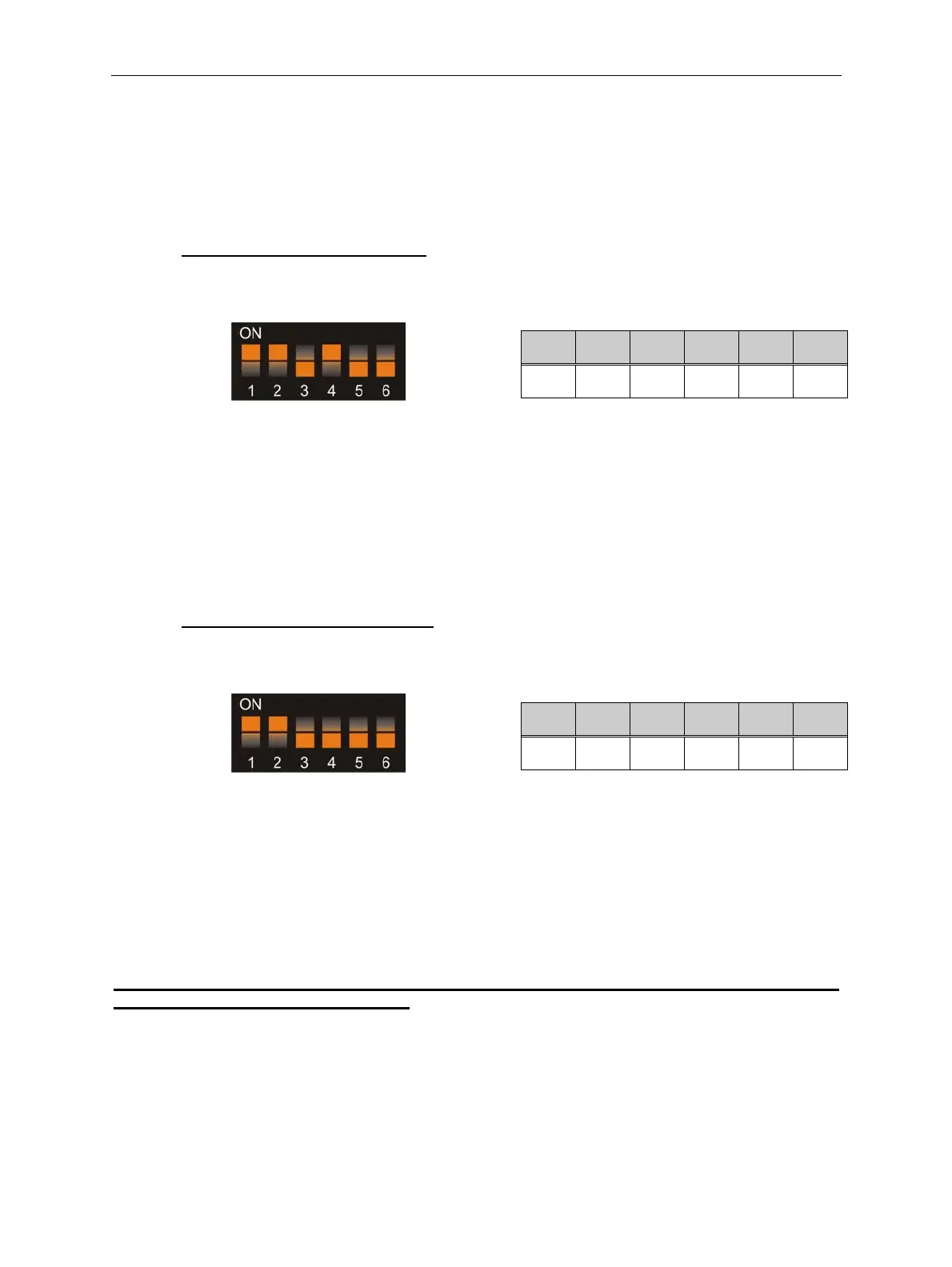
Set the Program DIL switches to:-
SW1 SW2 SW3 SW4 SW5 SW6
ON ON
OFF
ON
OFF OFF
Switch on the power to the SR3.
Press the reject lever within 20 seconds.
The LED will turn RED.
Insert 50p and 20p and check that they are accepted.
Press the reject lever to return to normal operational mode.
The LED will turn GREEN.
Return ALL the DIL switches to the OFF position.
The inserted coin/s will now be rejected.
9.2 To Enable Specific Coins
Example:- To Enable 50p and 20p.
Switch off the power to the SR3.
Set the Program DIL switches to:-
SW1 SW2 SW3 SW4 SW5 SW6
ON ON
OFF OFF OFF OFF
Switch on the power to the SR3.
Press the reject lever within 20 seconds.
The LED will turn RED.
Insert 50p and 20p and check that they are accepted.
Press the reject lever to return to normal operational mode.
The LED will turn GREEN.
Return ALL the DIL switches to the OFF position.
The inserted coin/s will now be accepted.
Note:- It is possible for a single coin to be enabled using the above procedure even though
that particular bank has been disabled.



 To Next Page