SR3 Type 1 Technical Manual TSP005.doc Issue 5.0 – Jan 2005
Money Controls 2005. All rights reserved.
Page 17 of 50
10. Bank Select
This function allows you to enable both or individually select banks of coins via the 6 way DIL
switch.
This enables the selection of 2 different currencies, one in each bank, or 12 coins/tokens in both
banks from the same country.
To enable/disable the banks follow the steps below.
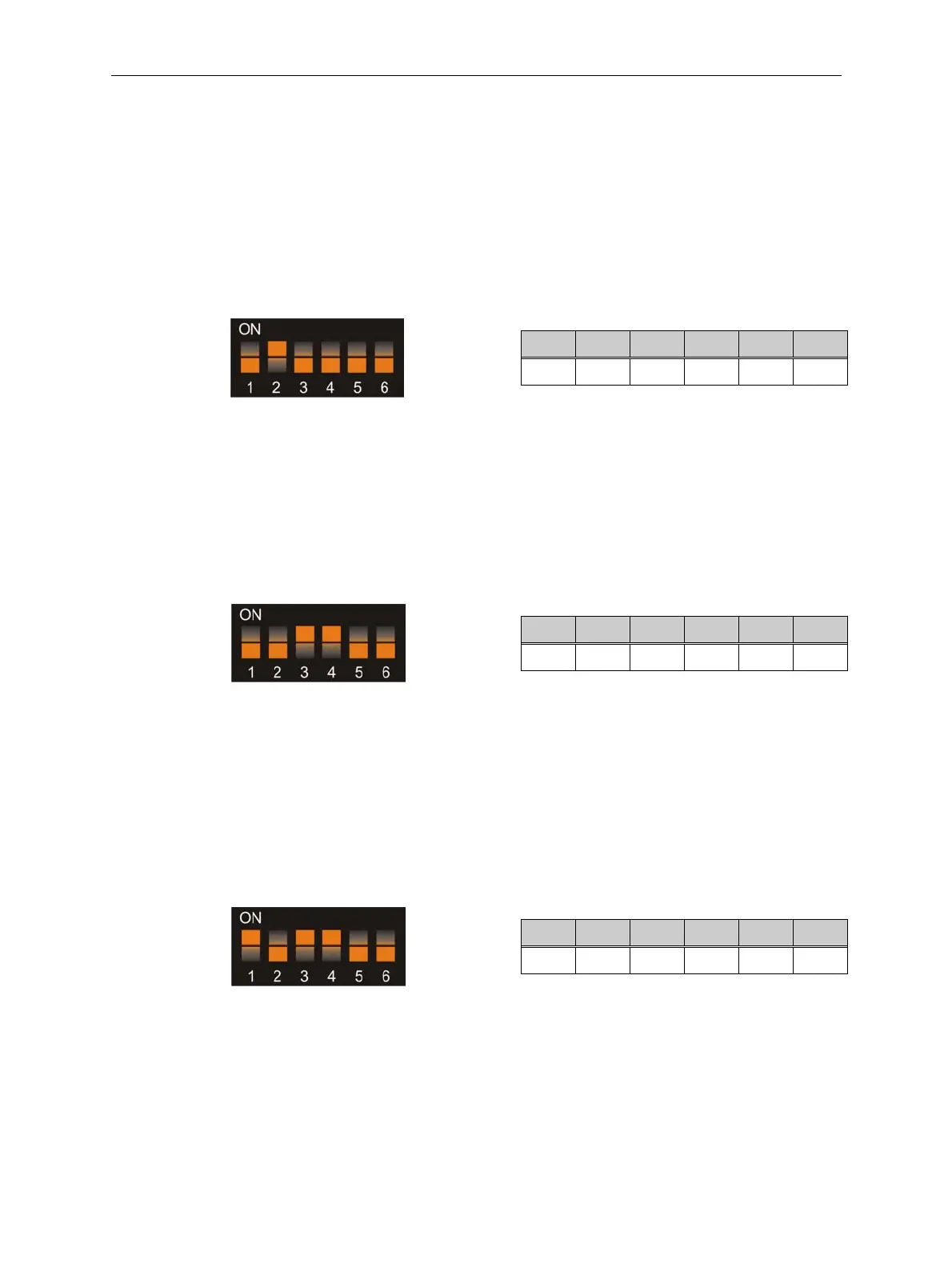
10.1 Both Banks ON
Switch off the power to the SR3.
SW1 SW2 SW3 SW4 SW5 SW6
OFF
ON
OFF OFF OFF OFF
Switch on the power to the SR3.
Press the reject lever within 20 seconds.
The LED will flash GREEN.
Press the reject lever again.
The LED will be constant GREEN.
Set ALL the DIL switches to the OFF position.
Coins in Banks 1 and 2 will now be accepted.
10.2 Bank 1 ON Bank 2 OFF
Switch off the power to the SR3.
SW1 SW2 SW3 SW4 SW5 SW6
OFF OFF
ON ON
OFF OFF
Switch on the power to the SR3.
Press the reject lever within 20 seconds.
The LED will flash GREEN.
Press the reject lever again.
The LED will be constant GREEN.
Set ALL the DIL switches to the OFF position.
Coins in bank 1 will now be accepted.
Coins in bank 2 will be rejected.
10.3 Bank 1 OFF Bank 2 ON
Switch off the power to the SR3.
SW1 SW2 SW3 SW4 SW5 SW6
ON
OFF
ON ON
OFF OFF
Switch on the power to the SR3.
Press the reject lever within 20 seconds.
The LED will flash GREEN.
Press the reject lever again.
LED will be constant GREEN.
Set ALL switches to the OFF position.
Coins in bank 1 will now be rejected.
Coins in bank 2 will be accepted.



 To Next Page