HTP-1 Installation and User Guide Release 1.8.1
Product Overview
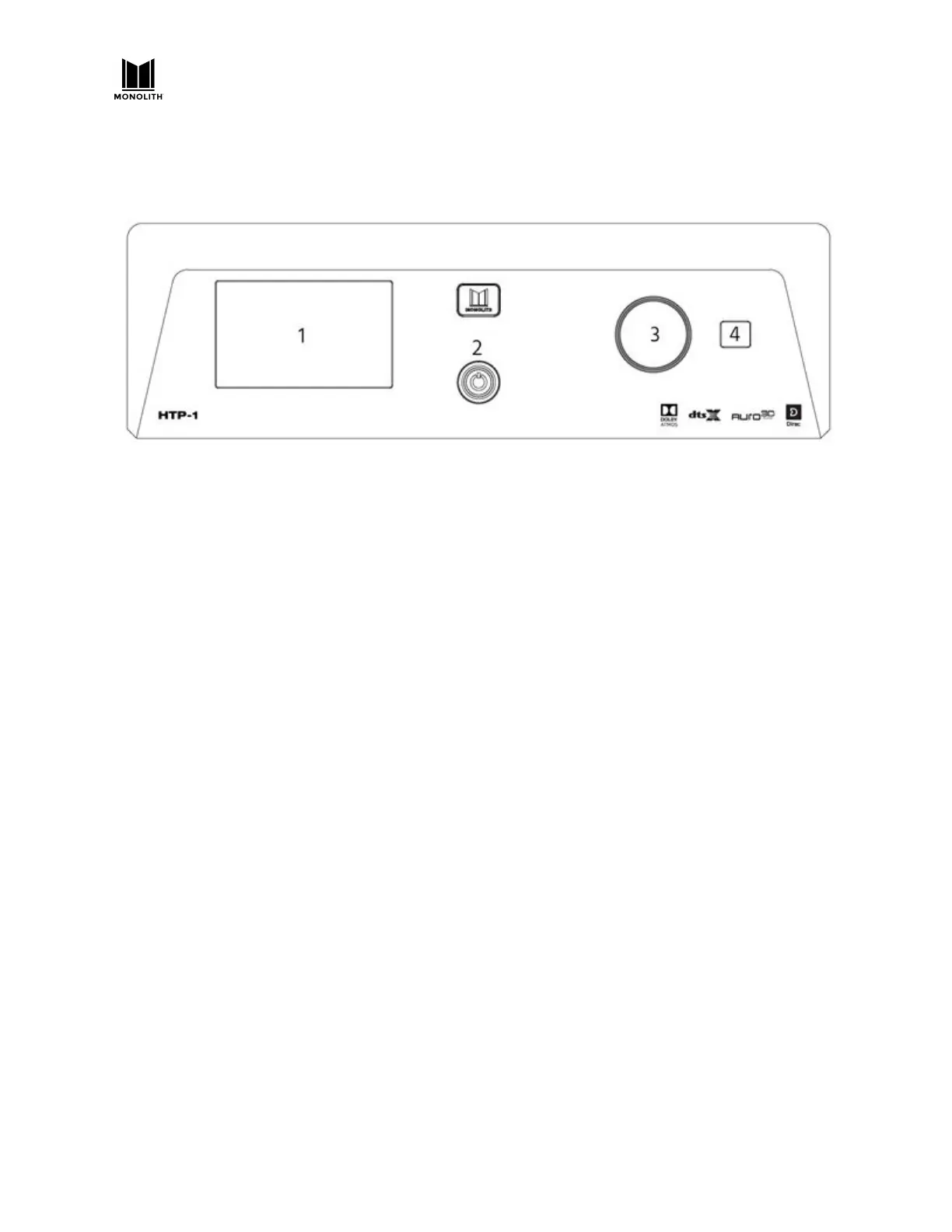
Front Panel
1. LCD Display: This 5" [s1] touchscreen displays the volume level, selected input, upmix selection,
and various other system statuses. See the Front Panel LCD Display
section below for details.
2. Power Button : If the Master Power Switch on the rear panel is in the ON position, the front
panel Power Button turns the unit on or puts it into standby. A blue LED illuminates the power
button while the unit is powering on or powering off. The LED is extinguished when the unit
reaches a stable state.
3. Volume Knob: Rotate the Volume Knob counterclockwise to decrease the volume level or
clockwise to increase the volume level.
4. IR Receiver: The IR Receiver accepts infrared signals from the included IR Remote Control.
HTP-1 User Manual Page 11 V1.8.1


 To Next Page