HTP-1 Installation and User Guide Release 1.8.1
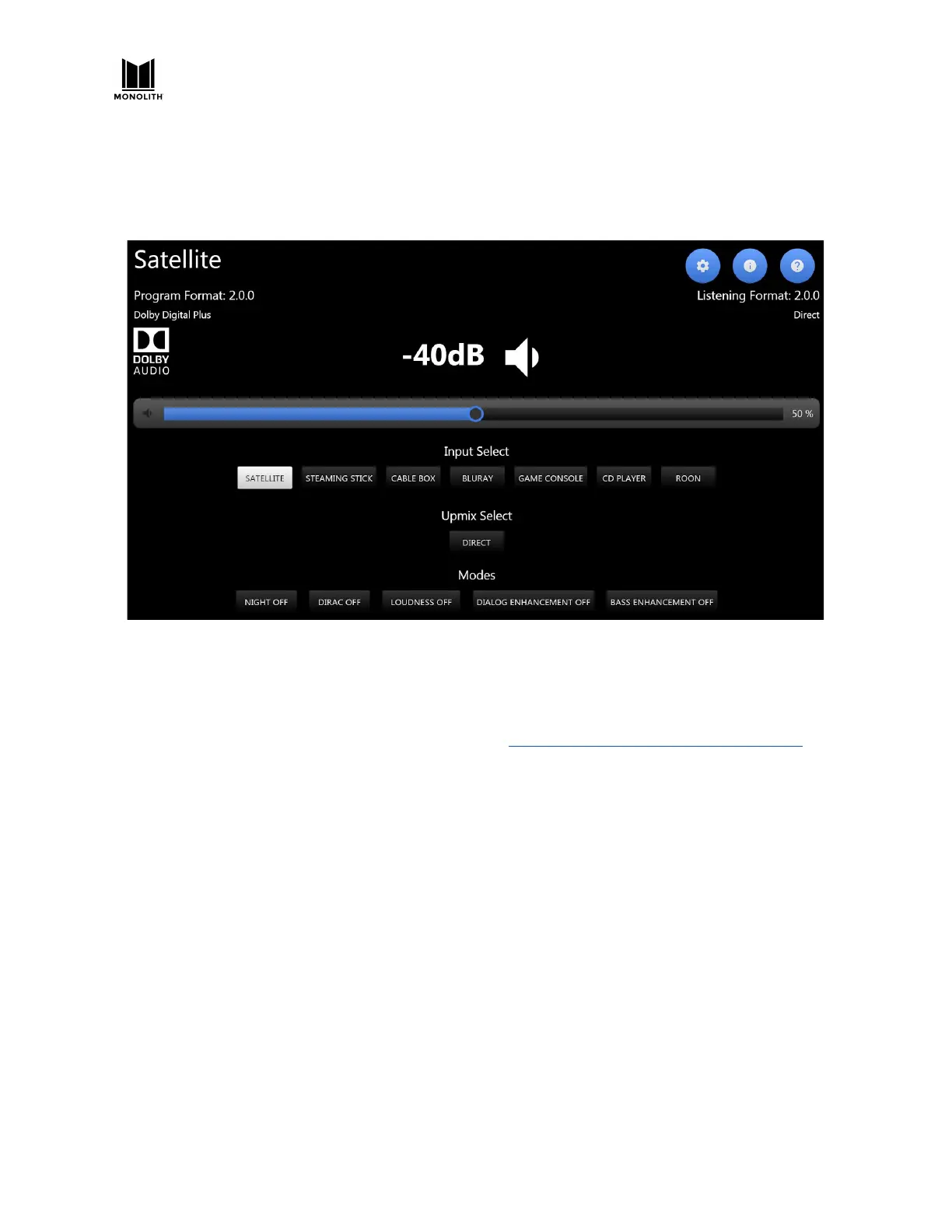
The USER INPUTS on the IR Remote Control will map to the inputs selected to be visible on the
homepage. For example, for the setup shown below, the user input buttons on the remote control
would be as follows:
(1) Satellite (2) Streaming Stick (3) Cable Box (4) Blu-ray (5) Game Console (6) CD Player (7) Roon
The UHD-CAPABLE switch can be helpful when working with some older HDMI sources. Some older
sources behave poorly if they attempt to create a 4K/UHD output. By de-selecting the UHD-CAPABLE
switch for that input you signal to the source that you prefer only a 2K signal.
BlueTooth devices are connected on this page. Bluetooth is described in the CONNECTIVITY section.
Watch Video with Other Audio
If you select a video (HDMI) input and then select a non-video input (analog or SPDIF, etc.), the initially
selected video will continue to be displayed while the new audio is played. There is no way to watch
video from one HDMI source and listen to audio from another HDMI source.
Partial Reset by Changing Inputs
Changing inputs resets the DSP path but not the entire DSP. In the rare case that a source is not
rendered properly, first try changing inputs. Powering down the unit when in fast boot mode fully
resets the DSP. A cold power cycle from the back panel also resets the HDMI board and all controllers.
HTP-1 User Manual Page 68 V1.8.1


 To Next Page