HTP-1 Installation and User Guide Release 1.8.1
Naming the Audio/Video Sources
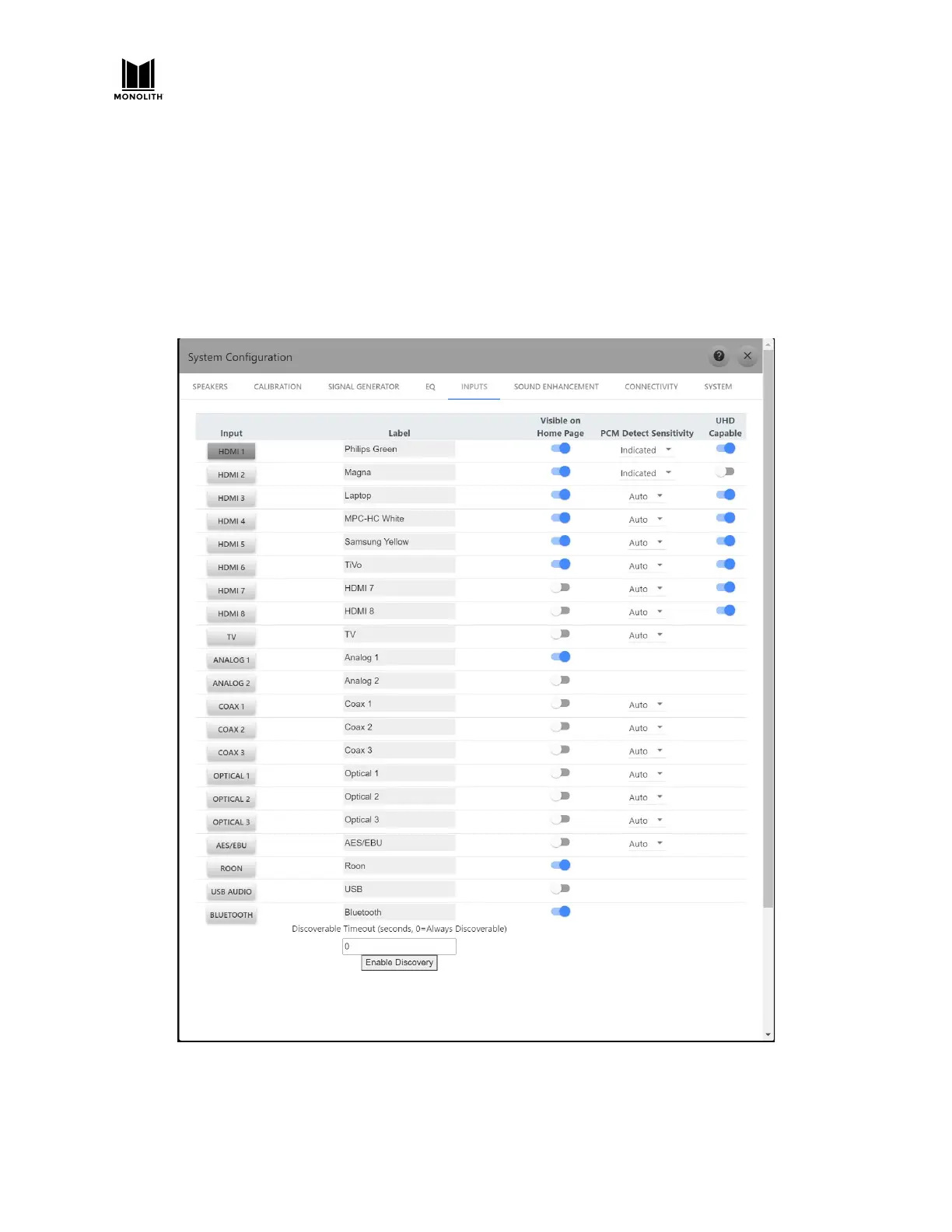
The input setup page allows you to assign “human readable” names for each source. From the
homepage, click on the blue gear icon to open the settings dialog and choose the INPUTS pane. In the
“Labels” column type in the name that you would like to see displayed on the front panel for a given
input. You can choose to make up to nine inputs available for quick selection from the homepage. To
make an input visible on the homepage select the “Visible on Home Page” toggle switch. The first nine
selections will be visible on the homepage.
HTP-1 User Manual Page 67 V1.8.1


 To Next Page