HTP-1 Installation and User Guide Release 1.8.1
Inputs Page
The Inputs page allows you to configure each input. You can select the name, whether or not it is on the
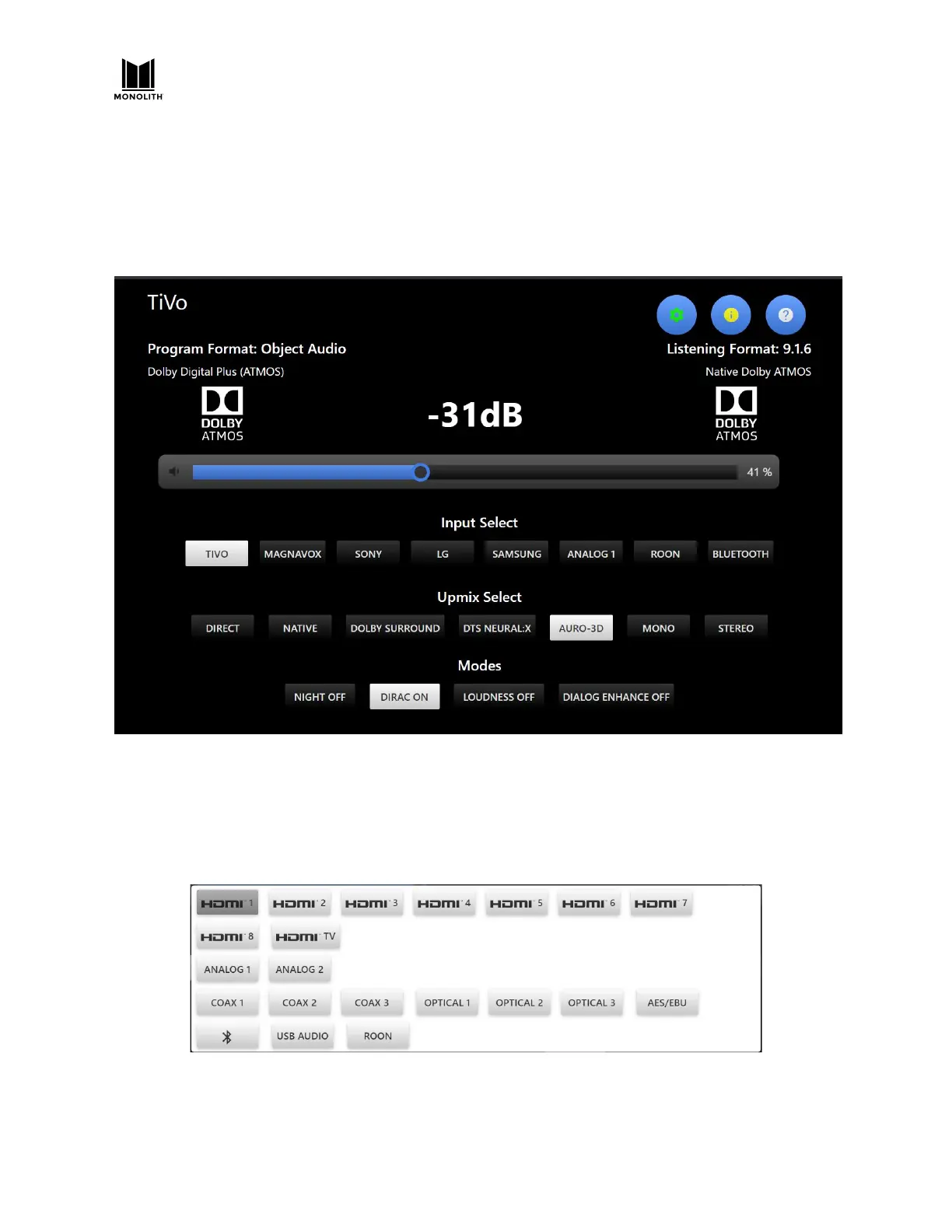
home page and other input specific items. By default, the eight INPUT SELECT buttons on the Web GUI
Home Page are set to a selection of the available inputs, as below. Perform the following steps to
choose a set of inputs useful to you.
Before we configure your active inputs, it’s good to be aware of a quick way to select any input.
On the Web GUI Home Page, click the Active Input in the upper left corner. The system will show all of
the possible input, as shown in the image below. Note that custom names are not displayed here. You
can click on any one of these to quickly select an input.
Note that USB audio is not supported in release 1.1.
HTP-1 User Manual Page 66 V1.8.1


 To Next Page