HTP-1 Installation and User Guide Release 1.8.1
System Page
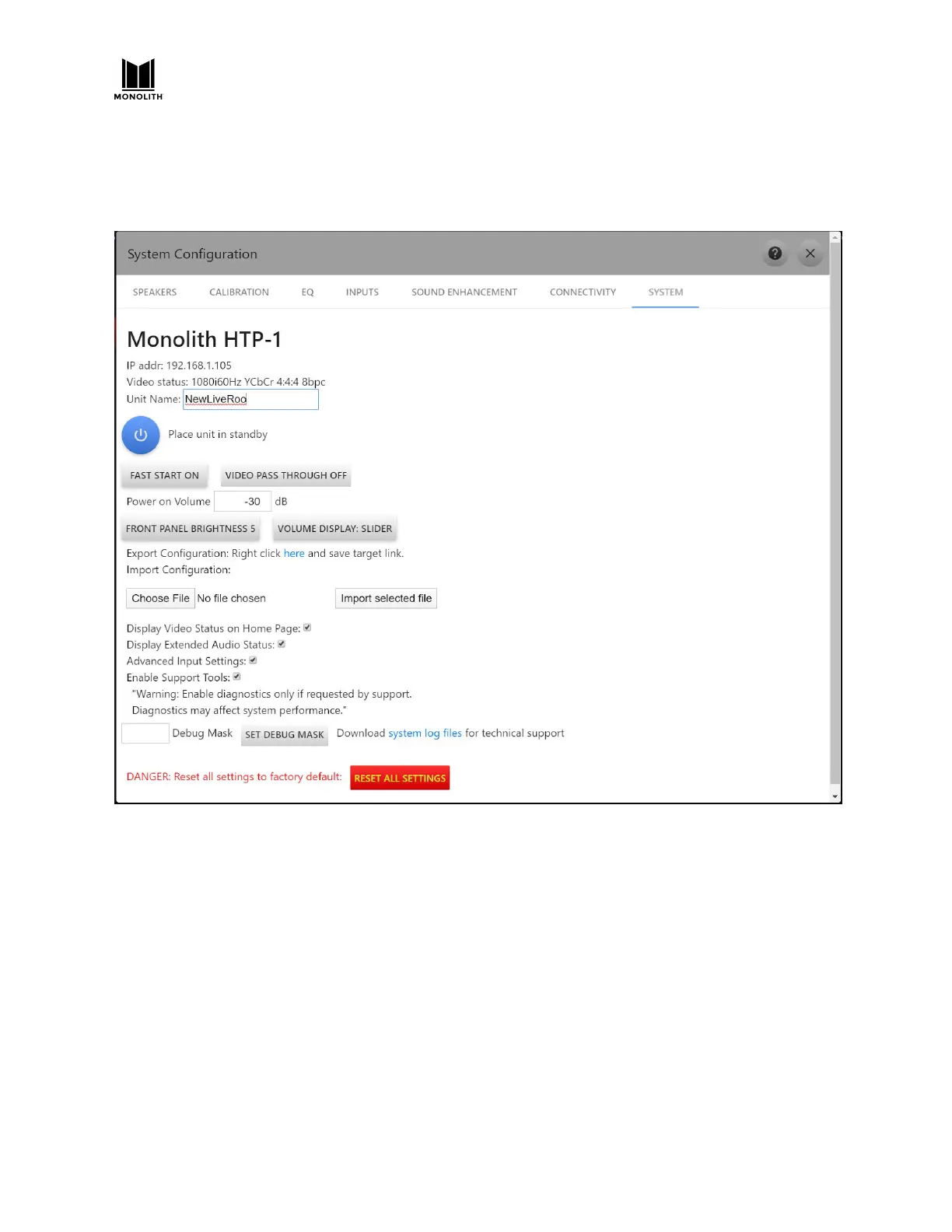
The SYSTEM tab of the Configuration page gives access to a number of other controls.
● The unit name set here is used for all other services that the device provides. You should set this
once. Spaces and capital letters are allowed, though the name may be truncated. You should see
this name when using Dirac, Roon and Bluetooth.
● When fast start is off the unit will turn off to a very low power state. CEC features like automatic
power on will not work in the low power state. The system starts much more quickly in fast start
mode. Video pass through (when HTP-1 is off) only works in fast start mode.
○ When the unit is in fast start mode, powering down from the remote or front panel fully
reboots the DSP.
● The initial “power on volume” can be set here. While early software releases limited it to -30dB,
software starting with v1.4 allows any value here.
HTP-1 User Manual Page 82 V1.8.1


 To Next Page