HTP-1 Installation and User Guide Release 1.8.1
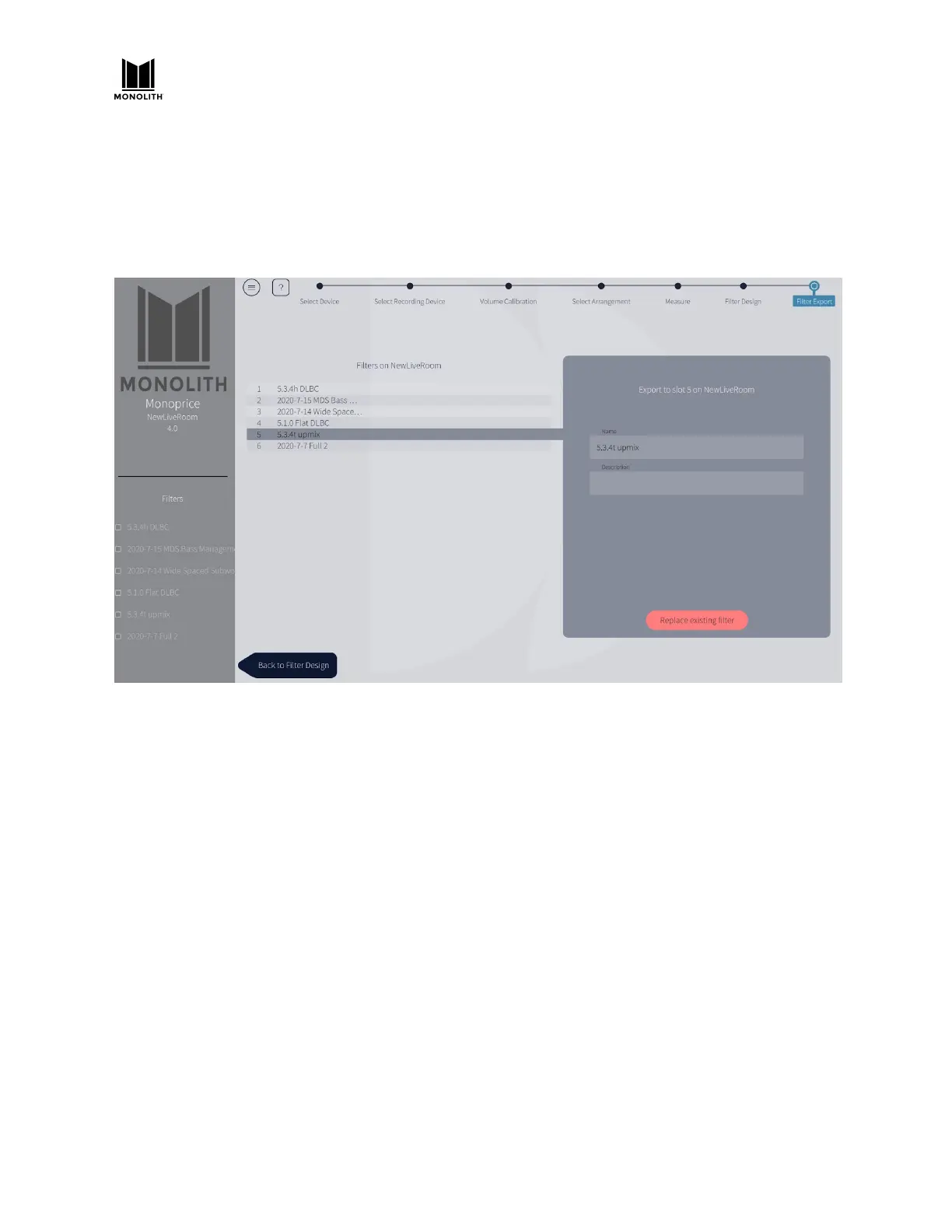
13) Choose a slot in which to store this calibration. As illustrated below, the system gives you six
slots. You can store calibrations for different room configurations, like curtains open and closed.
You might also calibrate for different speaker configurations. The system calibrates the channels
that were configured on the SPEAKERS tab on the System Configuration screen. Dirac suggests
the names of interesting physicists and philosophers. This name will be visible in the Monolith
HTP-1 UI, so choose something meaningful to you. The description is not visible in the Monolith
HTP-1 UI.
14) Export the filter. This takes a minute or two. When complete, the resulting filter is installed and
enabled on HTP-1. You can see this on the CALIBRATION tab on the System Configuration
screen
15) Save the session as a Dirac Live® “project” on your PC before you exit. Each project contains one
calibration session. A project is tied to the serial number of your HTP-1 and it knows about the
name of your HTP-1. A project cannot be transferred to a different serial number, but you can
ignore the warning that results from changing the name.
16) Close the Dirac Live® tool. The "UI locked" dialog from step 6 above should close. If it does not,
launch the Dirac Live tool, then close it again.
17) Click the gear icon on the Web GUI Home Page, then click the CALIBRATION tab. The HTP-1 in
the sample screen below is set up for a 5.1 configuration and a 5.1 calibration is chosen. If a
calibration is for less speakers than the current configuration, the uncalibrated channels will
then be passed without any filtering.
18) The “calibration” delay and trim values are as determined by Dirac and they are applied when
Dirac Room Correction is active. Notice that the delay and trim on the right channel are zero.
This indicates that the right speaker was farthest from the microphone.
HTP-1 User Manual Page 53 V1.8.1


 To Next Page