OPI-PulseNGKit-en-141106
Version: 2.01
Page 16 of 31
021,725,1*62/87,216
Operating Manual
PulseNG Kit
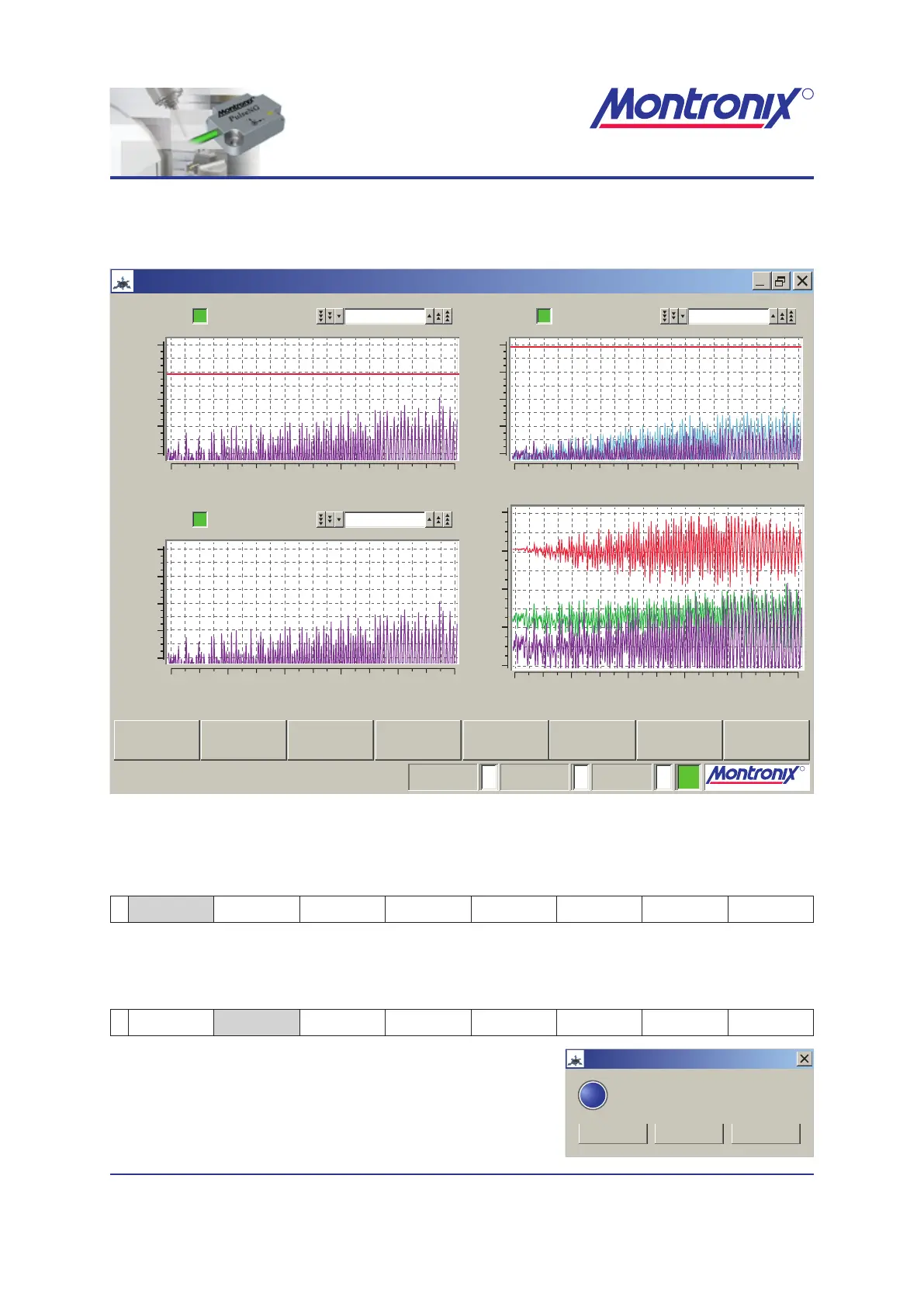
PulseNG-hmi main window
After starting the program, the following window opens:
R
021,725,1*62/87,216
R
021,725,1*62/87,216
pulseNG
PulseNG-hmi
1
29.3
255
t (s) t (s)
t (s)
t (s)
a (m/s²) a (m/s²)
a (m/s²)a (m/s²)
20
10
0
-10
-20
20
10
0
-10
-20
20
10
0
-10
-20
20
10
0
-10
-20
0246
00246810
0246810
0246
0
19.89,5
Предел 1
Предел 3
Предел 2
Ось-Х, HP: 1, LP: 1600
Ось-Z, HP: 1, LP: 1600
Ось-Y, HP: 1, LP: 1600
Исходные данные
Тревога:
Тревога:
Тревога:
Мониторинг:Обучение:Сценарий #:
Сбросить сообщенияОбучение Hide НастройкиЛог файлКонфигурацияСохранить пределы Войти Статистика
Figure 5: PulseNG-hmi initial window
The following soft keys are available:
Reset alarms
1 Reset alarms Teach Settings Save limits Event Log Cong Login Statistics
Internally resets all alarms
Teach
1 Reset alarms Teach Settings Save limits Event Log Cong Login Statistics
Yes: Teaches the active
scenario
Yes to all: Teaches all scenarios
Cancel: Cancels teaching
PulseNG-hmi
pulseNG
?
CancelYesYes to all
Teach selected/ all scenario(s)?


 To Next Page