OPI-PulseNGKit-en-141106
Version: 2.01
Page 21 of 31
021,725,1*62/87,216
Operating Manual
PulseNG Kit
Cong
1 Reset alarms Teach Settings Save limits Event Log Cong Login Statistics
PulseNG-hmi
pulseNG
R
021,725,1*62/87,216
/
/
0
08:DC:1C:72:44 000,Bl: 0.00B00, App: 0.00B00
192.168.1.241
0.0.0.0 0.0.0.0
255.255.255.0
1 255
Help Scenario ServiceDefaultSelect sensor OK Cancel
Global
Debounce time (ms):
MAC address (hex):
IP address:
Gateway:
Set time/date on startup:
Average of peaks
Adjust time/date
IBU time and date:
PC time and date:
Synchronize time:
Plot
Sensor axes:
Machine axes:
Machine name:
Machine interface
Input:
Output:
Language:English
X-Axis
X-Axis Y-Axis Z-Axis Module
Temperature
Background
DS
onitoringY-Axis Z-Axis
N.O.
Bit 5Bit 4Bit 3Bit 2Bit 1
N.O.
N.O.
N.O.
N.O.
N.O.
N.O.
N.O.
N.O.
N.O.
never
Teach mode:
Firmware version:
Subnet mask:
DNS:
Monitoring: Teaching: Scenario #:
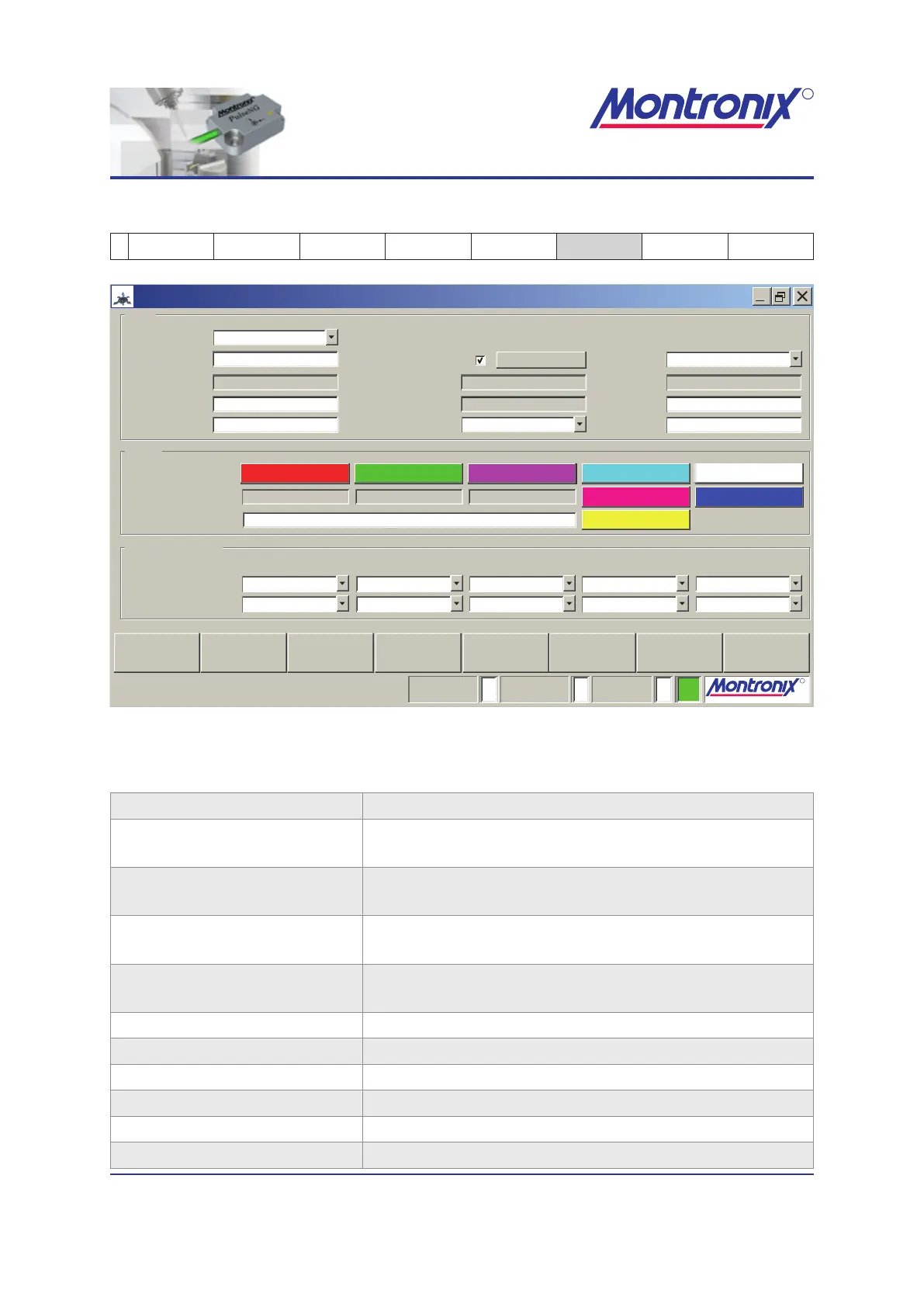
Figure 15: Cong
Global (Global settings)
Language: Language selection
Debounce time: Length of time a signal has to queue to be accepted
as valid signal.
Set time/date on startup Check for automatic synchronization of IBU time/date
to PC at each program start.
Adjust time/date One-time manual synchronization of IBU time/date to
PC.
Teach mode: Possible settings:
Maximum peak / Average of peaks
MAC address display only
IBU time and date: display only
Firmware version: display only
IP address: 192.16 8.1. 241 (default set ting)
PC time and date: display only
Subnet mask: 255.255.255.0 (default setting)


 To Next Page