EasyManua.ls Logo

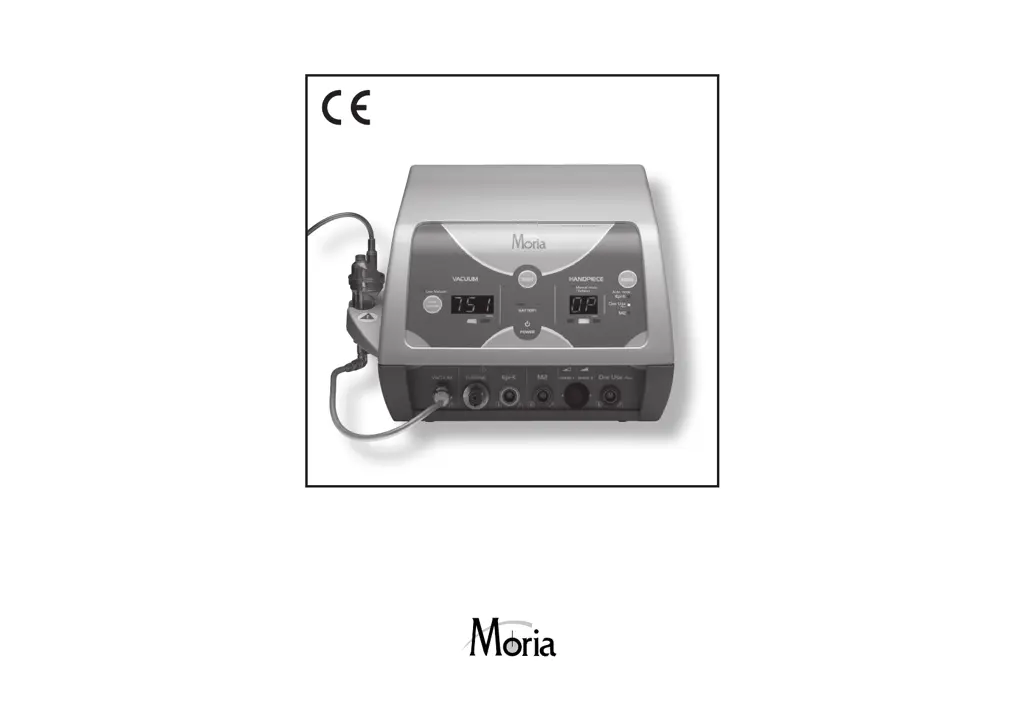
MORIA EVOLUTION 3E - User Manual

MORIA EVOLUTION 3E
108 pages
Print Icon
To Next Page IconTo Next Page
Loading...
Ref.: 65060/INTL
MORIA S.A. – 15, rue Georges Besse - 92160 ANTONY – France
#65060/INTL-K-10-2020
0459
Année de première mise sur le marché : 2005

Table of Contents

Questions and Answers

  • L
    Lisa MorrisAug 3, 2025
    What to do if MORIA Medical Equipment displays 'P1' or 'P2' indicating a loss of vacuum?
    • A
      ashley43Aug 4, 2025
      If you experience a loss of vacuum detected on pump P1 or P2 in your MORIA Medical Equipment, indicated by display A7 showing 'P1' or 'P2' followed by the current atmospheric value, it means one of the pumps has failed. The second pump will automatically take over. Complete your procedure, and then check that the aspiration tubing is well clamped and run a test. If the issue continues, replace the aspiration tubing and test again. If the problem persists, discontinue use and contact your distributor or MORIA for assistance.
  • H
    hsanchezAug 9, 2025
    What to do if MORIA EVOLUTION 3E Medical Equipment loses main power and the battery is discharged?
    • E
      Elizabeth DayAug 9, 2025
      If your MORIA Medical Equipment experiences a loss of main power during surgery and the battery is discharged, immediately connect the console to the main power supply to recharge the battery.
  • C
    Cory EllisonAug 14, 2025
    What to do if MORIA EVOLUTION 3E loses power but runs on battery?
    • G
      Glenn TylerAug 14, 2025
      If you lose the main power supply during surgery while using MORIA Medical Equipment, and the battery is charged (over 90%), the system will automatically switch to battery power. Ensure LED A11 is OFF. After surgery, immediately reconnect the console to the main power to recharge the battery, and ensure LED A11 is ON.
  • B
    Brett BarnesAug 19, 2025
    What to do if MORIA EVOLUTION 3E Medical Equipment shows 'P1/P2' and '---' indicating vacuum loss?
    • N
      Nicole ClineAug 19, 2025
      If you experience a loss of vacuum on both pumps P1 and P2 during surgery with your MORIA Medical Equipment, indicated by display A7 showing 'P1/P2' followed by '---', it means both pumps have failed. Check that the aspiration tubing is well clamped, then run a test. If the issue continues, replace the aspiration tubing and test again. If the problem persists, discontinue use and contact your distributor or MORIA for assistance. Note that the microkeratome will continue to function.
  • J
    James GrayAug 23, 2025
    Why is too much turbine pressure dangerous for MORIA EVOLUTION 3E Medical Equipment?
    • M
      Marissa RobertsAug 23, 2025
      If the turbine pressure entering your MORIA Medical Equipment exceeds 8 bars (116 psi), it could damage the unit. MORIA strongly recommends sending the console back for a check-up, as the pressure sensor board and other components may be damaged, potentially altering the performance of the turbines or the display panel information.
  • R
    Richard RogersAug 28, 2025
    How to handle loss of turbine pressure in MORIA Medical Equipment?
    • T
      Thomas HunterAug 28, 2025
      If you experience a loss of turbine pressure with your MORIA Medical Equipment, the yellow LED will turn ON when the pressure drops below 2.5 bars. After completing the procedure, check the system and run a test procedure. Note that a loss of turbine pressure will decrease the blade oscillation rate.

Summary

Disclaimer

Maintenance and Warranty

Details on system maintenance, warranty, and authorized service for optimal operation.

Use of Generic Products and Reuse of Single-Use Consumables

Warnings against using non-Moria parts and reusing single-use items to prevent adverse events.

Guidance and Manufacturers Declaration: Electromagnetic Emissions and Immunity

Equipment and Accessories List

Equipment List

Lists the main equipment components of the EVOLUTION 3E system with their MORIA references.

Accessories List

Comprehensive list of accessories, including designation, regulatory designation, and MORIA reference.

Technical Specifications

Regulatory Information

Intended Use

Labeling Information

Installation and Connection

Installation Recommendations

General recommendations for setting up the EVOLUTION 3E console for optimal user experience and safety.

Electrical Setting

Instructions for setting the correct operating voltage and connecting the power supply safely.

Battery Test

Procedure to check the battery charge level indicator on the console unit.

Connecting the Aspiration Tubing

Steps to properly connect the sterile aspiration tubing, including integrity checks.

Vacuum Test

Procedure to test the efficiency of vacuum pumps and check for proper suction.

Low Vacuum Function

How to activate and use the low vacuum function for specific surgical passes.

Manual Mode

Instructions for operating the console in manual mode, including turbine connections and pressure settings.

Disassembly of the Nitrogen;Air Supply

Steps for safely disconnecting and disassembling the nitrogen/air supply system.

Automated Mode

Guide for operating the system in automated modes (M2, M2SU, One Use-Plus, Epi-K).

Use of Footpedal

Compatibility Footpedal-Console

Details on compatibility between specific footpedal and console serial numbers.

Compatibility Footpedal-Handpiece

Information on which handpieces are compatible with specific footpedals.

Manual Mode

Instructions for operating the system in manual mode, including vacuum control and blade oscillation.

Automated Mode

Guide for using the automated mode, including vacuum, speed, and keratome assembly.

Trouble Shooting

Power Supply

Troubleshooting steps for power supply issues, including battery backup and charging.

Vacuum Loss

Diagnosing and intervening for detected vacuum loss issues with the pumps.

Residual Vacuum

Procedure to address residual vacuum that cannot be interrupted by the footpedal.

Turbine Pressure (Manual Mode)

Monitoring and addressing turbine pressure issues (low or too high) in manual mode.

Care & Maintenance

How to Select the Operating Voltage (115 V or 230 V Position)

Guide on selecting the correct input voltage (115V or 230V) for the device based on the power supply.

Installing a New Battery

Step-by-step instructions for safely replacing the internal battery of the console unit.

Replacing Fuses

Steps to safely replace the fuses within the control unit, including necessary precautions.

Warranty

Scope of Warranty

Outlines what is covered by the warranty, including parts, labor, and decontamination requirements.

Non-Application of Warranty

Lists conditions under which the warranty becomes void or non-applicable.

Warranty Period

Specifies the duration of the warranty, starting from the date of dispatch.

Liability

Defines MORIA's liability limitations concerning services and potential damages.

Drawings

Control Unit (Front)

Labels and identifies various components on the front panel of the control unit.

Control Unit (Back)

Identifies and labels the components located on the back panel of the control unit.

Footpedal

Illustrates and labels the different parts of the footpedal.

Connecting and Disconnecting Nitrogen;Air Hose (#19120)

Visual guide on how to properly connect and disconnect the nitrogen/air supply hose.

How to Select the Operating Voltage (115 V or 230 V Position)

Visual steps for selecting the correct operating voltage (115V or 230V) for the device.

Changing the Battery

Provides visual steps for the replacement of the unit's internal battery.

Changing Fuses

Illustrates the procedure for safely replacing the fuses within the control unit.

Installing Tubing

Visual guide for correctly installing the aspiration tubing.

MORIA EVOLUTION 3E Specifications

General IconGeneral
BrandMORIA
ModelEVOLUTION 3E
CategoryMedical Equipment
LanguageEnglish