Operation
5-4 January 2019
Hitching - Continued
Hitching to Tractor - Continued
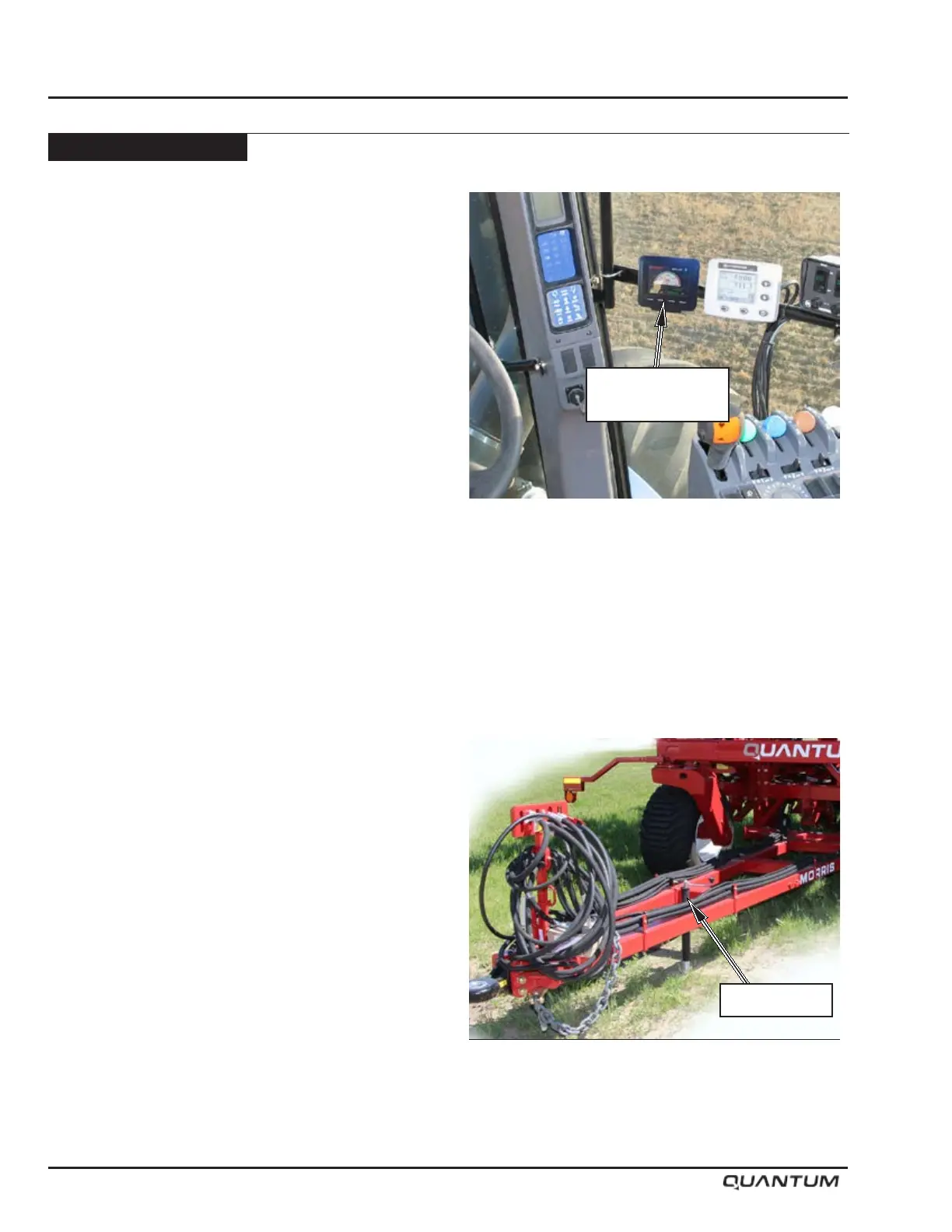
• Mount the JEM Display in tractor cab with the LCD
visible and with in easy reach to operate. See next
page for harness details.
• Route the JEM harness away from moving parts
and sharp protrusions. Connect the red wires to the
positive (+) terminal of the battery. Connect the black
wires to the negative (-) terminal of the battery.
• If equipped with a Topcon X35 Apollo system refer
to X35 Operator’s Manual. See page 5-6 and 5-7
for harness details.
• Tractor Hydraulics - set Opener hydraulics on
continuous with a flow rate of 25 GPM. Refer
to tractor manufactures information for optimal
plumbing of hydraulic system.
Unhitching from Tractor
• Pin hitch jack in storage position.
• Lower hitch jack taking the weight off the hitch clevis.
• Ensure all transport locks are properly secured.
• Relieve pressure in the hydraulic hoses by positioning
tractor hydraulic lever in “oat” position or turn tractor
engine off and cycle lever back and forth several
times.
• Disconnect wire harnesses and hydraulic hoses.
• Remove the safety chain.
• Remove the drawbar pin.
• Slowly move tractor away from Air Drill.
Hitch Jack Lowered
Hitch Jack
JEM Display
Pressure Gauge


 To Next Page