Operation
5-12 January 2019
Manual Override
Turn 3/16 hex adjustment
Clock Wise to increase pressure.
S2
Opener Hydraulic System - Continued
Operation - Continued
Pressure Setting
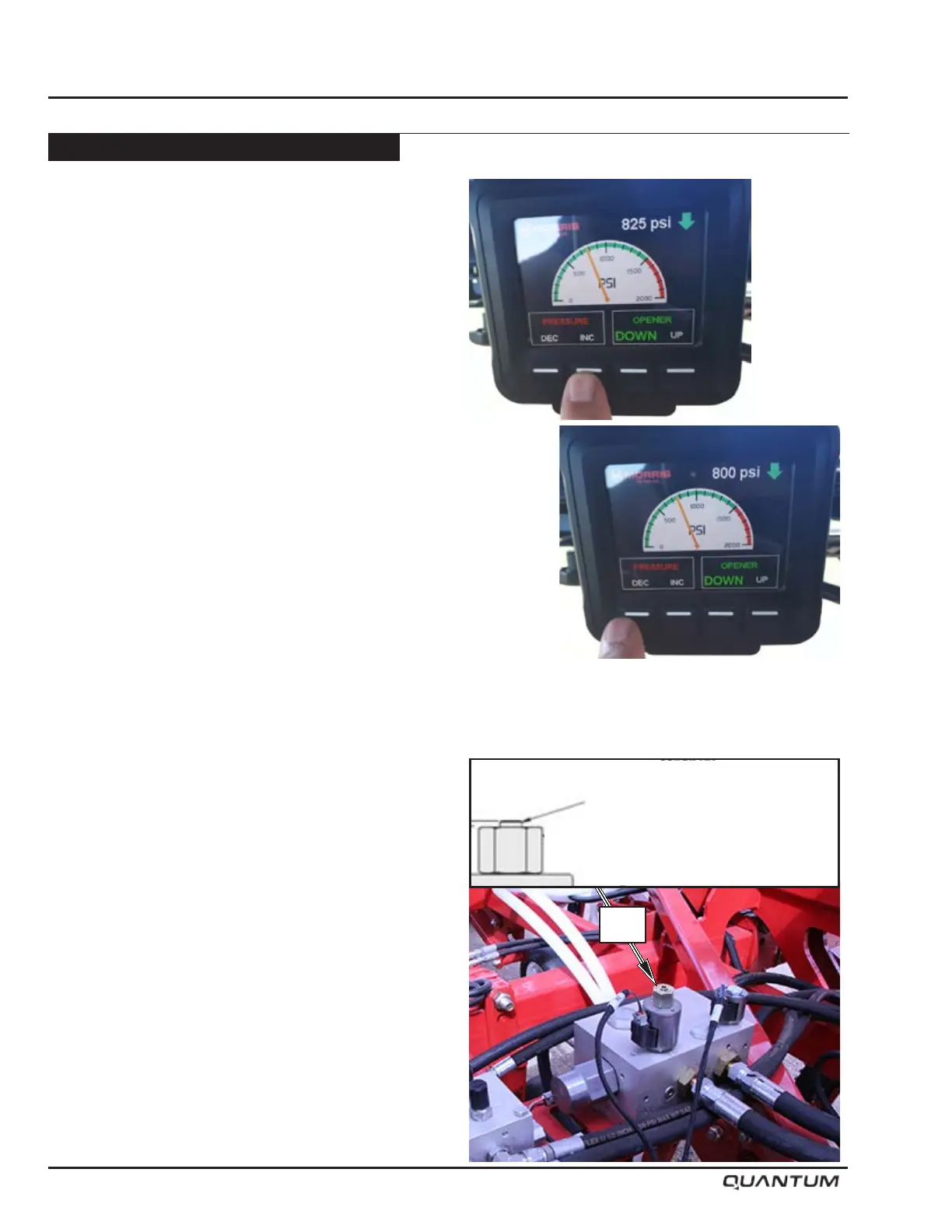
• Pressure can be adjusted on the go from the tractor
cab using the display.
• Pressing the Pressure “INC” button on the display
will increase the pressure by shifting proportional
reducing/relieving valve S2 in the block; each press of
the arrow will lift the pressure value by approximately
25 psi (172 kPa).
• Pressing the Pressure “DEC” button on the display
will decrease the pressure by shifting proportional
reducing/relieving valve S2 in the block; each
press of the arrow will drop the pressure value by
approximately 25 psi (172 kPa).
• The system will remember the last pressure setting
that it operated at and revert to that at next start up.
• To determine the approximate trip out force in pounds
on each shank, divide the system hydraulic pressure
in the circuit by 1.5.
For example: A system hydraulic pressure of 750 psi
(5171 kPa) would be approximately 500 lbs (227 Kg)
trip force at each shank.
Note: Due to the variation of friction effects, this
trip force is approximate.
Limp home mode (manual hydraulic operation)
If a situation arises where electronic control of the
opener hydraulics is not possible, a manual operation
mode can be used temporarily. In this mode, the tractor
hydraulics will need to be utilized to actuate lifting and
lowering of the openers. Tractor remote would need to
be set for continuous ow in the openers down operation
mode the same as when the electronic controls are
working. However, for lifting at headlands, the tractor
remote would be operated in the opposite direction to
lift the openers.
Pressure setting would then be done manually at the S2
Pressure Reducing/Relieving Valve. Turn the 3/16” hex
adjustment Clock Wise to increase pressure.
Note: Pressure adjustment on the go is not
possible while using “limp home mode”.


 To Next Page