EasyManua.ls Logo

Moto Q - Welcome

Default Icon
68 pages
Print Icon
To Next Page IconTo Next Page
To Previous Page IconTo Previous Page
Loading...
PAGE 1 WELCOME
1 WELCOME
Introducing your new
MOTO
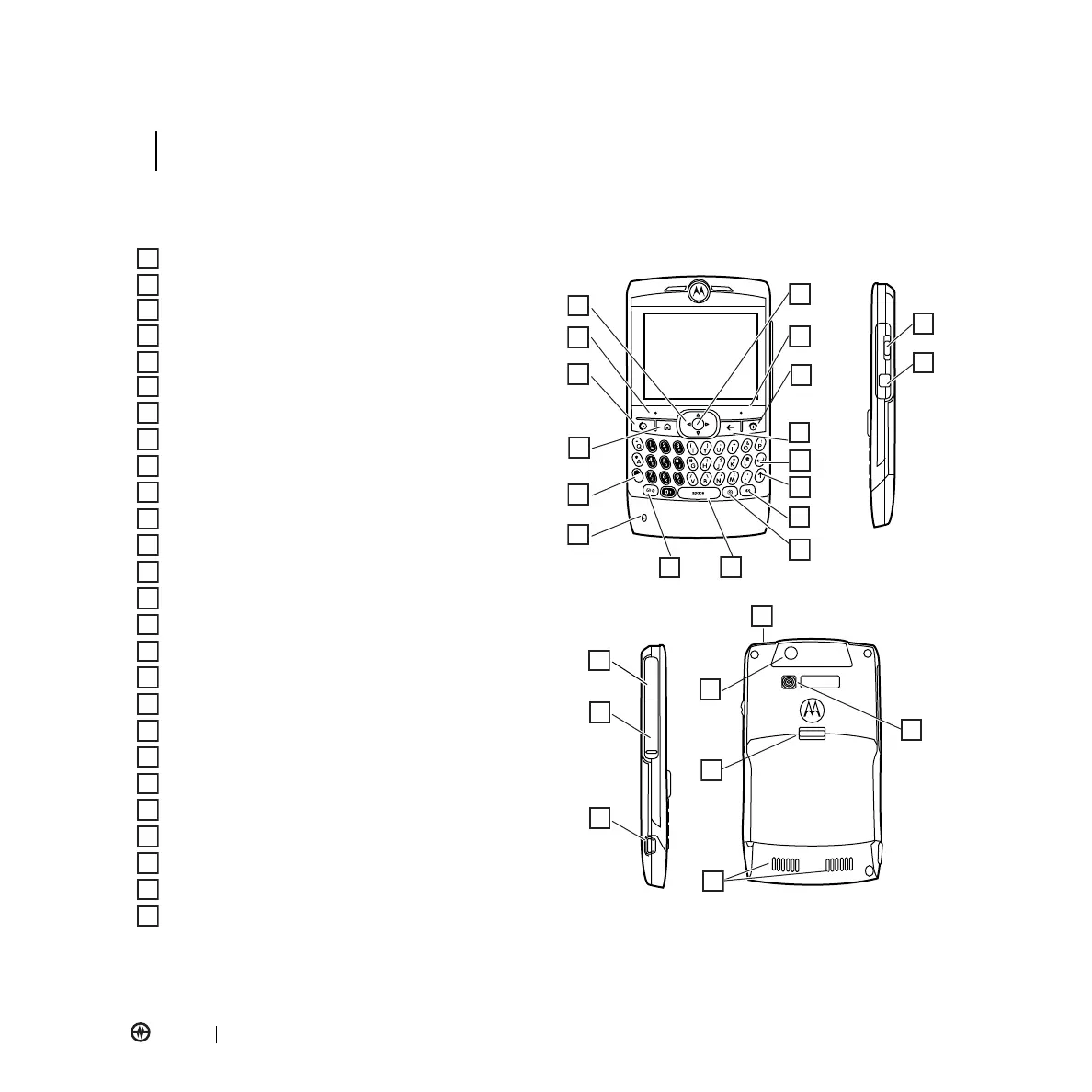
Q™ Amp’d Edition CDMA wireless phone! You can check and write e-mail, use the
QWERTY keyboard for entering text, and use it with Bluetooth
®
Enabled headsets. Here’s a quick anatomy lesson.
Navigation Key
Move through menus.
Left Soft Key
Call/Answer Key
Make & answer calls.
Home Key
ALT Key
Microphone
Message/Display Off Key
Space Key
Center Key
Select menu items.
Right Soft Key
Power/End Key
Turn phone on & off, and end calls.
Back Key
Enter Key
Caps Key
Speakerphone/Voice Recognition Key
Camera Key
Thumb Wheel
Undo/Back Key
Infrared Port
Memory Card Door
Mini USB Port
Charge & connect phone accessories.
2.5mm Headset Jack
Camera Lens
Battery Door Release
Speakers
Camera Flash
1
2
3
4
5
6
7
8
9
10
11
12
13
14
15
16
17
18
19
20
21
22
23
24
25
26
1
2
3
4
5
6
7
8
9
10
11
12
13
14
15
16
17
18
19
20
21
22
23
24
25
26
WELCOME

Table of Contents