PAGE 8 TRANSFERRING YOUR NUMBER GETTING STARTED
Transferring Your Number
Note:
Make sure you have already activated your phone
by dialing *22890.
To transfer your number from another phone, contact
the Amp’d Customer Care Center at 1-866-811-0091.
Before you call, have this information ready:
•
The ESN from your old mobile phone which is located
behind the battery.
•
Your account number from your previous
service
provider.
The transfer process may take up to 24 hours.
Using the Infrared Port
Use the infrared port to
synchronize and exchange files
with a computer or other
infrared capable device. For
more information about
synchronizing your phone, see
“Synchronizing Your Phone” on
page 16.
You can use Bluetooth or USB cable to transfer data. For
Bluetooth transfer information, see page 28. For data
transfer using USB cable and ActiveSync
®
, see page 16.
Inserting a Memory Card
A memory card is included with your phone. You can
use the removable miniSD memory card to store
multimedia content (such as music, pictures, videos).
Caution
: Do not remove your memory card while your
phone is using or writing files on it.
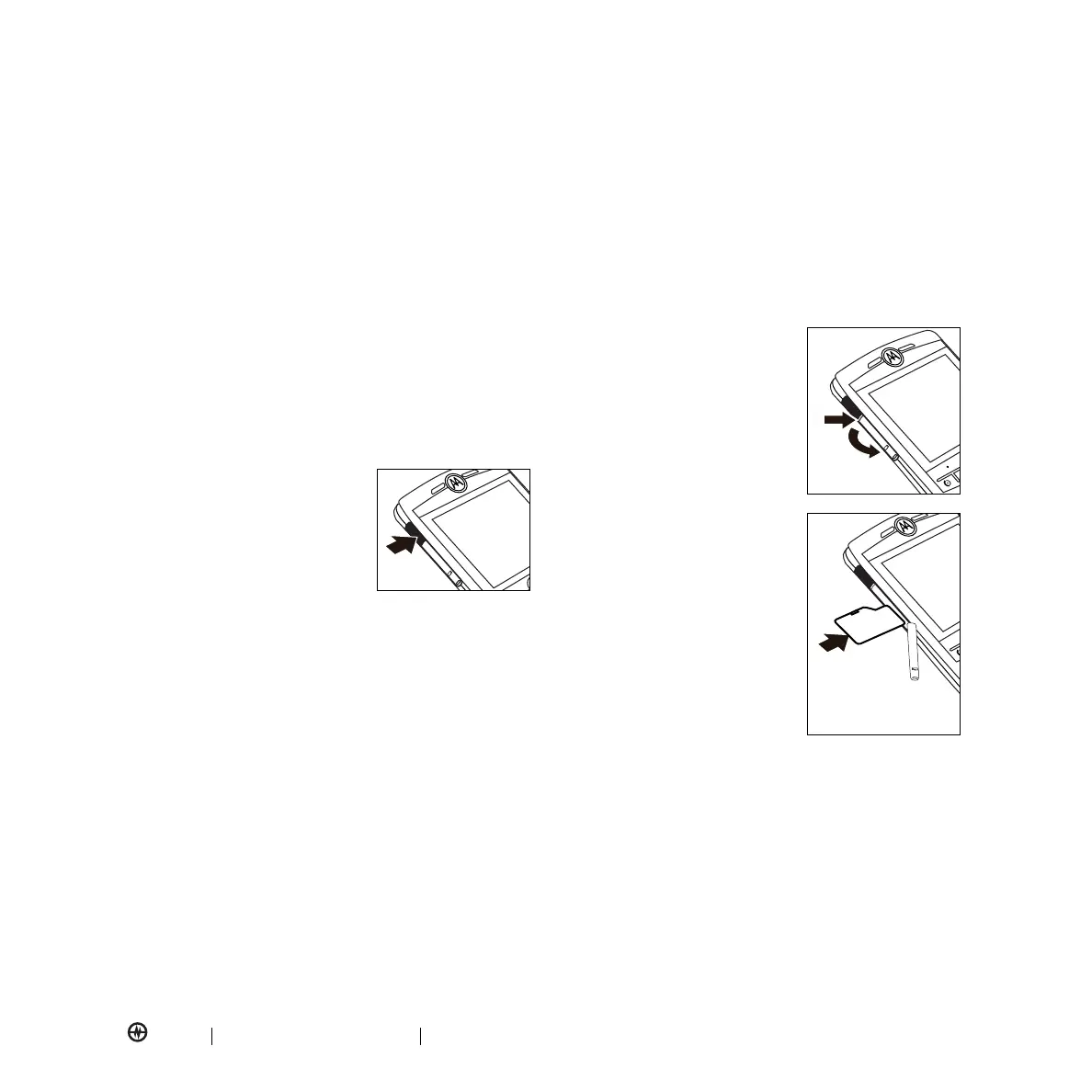
To insert a miniSD memory card:
1.
Open the memory slot cover
by putting your fingernail on
bottom ridge of infrared port
and scraping the rubber
cover downward.
2.
Insert memory card with the
contacts facing down, into
the exposed memory slot.
Make sure the card clicks
into
place.
3.
Place memory card cover
back in place and push
to
close.
Caution:
Don’t bend or scratch your memory card.
Keep it away from static electricity, water, and dirt.
Tip:
Move media files (pictures, videos, music) to a
memory card as often as possible to save storage space
on your phone.



 To Next Page