PAGE 5 ABOUT THIS GUIDE GETTING STARTED
2 GETTING STARTED
Caution:
Before using the phone for the first time, read
the important safety and legal information in the
separate legal guide included in the box.
About This Guide
This guide shows how to locate a menu feature. Press
the left and right soft keys to select screen menus and
options. Use the
Navigation
key (
S
) to scroll and
highlight menu features. Press the
Select
key (
s
) to
select items.
Press
Start > Call History > [Incoming Call]
.
This example shows that, from the main or home screen
of the phone, you press the left soft key to open the
Start menu and then use the thumb wheel to scroll to
I
Call History
then highlight and select an
incoming (
D
) call.
Optional Features
This label identifies an optional network or subscription-
dependent feature that may not be offered by all service
providers in all geographical areas. Contact your service
provider for more information.
Optional Accessories
This label identifies a feature that requires an optional
Motorola Original
™
accessory.
Getting Help
For in-device help while using your phone, press
Start
>
Help and QuickStart
(
1
).
For more ways to get help, see “Additional Information”
on page 9.
Battery Tips
Battery life depends on the network, signal strength,
temperature, features, and accessories you use.
•
Always use Motorola Original batteries and battery
chargers. The warranty does not cover damage
caused by non-Motorola batteries and/or chargers.
•
New batteries or batteries stored for a long time may
take more time to charge.
•
When charging your battery, keep it near
room
temperature.
•
When storing your battery, keep it uncharged in a
cool, dark, dry place.
•
Never expose batteries to temperatures below -10°C
(14°F) or above 45°C (113°F). Always take your phone
with you when you leave your vehicle.
•
It is normal for batteries to gradually wear down and
require longer charging times. If you notice a change
in your battery life, it is probably time to purchase a
new battery.
•
Contact your local recycling center for proper
battery
disposal.
Warning:
Never dispose of batteries in a fire because
they may explode.
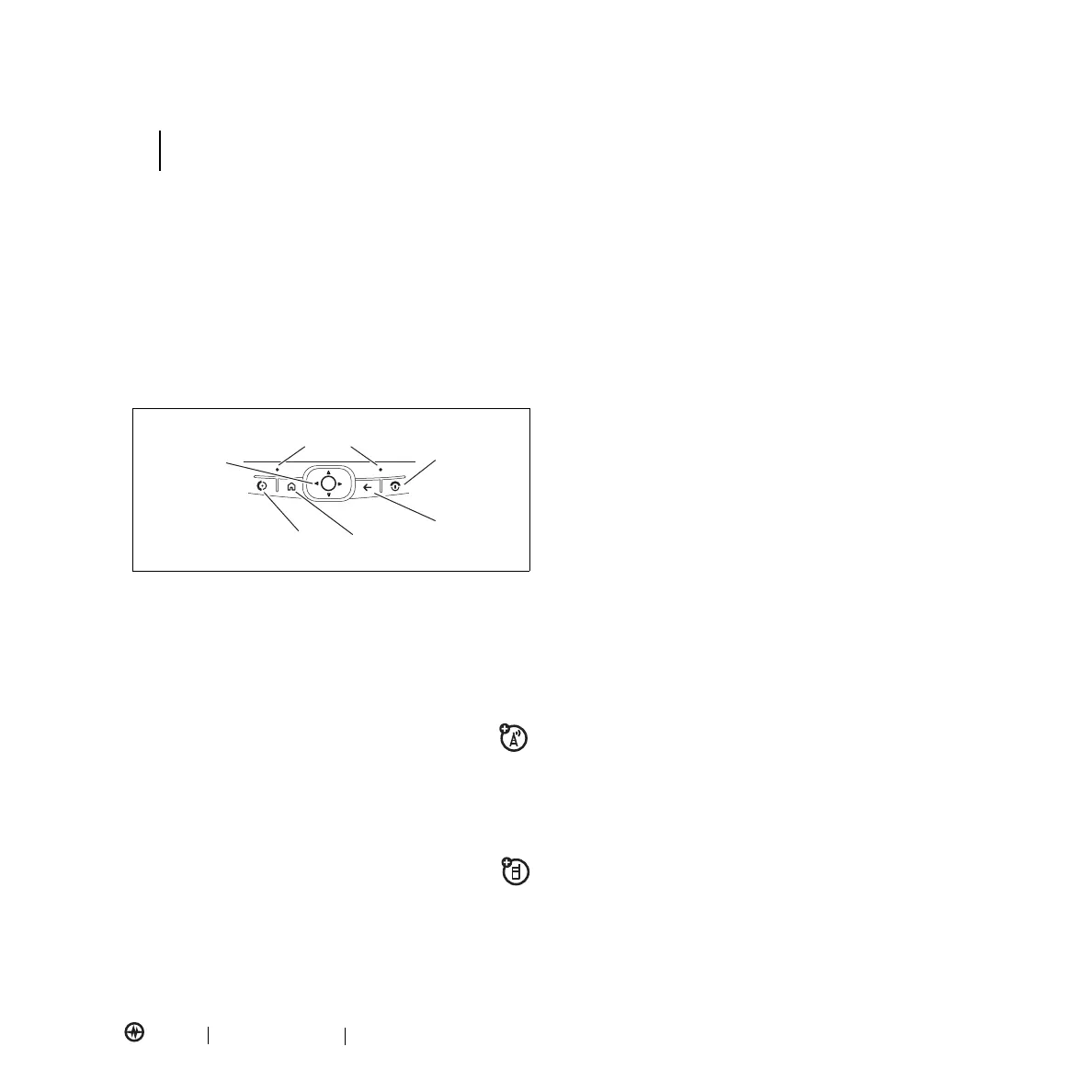
Navigation
and Center
Select Key
Left Soft Key
Right Soft Key
Undo/Back
Key
Home Key
Power Key
Call/Answer Key
GETTING STARTED



 To Next Page