PAGE 6 INSTALLING THE BATTERY GETTING STARTED
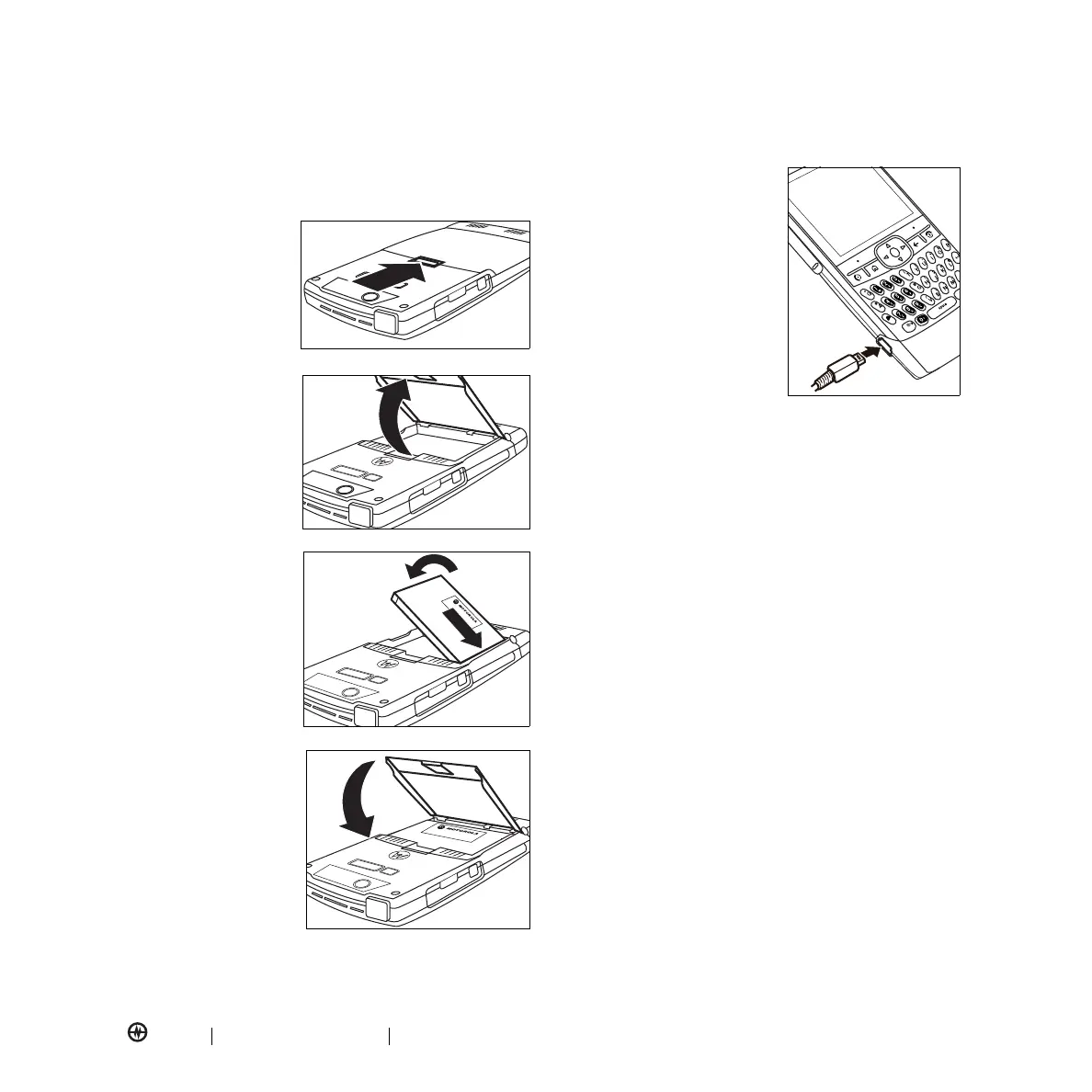
Installing the Battery
Your phone uses only Motorola Original batteries
and accessories.
1.
Press the battery
door latch.
2.
Lift the battery
door up and
remove it.
3.
Insert the battery
as shown.
4.
Replace the
battery door.
Charging the Battery
New batteries are not fully
charged. You can charge your
battery by connecting the
power supply to your phone's
mini-USB port and plugging it
into a wall outlet. Your phone
displays a full battery icon or
Charge Complete
when finished.
Your battery will perform best
after you have fully charged it
and completely drained it (by using it) a few times.
Tip:
You can safely leave the charger connected to your
phone after charging is complete. This will
not
damage
the battery.
Notes
:
•
If your battery is completely drained, you cannot
charge it by using the USB cable plugged into the
computer (this connection only maintains the current
battery level). Use a wall charger or car charger to
recharge the battery. Some computer USB ports
provide a higher current than others and will provide
more rapid charging.
•
The mini-USB port does not support headphones. You
must use 2.5mm headphones or a Bluetooth
stereo
headset.
GETTING STARTED



 To Next Page