Bluetooth 4 - 37
Figure 4-38
BTExplorer Settings - Security
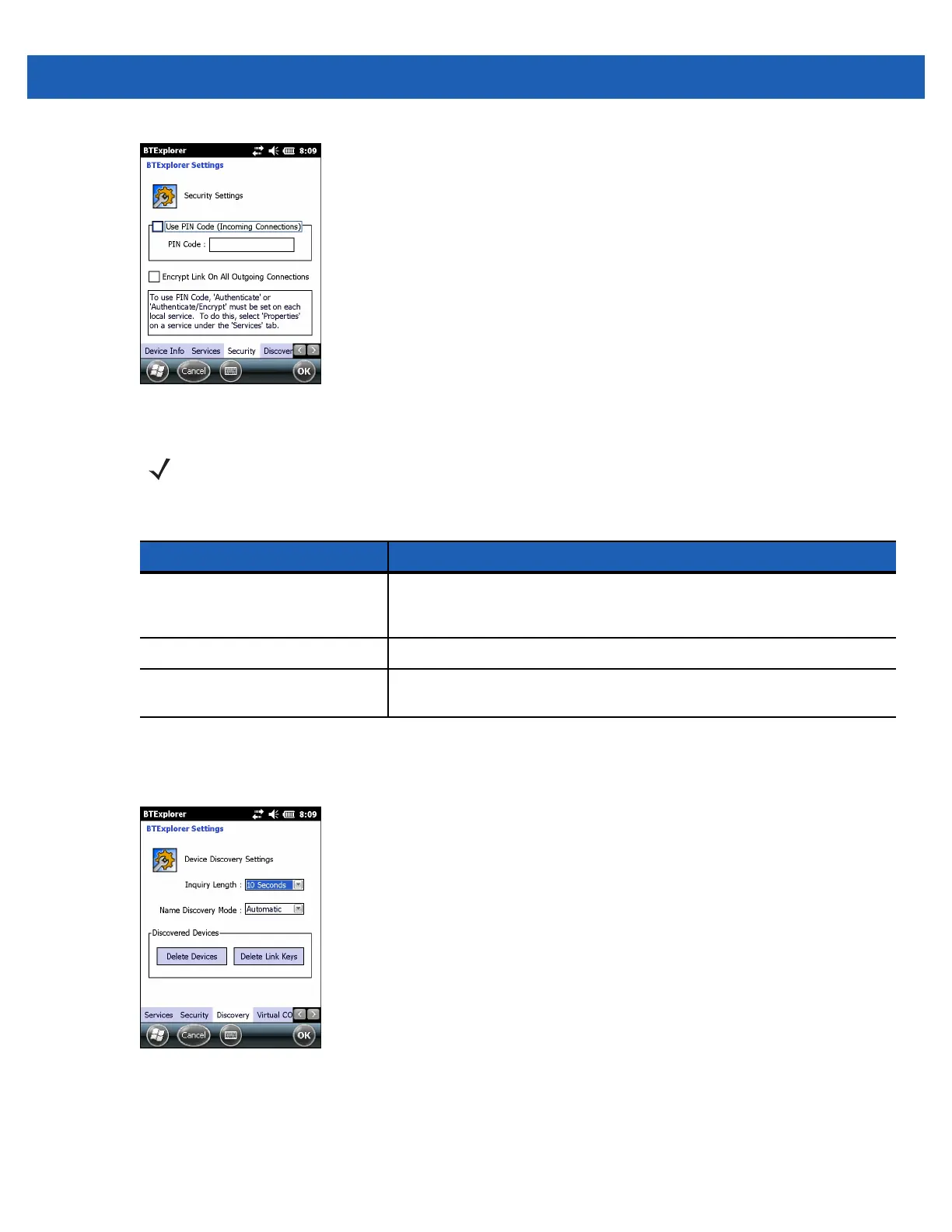
Discovery
Use Discovery to set and modify discovered devices.
Figure 4-39
BTExplorer Settings - Discovery
NOTE To use PIN Code, select Authenticate or Authenticate/Encrypt from the Service Security drop-down
list on each local service.
Table 4-14
Security Data
Item Description
Use PIN Code (Incoming
Connection)
Select for automatic use of the PIN code entered in the PIN Code text
box. It is recommended not to use this automatic PIN code feature. See
Security on page 4-2 for more information.
PIN Code Enter the PIN code.
Encrypt Link On All Outgoing
Connections
Select to enable or disable encryption on all outgoing connections to
other Bluetooth devices.


 To Next Page
 Loading...