5 - 14 MC55A0/MC55N0 Enterprise Digital Assistant User Guide
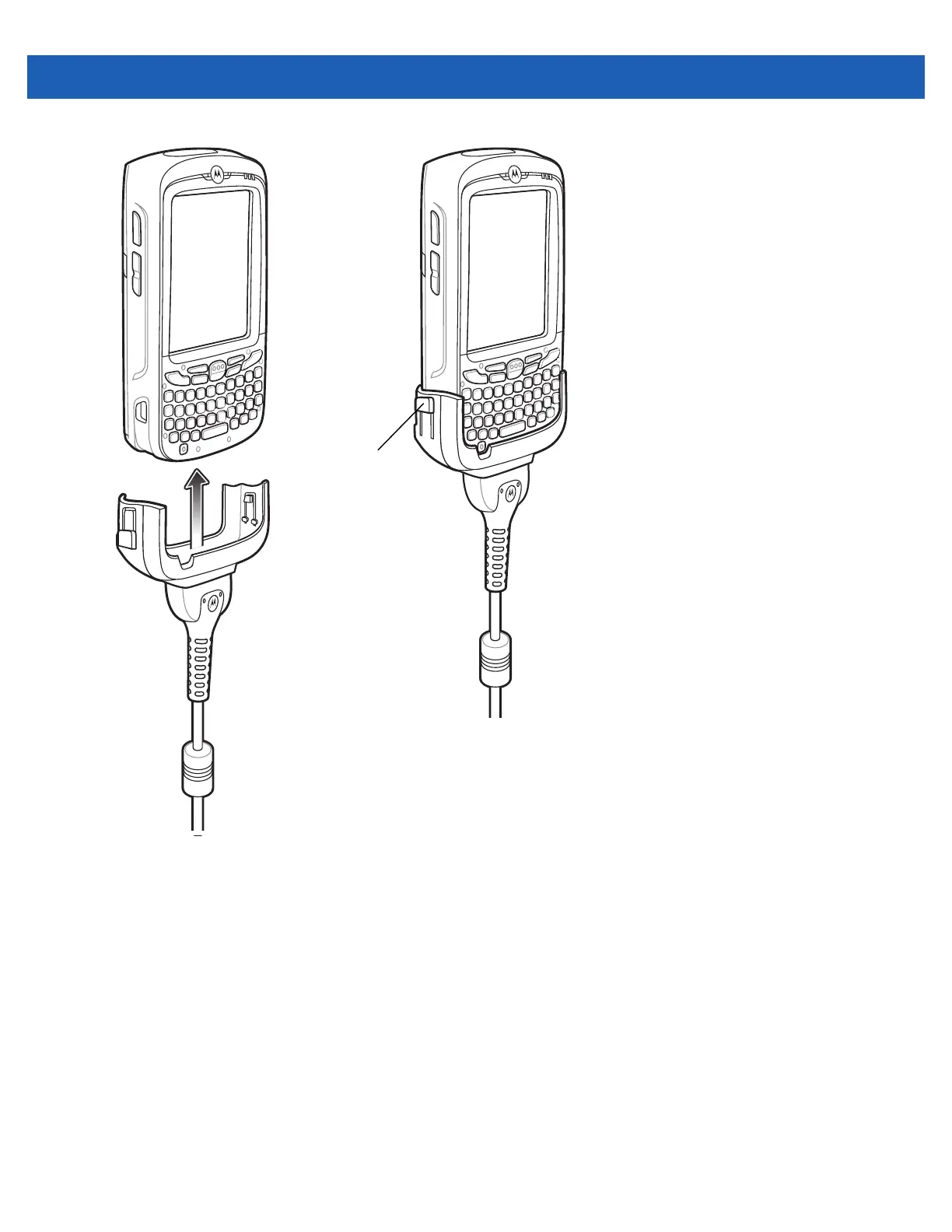
Figure 5-11
Cable Cup Locking Tabs
The MC55 amber Charge LED indicates the MC55 battery charging status. The 2400 mAh standard
battery charges in less than four hours and the 3600 mAh standard battery charges in less than six hours.
See Table 1-1 on page 1-6 for charging status indications.
4. When charging is complete, push the two locking tab down and remove the cable from the MC55.
LED Charge Indications
The amber Charge LED on the MC55 indicates battery charging status. See Table 1-1 on page 1-6 for charging
status indications.
Charging Temperature
Charge batteries in temperatures from 0°C to 40°C (32°F to 104°F). Charging is intelligently controlled by the
MC55.
Locking Tab



 To Next Page
 Loading...