Operation 2 - 19
LED Indicators
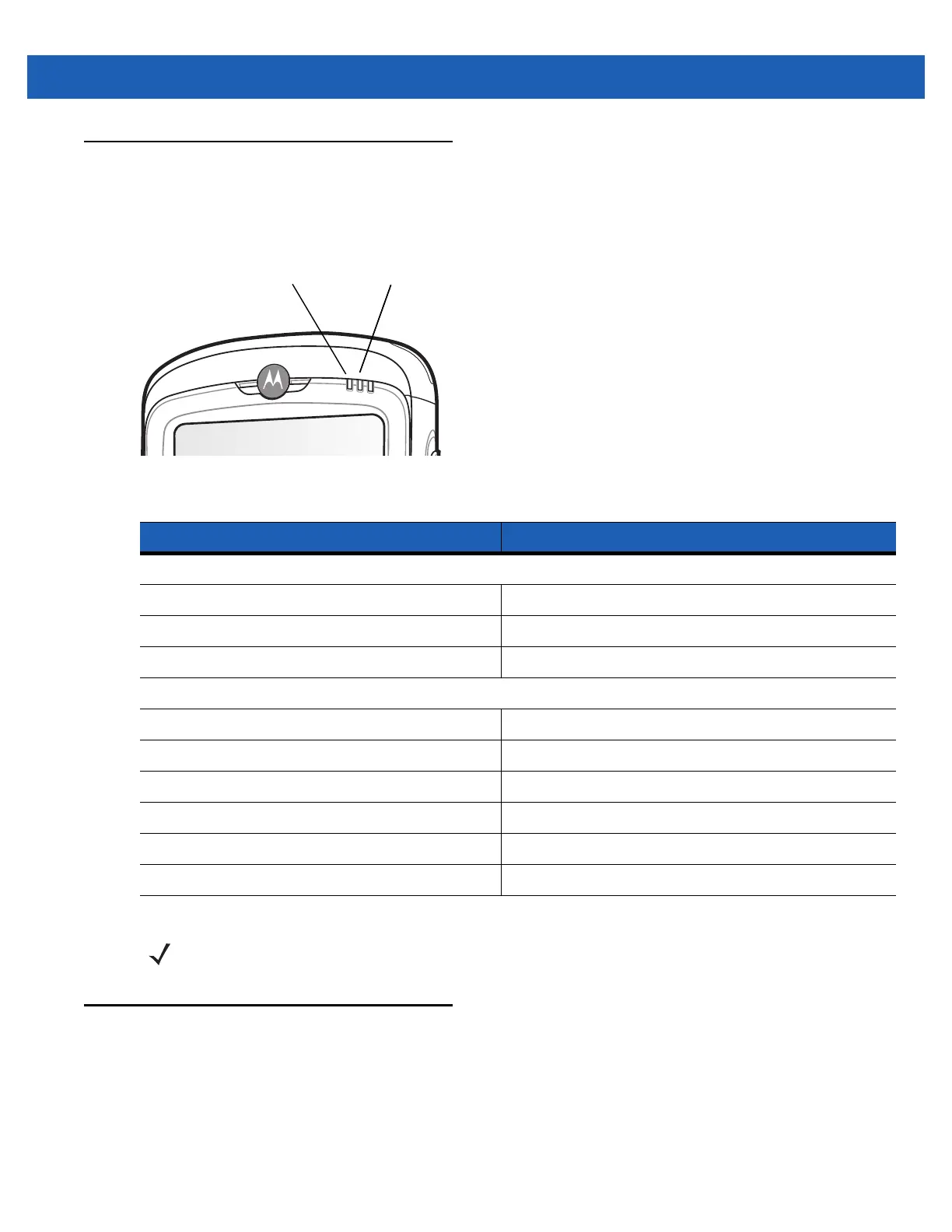
The MC55 has three LED indicators. The Scan/Decode LED indicates status for scanning. The
Charging/Battery Status LED indicates battery charging and status.
Figure 2-23
LED Indicators
Resetting the MC55
There are two reset functions, warm boot and cold boot. A warm boot restarts the MC55 by closing all running
programs. A cold boot also restarts the MC55, and also initializes some drivers. Data saved in flash memory or
a memory card is not lost.
If the MC55 is not functioning properly, perform a warm boot first. If the MC55 still does not respond, perform a
cold boot.
Table 2-7
LED Indications
LED State Indication
Scan/Decode LED
Solid Green Successful decode/capture.
Solid Red Laser enabled, scanning/imaging in process.
Off Not enabled.
Charging/Battery Status LED
Slow Blinking Amber Main battery in MC55 is charging.
Solid Amber Main battery in MC55 is fully charged.
Fast Blinking Amber Charging error.
Off Not charging.
Single Blink Amber (when Power button pressed) Battery depleted.
Blinking Amber (when Power button pressed) Battery over-temperature condition.
Scan/Decode
LED
Charging/Battery
Status LED
Charging/Battery
Status LED
NOTE For information about scanning/decoding, see Chapter 3, Data Capture.



 To Next Page
 Loading...