Accessories 5 - 19
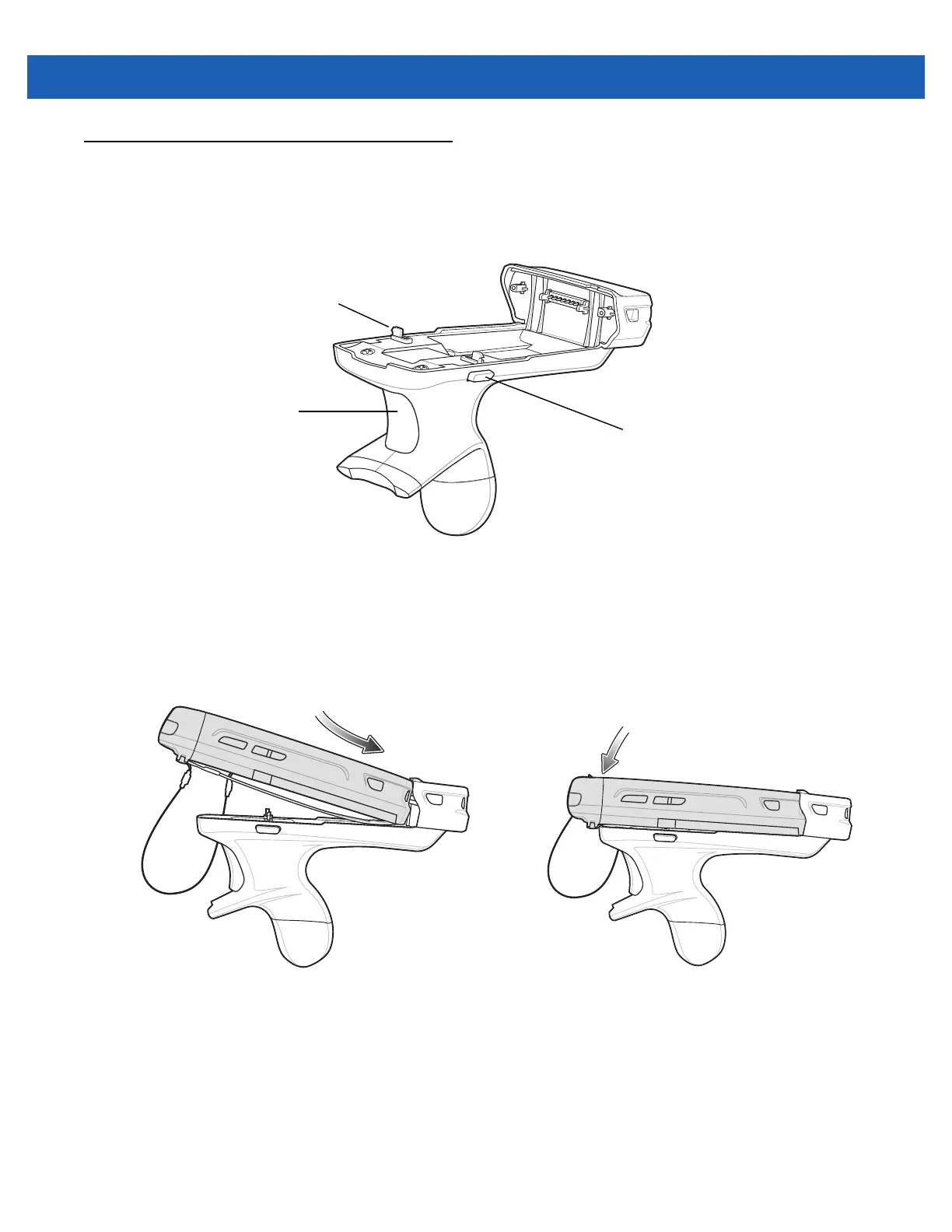
Trigger Handle
The TRG5500 Trigger Handle adds a gun-style handle with a scanning trigger to the MC55. It increases
comfort when using the MC55 in scan-intensive applications for extended periods of time.
Figure 5-17
Trigger Handle Features
Inserting the MC55 into the Trigger Handle
Slide the MC55 into the Trigger Handle until it locks in place. The latches secure the MC55 to the Trigger
Handle.
Figure 5-18
Installing the MC55
Removing the MC55
To remove the MC55, press the release buttons and pull the MC55 forward.
Latch
Trigger
Release Button



 To Next Page
 Loading...