Operation Section
39
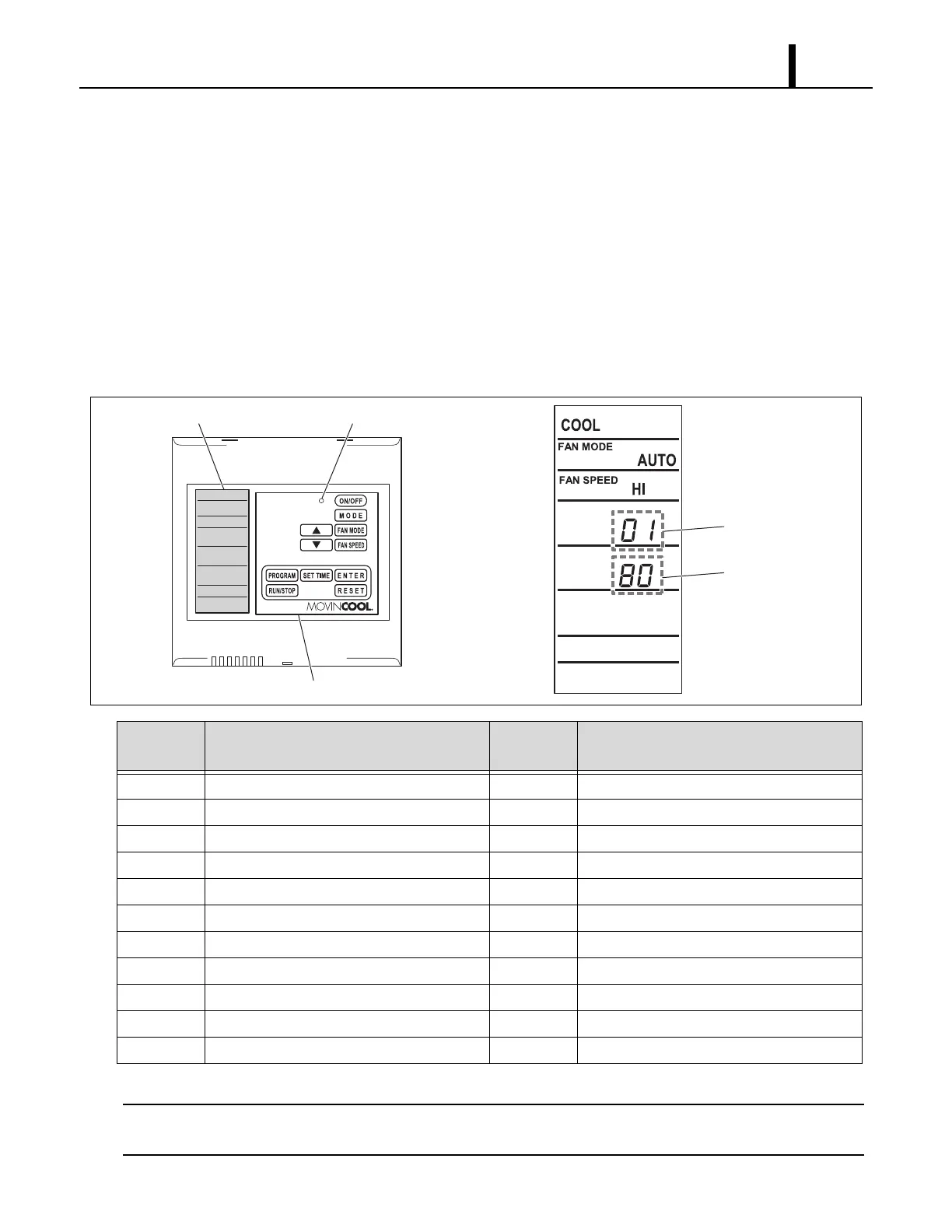
7.2 Operational Status Display Control
(Only When Connected With WMC)
• The operational status of each functional part can be displayed while the unit is running.
(1) Display method
• Press and hold the “”, “”, and “FAN MODE” buttons simultaneously for 3 seconds.
• The display items can be switched using the “” or “” buttons.
(2) Exiting operational status display
• To exit the operational status display, press the “RESET” button, or do not operate the system for 1 minute.
*1 :Display units °F/°C can be changed by pressing and holding the “” and “” buttons simultaneously for 3 seconds
on the WMC.
Displayed
Code
Display Item
Display
Units
Display Example
01 Compressor speed rps 80 (80 rps)
02 Electronic expansion valve position pulse 3 50 (350 pulse)
03 Evaporator fan motor speed rpm 9 35 (935 rpm)
04 Not in use - -
05 Compressor operating current A 15 (15 A)
06 Evaporator inlet air thermistor (RTS2)
*1
°F/°C 80 (80 °F)
07 Entering water thermistor (EWTS)
*1
°F/°C 95 (95 °F)
08 Condenser thermistor (CTS1)
*1
°F/°C 120 (120 °F)
09 Evaporator pipe inlet thermistor (CTS2)
*1
°F/°C 104 (104 °F)
10 Evaporator pipe outlet thermistor (CTS3)
*1
°F/°C 40 (40 °F)
11 Self-diagnostic code - DF, IR, OR
ILL00331-00
Displayed Code
Status Display
LCD Display LED (Color : Green)
Control Panel









 To Next Page