10 Maintenance
Maschinenfabrik Reinhausen GmbH 202374 4001150/12 ENMSENSE
®
DGA 2/3
To perform the field calibration, proceed as follows:
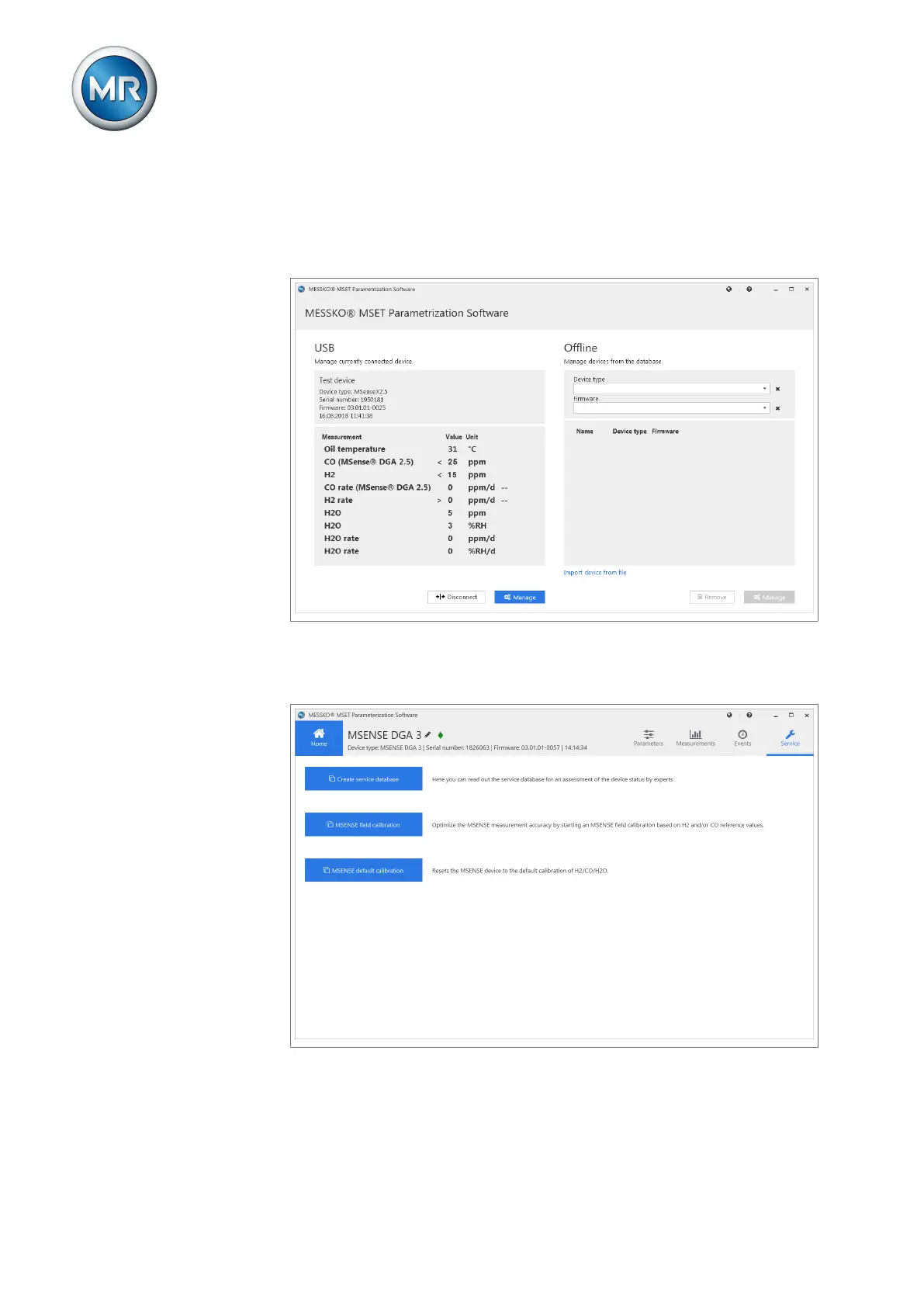
1. Connect the MSENSE®DGA 2/3 to the PC via the USB service adapter
and open the MESSKO®MSET parameterization software.
ð The parameterization software connects to the device.
Figure50: MSET main screen
2. Click on Manage on the left-hand side of the Home view (USB).
3. Click on Service and then on MSENSE field calibration.
Figure51: Service



 To Next Page