Operation
ALTAIR 4X
30
GB
If this option is enabled, the device displays "FAS?", prompting the user to perform
a Fresh Air Setup.
(3) Press the button to bypass the Fresh Air Setup.
The Fresh Air Setup is skipped and the device goes to the Measuring page
[Main page].
(4) Press the ON/OFF button within 10 seconds to perform the Fresh Air Setup.
The device starts the FAS.
The screen shows a No Gas Symbol, a blinking hourglass, and all enabled
gas sensor readings.
At the end of the FAS Calibration, the device displays "FAS OK" or
"FAS ERR". along with the flags of the sensors that were outside of the
FAS limits. All sensors that are within the FAS limits will be zeroed.
3.3 Measurement Mode [Normal Operation]
In Normal Operation mode, the user can check the Minimum and Peak readings pri-
or to clearing the STEL and TWA values or performing a Span and Zero Calibration.
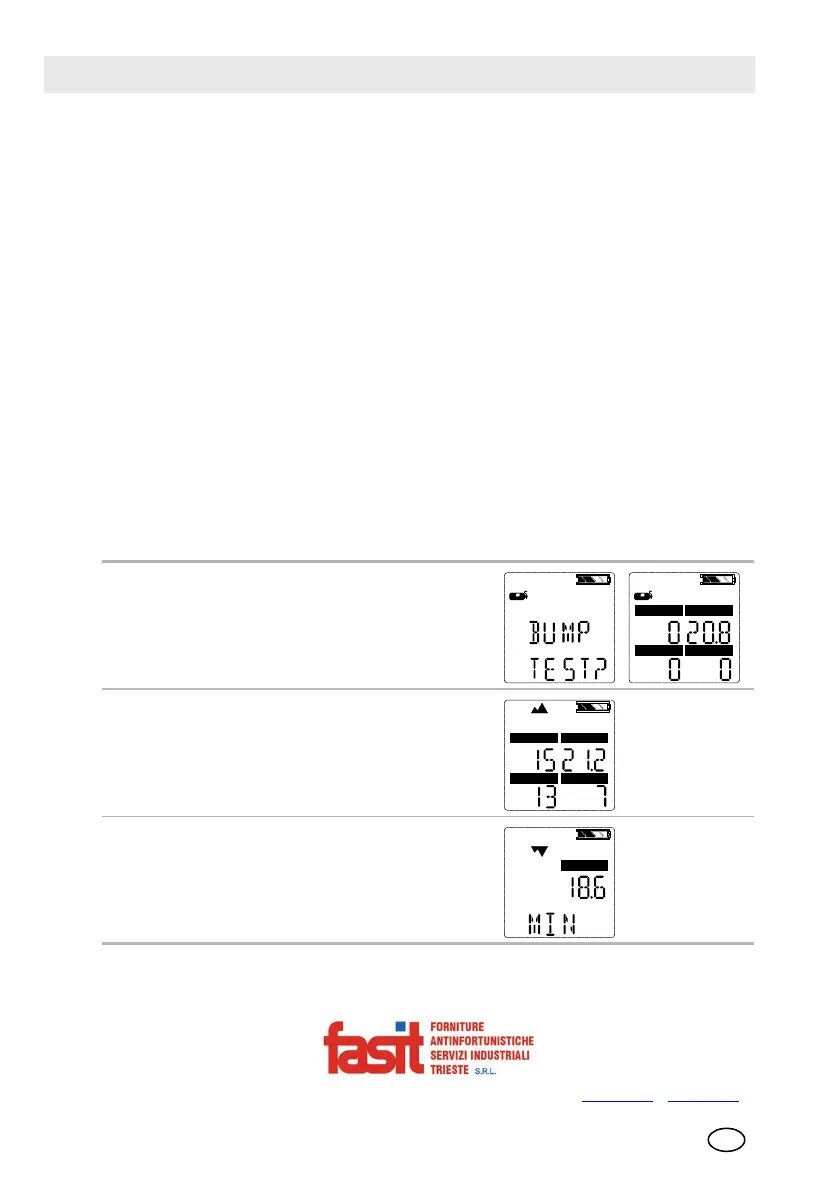
The following options pages can be executed from the Normal Operation screen:
Bump Page
This page allows the user to perform a bump
check.
Peak Page
This page shows the peak readings for all sen-
sors.
Min Page
This page shows the minimum reading for the
oxygen sensor.
FASIT Srl - Via Orsera 13/b - 34145 TRIESTE - ITALY - Tel +39 040 825604 - www.fasit.it
- info@fasit.it



 To Next Page