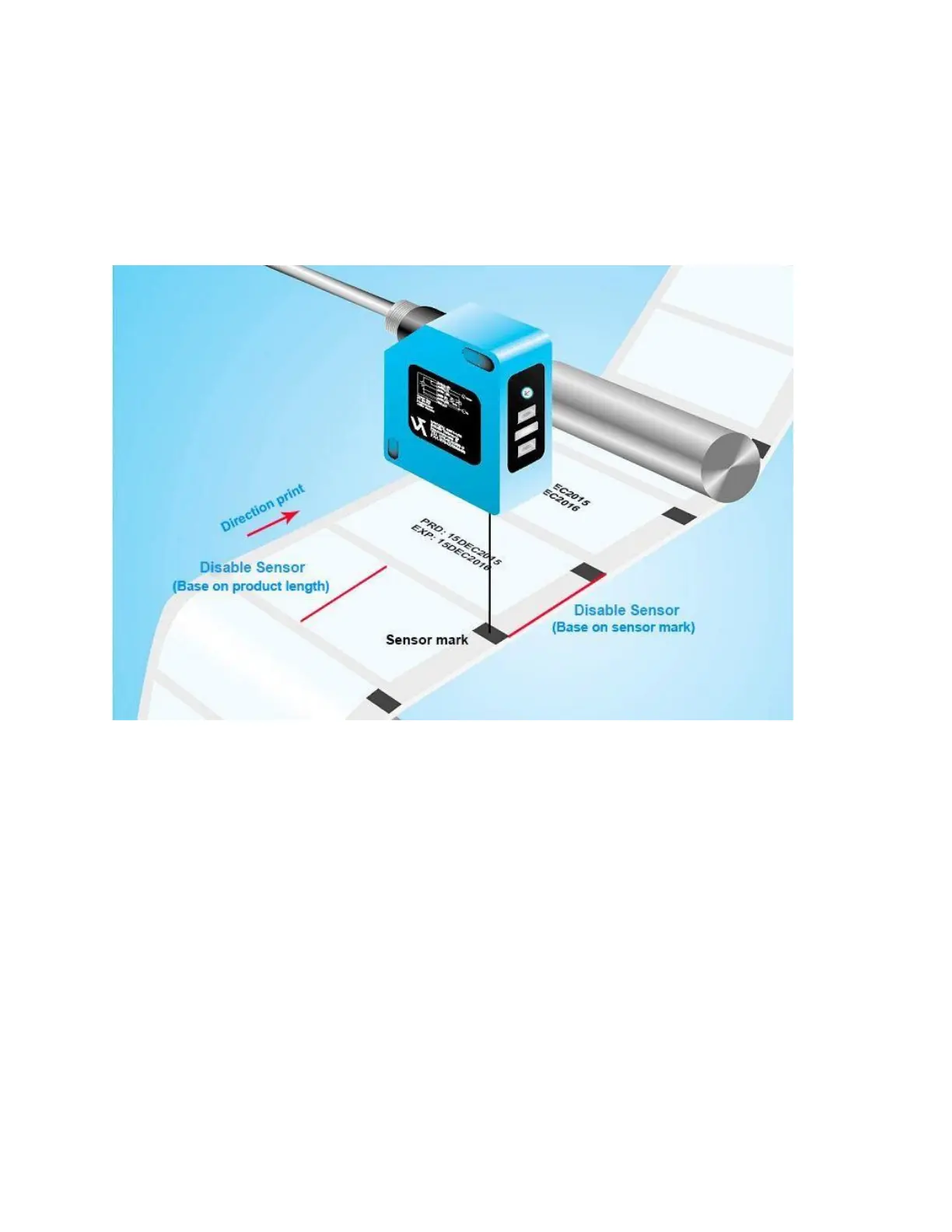
Disable sensor
Disable sensor is a distance between two sensor marks or it’s a product length.
The purpose of this setting is to prevent multiple print on one product and make sure at all time only one
print on one product only (except in case the user adjusts Repeat Time of sensor mode to other value. See
next items for Repeat Times of sensor mode).
So, in this distance the printer will accept first sensor signal only and it will ignore any signals after that.
This happened when your product has multiple colors and it make sensor continuous recognize.
Take a look at picture below to get more understanding about this delay.
• For web application



 To Next Page