7
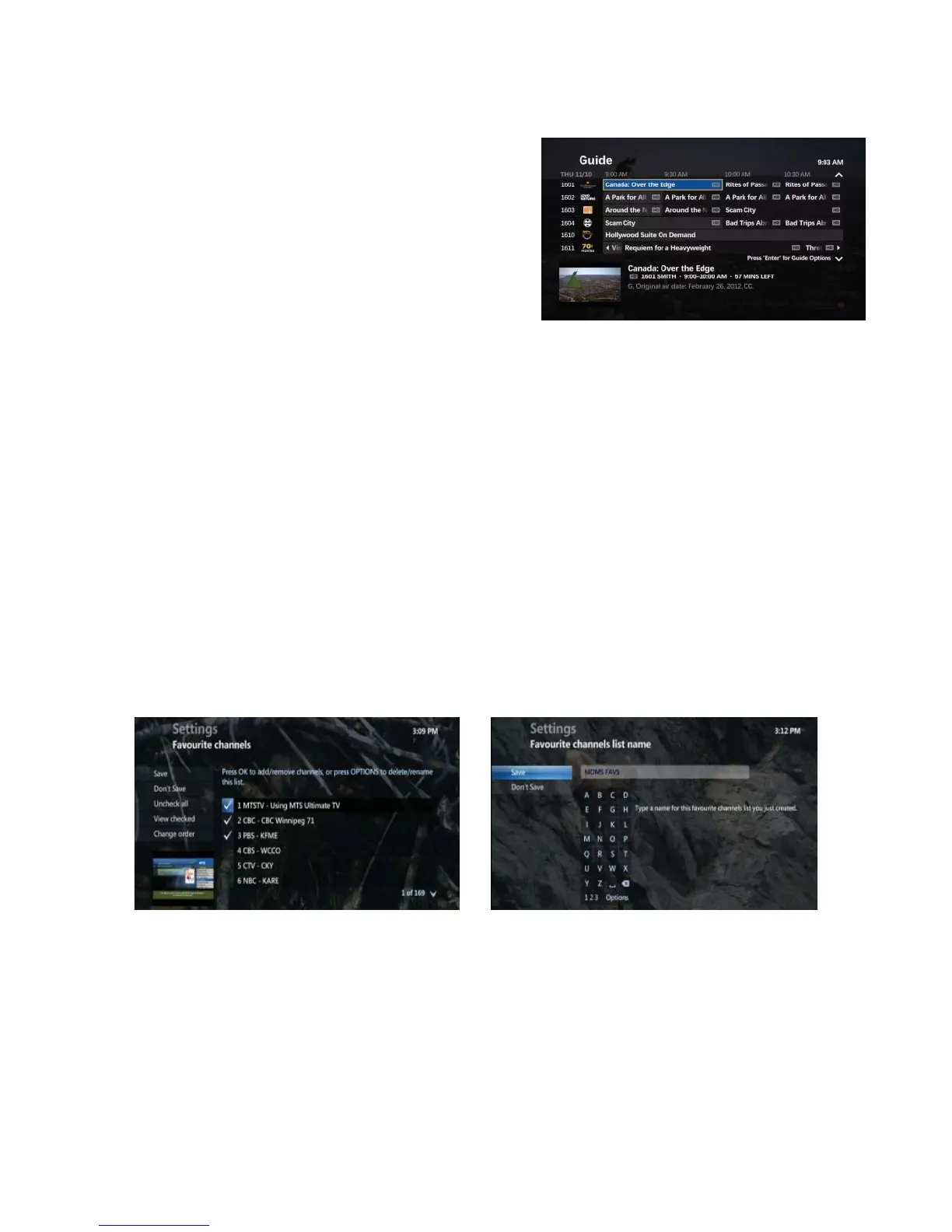
View Favourites
• Press MENU
• DOWN ARROW to LIVE TV, and DOWN ARROW again to
FAVOURITES
• To select the favourite list you want to view, highlight the list
and press OK, your Favourites Guide will be displayed
• To exit your Favourites List, select VIEW ALL CHANNELS
• To add channels to your Favourites List, select EDIT
FAVOURITES, and press OK, and then highlight the Favourites
list you wantto update, and press OK
• Favourite channels are eff ective only on the TV on which they
were setup
Rename Favourites list
• Press MENU
• DOWN ARROW to highlight LIVE TV
• DOWN ARROW to highlight FAVOURITES and press OK
• Highlight SETUP FAVOURITES LISTS and press OK
• Highlight the Favourite List you want to rename and press OK
• Press ENTER / ASPECT, button
• Highlight RENAME THIS LIST and press OK
• Use the ARROW buttons to select the letters on the ALPHABETIC KEYPAD and enter the List Name (use the
<- button to delete a number/letter)
• Highlight SAVE and press OK
• Press EXIT
Delete Favourites list
• Press MENU
• DOWN ARROW to LIVE TV, and press OK
• DOWN ARROW to highlight FAVOURITES, and press OK
• Highlight the Favourite channels you want to delete and press OK
• Press ENTER / ASPECT, button
• Highlight REMOVE FROM FAVOURITES, and press OK
• Select DON’T DELETE to cancel
• Press EXIT



 To Next Page