6
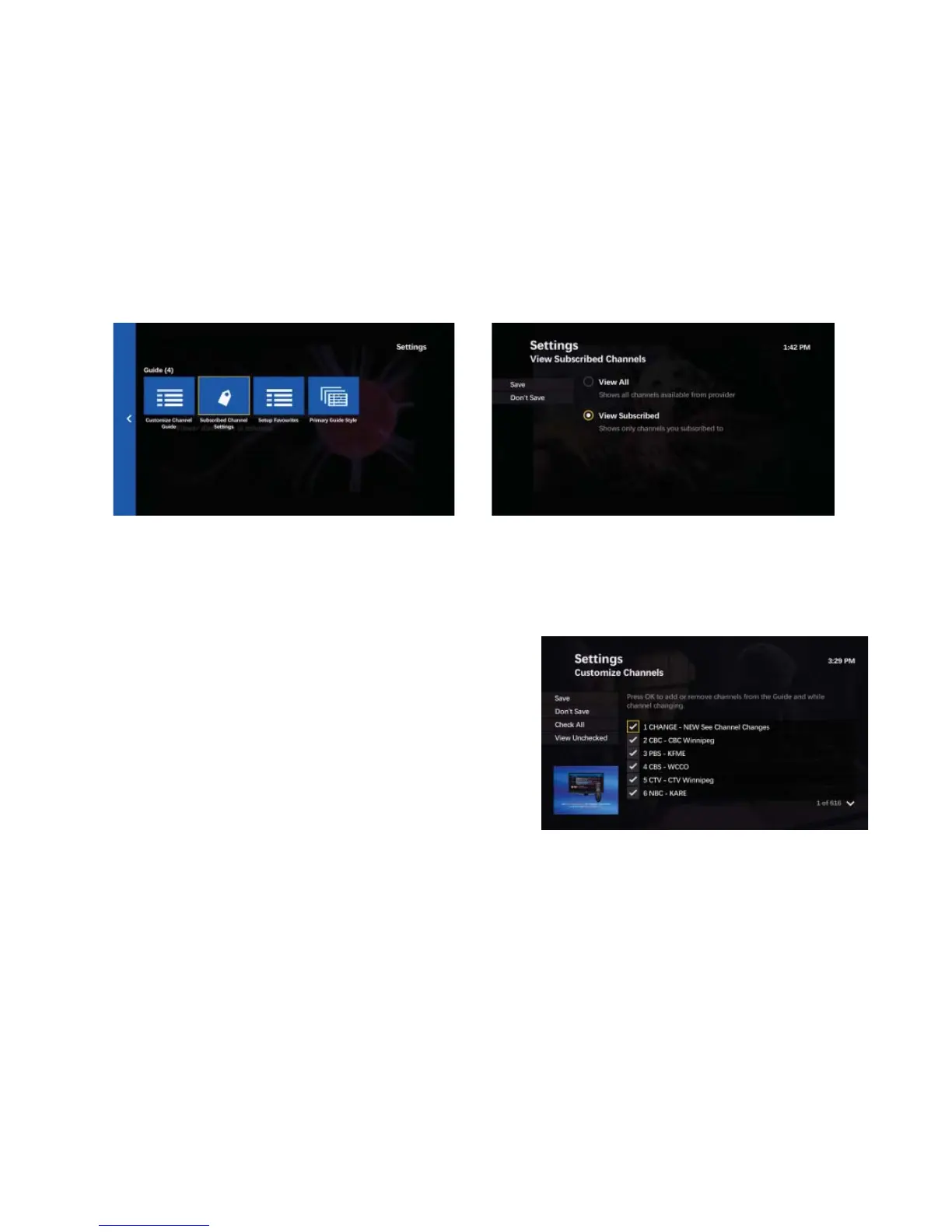
Subscribed channel fi lter
Enabling the fi lter only displays channels that are subscribed to
• Press MENU
• DOWN ARROW to
SETTINGS then DOWN ARROW to highlight GUIDE and press OK
• Highlight SUBSCRIBED CHANNEL SETTINGS and press OK
• To display only channels you subscribe to in the guide, select VIEW SUBSCRIBED and press OK
• To display all channels including channels you are not subscribed to, select VIEW ALL and press OK
• Press the LEFT ARROW to highlight SAVE and press OK
• To cancel the changes, highlight DON’T SAVE and press OK
Setup Favourite lists
Group your most watched channels together in your own favourites list so they are easy to fi nd.
• Press MENU
• DOWN ARROW to SETTINGS, then DOWN ARROW to
highlight GUIDE and press OK
• Highlight SETUP FAVOURITES, and press OK, Highlight
SET UP..., and press OK
• Use the UP/DOWN ARROW buttons or CH | PG button to scroll
through the list of channels.
• Press OK to select or deselect the checkmark beside the channel
• A checkmark includes the channel in the favourite list
• An empty check box removes the channel from the favourite list
From the menu on the left the following options are available:
• To reset the favourite channels list, highlight UNCHECK ALL, and press OK. All the check boxes become unchecked
• To only show the channels in the favourite channels list, highlight VIEW CHECKED, and press OK. The VIEW
CHECKED option becomes VIEW ALL
• To show the entire list of channels, highlight VIEW CHECKED, and press OK, then highlight VIEW ALL, and press
OK
• To update the order in which channels display on the favourites guide, highlight CHANGE ORDER, and press OK
• Press the LEFT ARROW to move to the left side of the screen, highlight SAVE and press OK
• To cancel the changes highlight DON’T SAVE and press OK
• Repeat the steps to create up to 5 individual favourites lists



 To Next Page