17
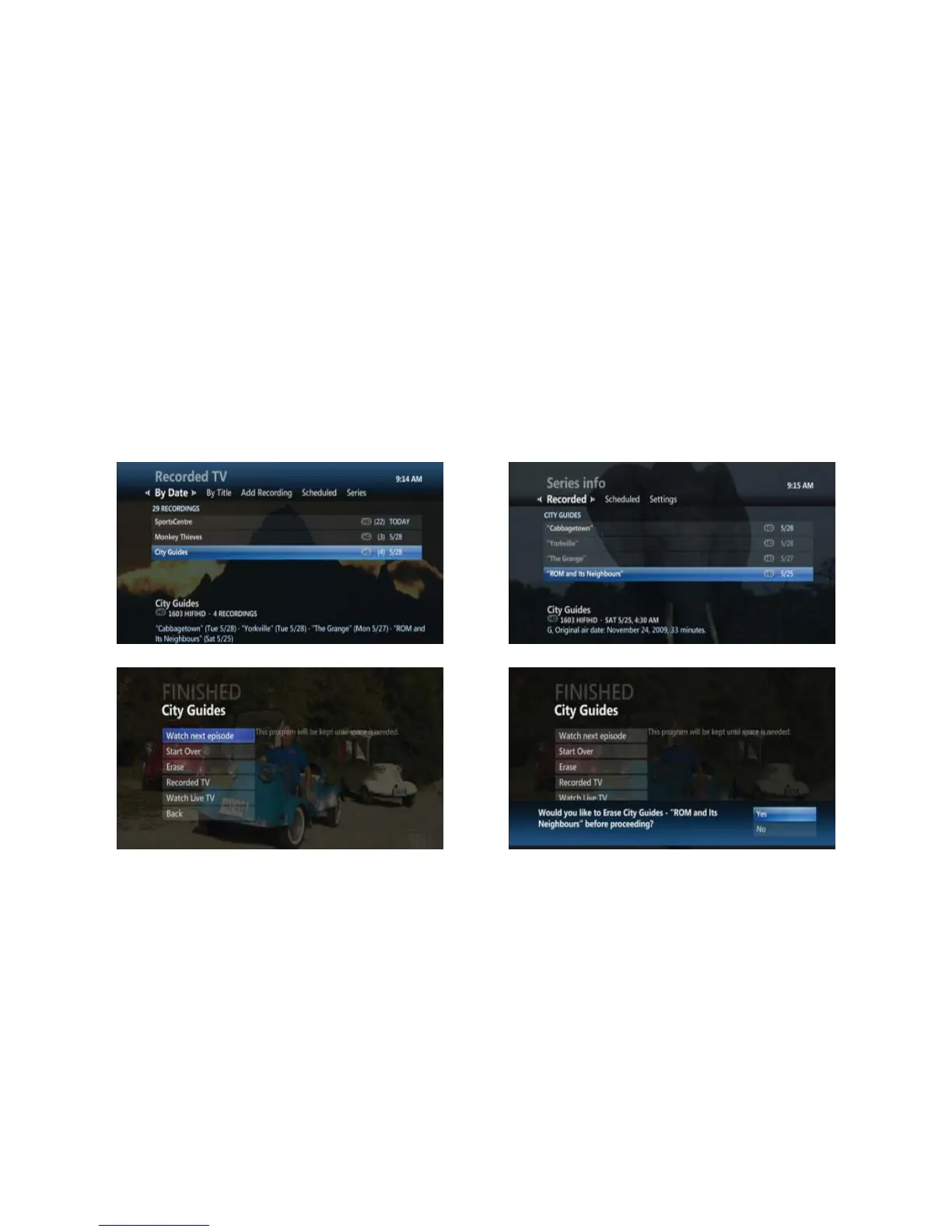
• After the program fi nishes playing the Finished screen appears with the following menu options:
• START OVER – Watch the program again
• ERASE – Erase the program
•
RECORDED TV – Returns to recorded programs for another selection
• WATCH LIVE TV – Returns to live programming
Watch next episode
You can view the next episode of a series that has been recorded.
• After recording has ended, or by pressing STOP
• Highlight WATCH NEXT EPISODE and press OK
• Highlight YES and press OK to erase your currently viewed episode
• Highlight NO and press OK to keep your currently viewed episode
• The next episode in the series will begin playback
• This option will not be displayed if the episode you are viewing is the only recording of the series or there are no
future episodes recorded
• Already viewed episodes will display in grey and unwatched episodes will display in white
Viewing and playing recently recorded programs
You can view and playback the last 5 recorded programs.
• Press the UP ARROW on your remote control twice
• The fi rst time you press the UP ARROW you will see the last 5 channels you have viewed
• The second time you press the UP ARROW you will see the last 5 programs recorded to you PVR
• Use the RIGHT ARROW to highlight one of the recent PVR recordings and press OK to watch that program



 To Next Page