Installation
Ultima Hooklift 01/2020
40
5.2 Installation of the control unit
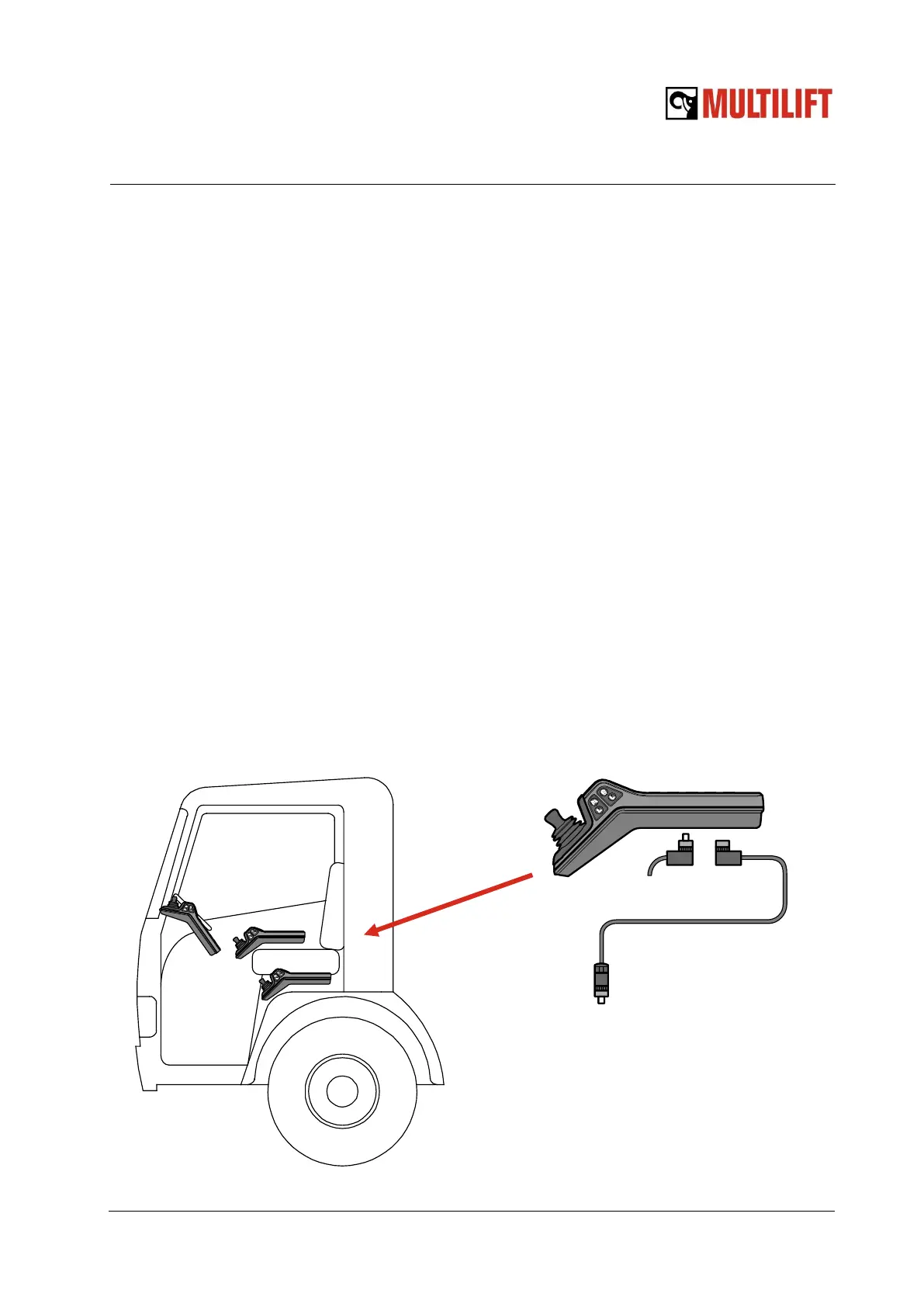
Choose a location for the control unit in the cabin together with the customer. A suitable loca-
tion is one where the operator can reach the controls and see the signal lights easily from driv-
er’s seat effortlessly while controlling the hooklift movements through rear window and mirrors.
A recommended location is between the seats. An alternative location for the control unit is on
the cabin handle bar.
If the remote is installed between the driver’s seat and the door the joystick can get damaged
while climbing off the truck. Check that the control unit does not disturb climbing up and down
the seat and that it can be used the door closed. Make sure the rain does not fall on the control
unit when the door is open.
The M12 male connector in the cable of control unit is connected to the M12 female connector
in the cable coming from the hooklift. Leave the connectors in a suitable location where they
are easy to access for possible software updates.
Fasten the stand of control unit with ¼” screws. The angle of control unit can be adjusted with
the screws in the stand.
In case the dash board harness for warning lights is included check the suitable cable routing
to dash board. See connections in chapter 6.1.
NOTE! In case of Ultima Flex or Pro, check the possibility to utilize the truck interface
cables for the connections of the cabin controller to reduce installation time.
Instructions for Scania and Volvo can be found in Multilift Product Site.
M12 adapter cable L=3.2 ft
must always be connected
between the controller and
CAN extension harness!



 To Next Page