Chapter 2 – Installation
Multi-Tech Systems, Inc. MultiConnect Serial-to-Serial Adapter User Guide (S000354A) 11
Chapter 2 – Installation
Attaching the MultiConnect to a Fixed
Location
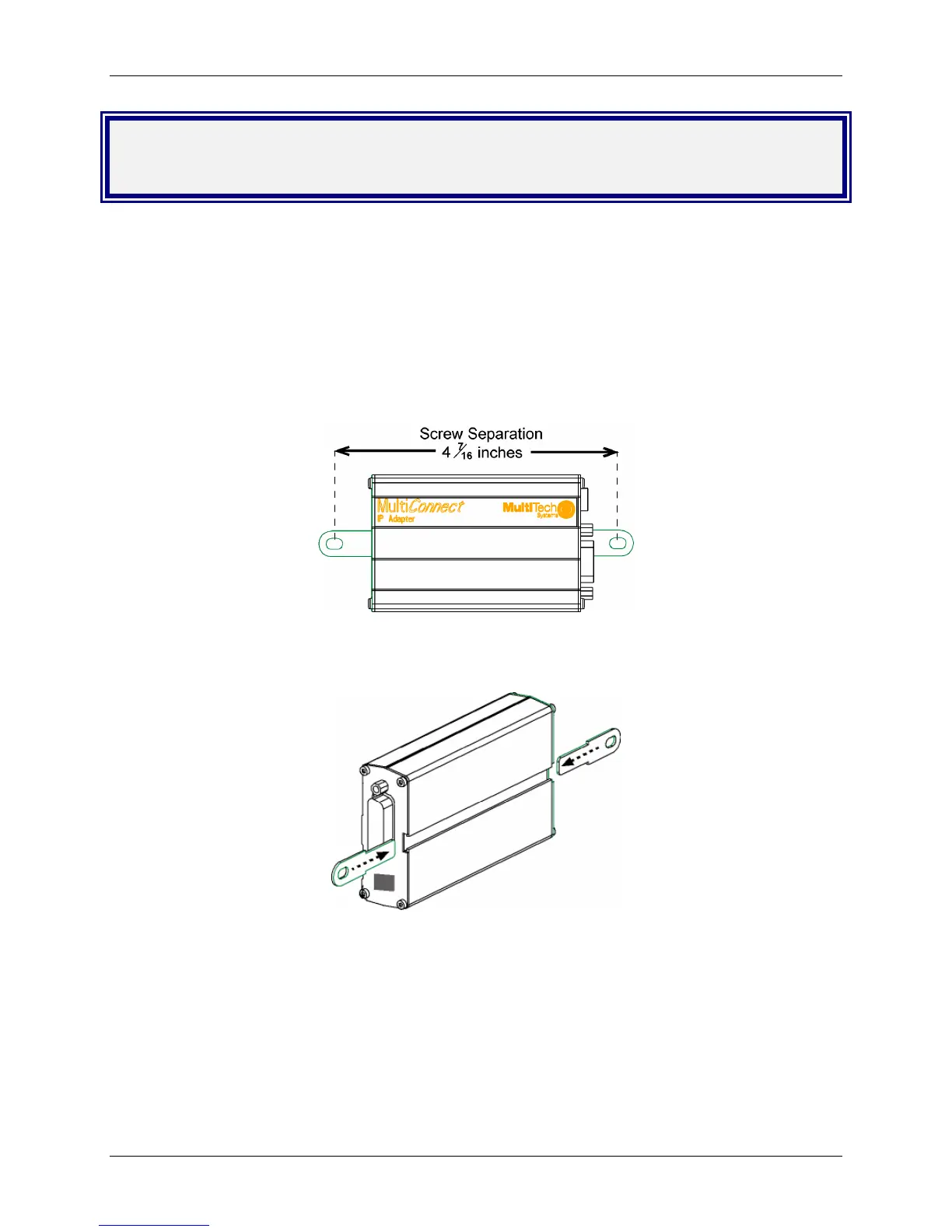
The MultiConnect adapter is design to be used on the desktop or to be panel-mounted. To attach the
bracket for panel-mounting, following these steps:
1. Typically, the MultiConnect adapter is mounted against a flat surface with two mounting screws. Drill
the mounting holes at the desired location. The mounting holes must separated by 4 -7/16 inches
center-to-center.
2. To attach the brackets to the MultiConnect, slide the mounting brackets into the corresponding slots
on the back of the MultiConnect chassis.
3. Attach the adapter to the surface with two screws.















 To Next Page