Chapter 8 – Auto Dial-in Feature
Multi-Tech Systems, Inc. MultiConnect Serial-to-Serial Adapter User Guide (S000354A) 76
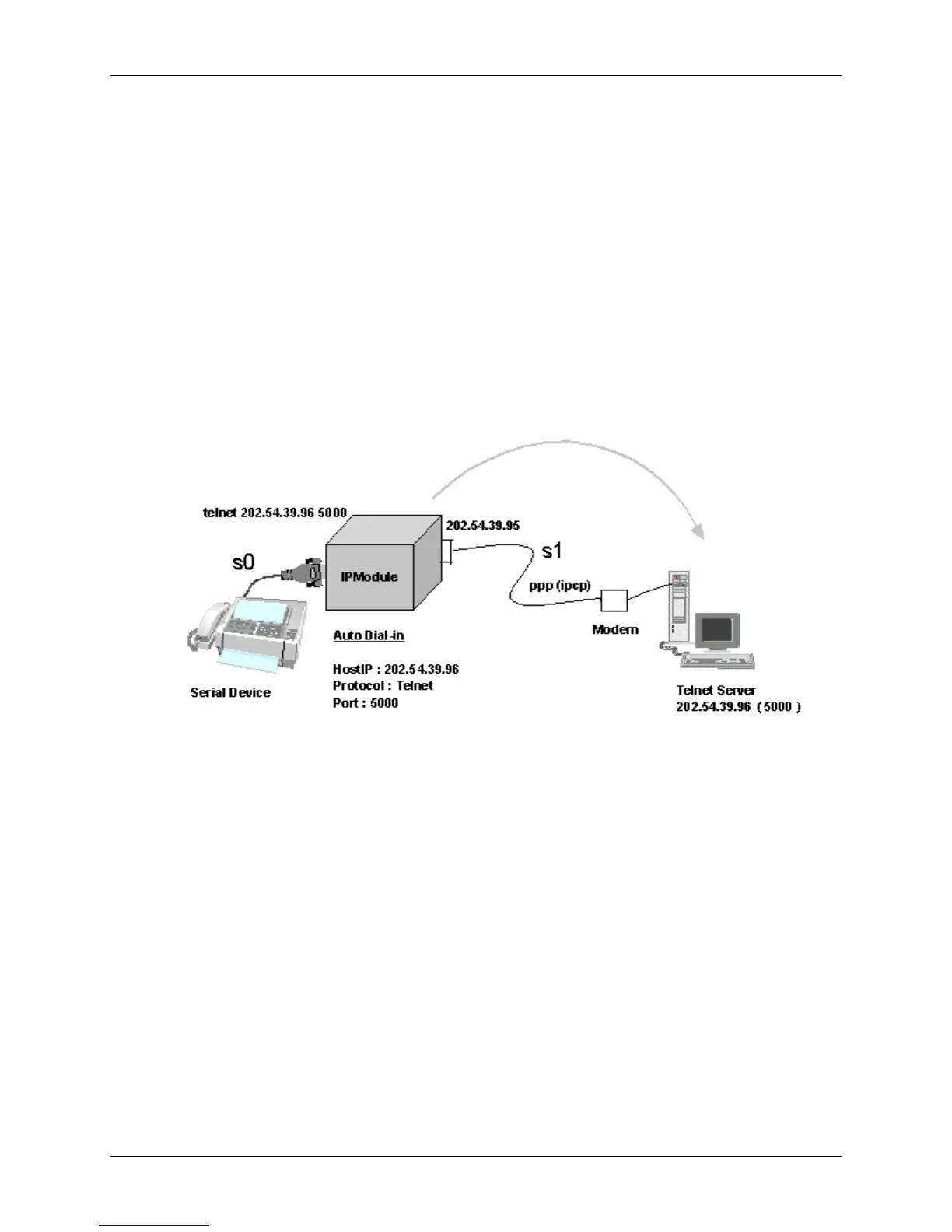
Scenario 2 – Serial Auto Dial-in in Telnet Mode
This example shows how to setup a serial auto dial-in session in Telnet mode. The auto dial-in session is
opened by Telnet client embedded in the MultiConnect IP to the configured server on a configured port.
Once the session is opened successfully, there can be two-way traffic between the serial device and the
remote server.
• You can switch from Command Prompt to Dial-in session using the restore session command.
• You can switch from Dial-in session to Command Prompt using <escape-monitor-string>.
Prerequisites
• RAW mode (Global and each port) MUST BE DISABLED using the following command:
Enable/Disable the RAW mode globally for all Auto-Dial-in sessions:
# set ip telnet raw-mode <enable/disable>
Auto Dial-in Feature in Telnet Mode















 To Next Page