Chapter 2 – Installation
Multi-Tech Systems, Inc. MultiConnect Serial-to-Serial Adapter User Guide (S000354A) 12
Serial-to-Serial Adapter Installation
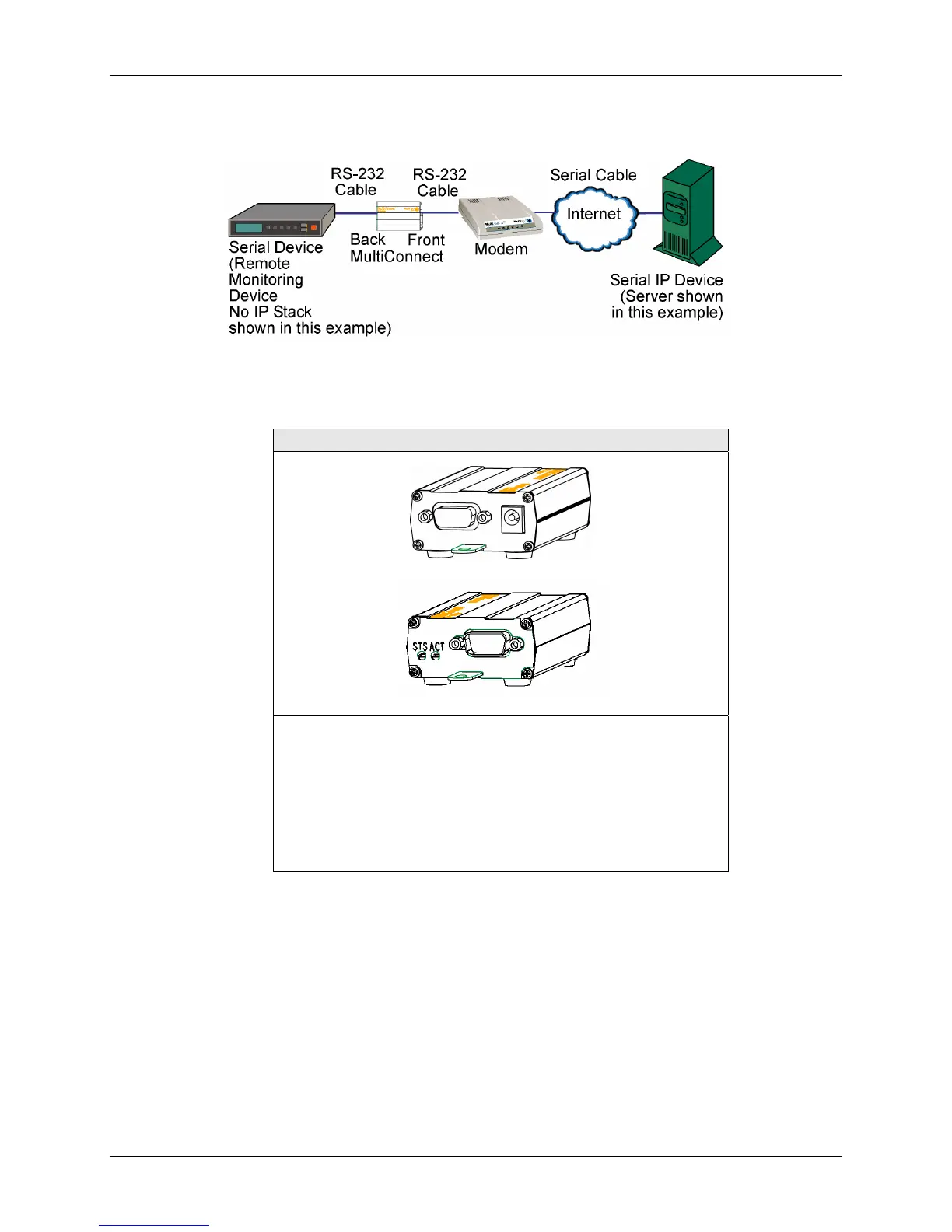
Connecting the Cables
Serial-to-Serial Adapter
Front
Back shown with External Power Option
1. Plug one end of the RS-232 cable into the front of the
Serial-to-Serial adapter.
Plug the other end into the RS-232 connector on the modem
that is setup with an Internet connection.
2. Plug one end of the other RS-232 cable into the back of the
Serial-to-Serial adapter.
Plug the other end into the RS-232 connector on the serial
device you want connected to the Internet.















 To Next Page