Chapter 13 – SMTP Client
Multi-Tech Systems, Inc. MultiConnect Serial-to-Serial Adapter User Guide (S000354A) 146
Scenario 2 – Sending a Text Email from the
Interactive Mode
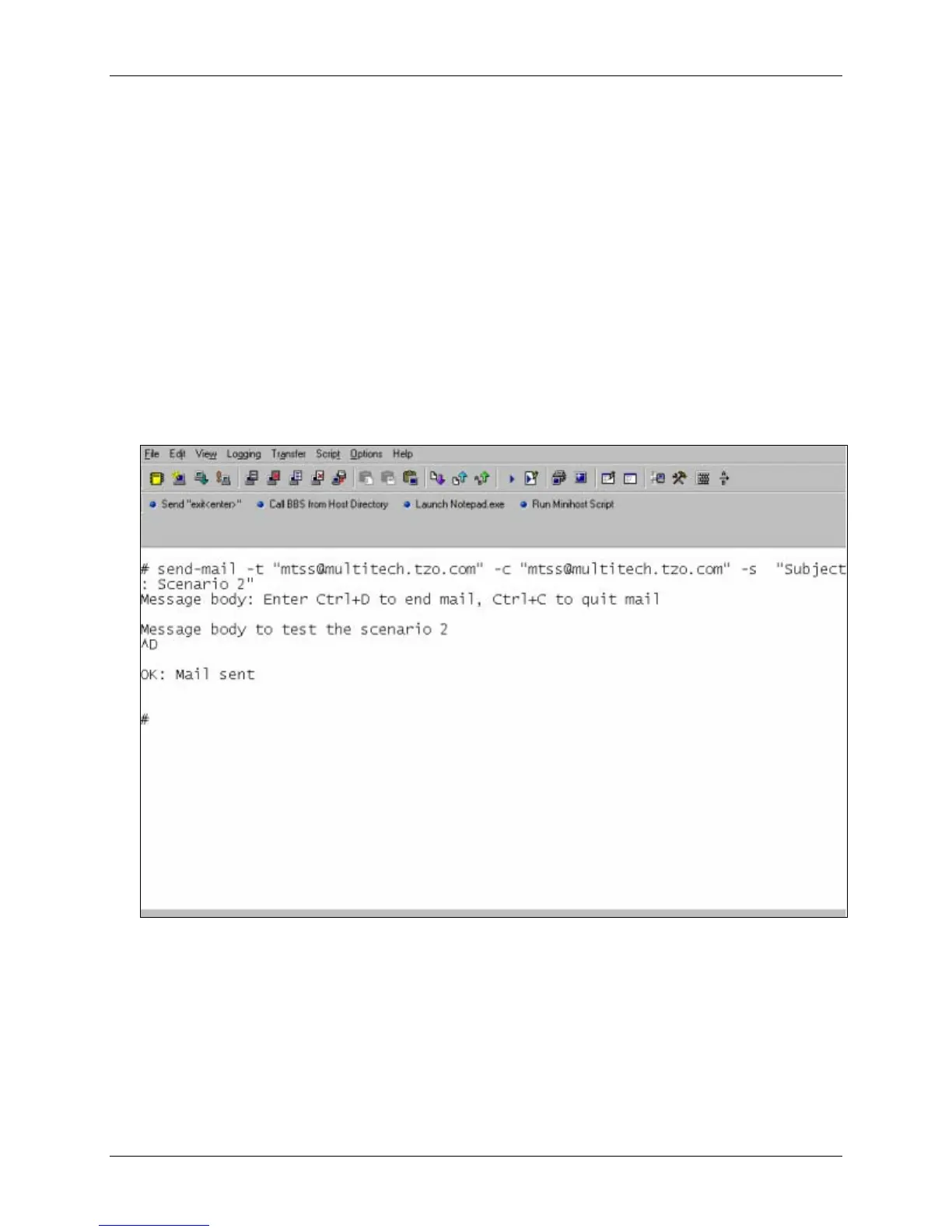
Message body is entered in interactive mode
Issue the following command:
send-mail
-t "<email #1>, <email #2>"
-c "<email #3>, <email #4>"
-s "subject data"
The SMTP session then enters into interactive mode and requests that the message body be entered
(see the figure below). After typing the message, type Ctrl+D to end the message.
The email is sent only to the to-addresses (if any) and the cc-addresses (if any) entered from the
command prompt. The subject is taken from the command prompt.
Notes:
1. The email is not sent to addresses pre-configured using set commands.
2. At least one address, either the to-address or the cc-address, should be given as an
alternative to sending email directly from the command prompt.
3. If the subject option is not specified and is not pre-configured using set command, SNMP
enters into interactive mode and requests a subject to be entered.
4. Type Ctrl+C to quit the email at any given time.















 To Next Page