Chapter 7 – Telnet Dialout
Multi-Tech Systems, Inc. MultiConnect Serial-to-Serial Adapter User Guide (S000354A) 69
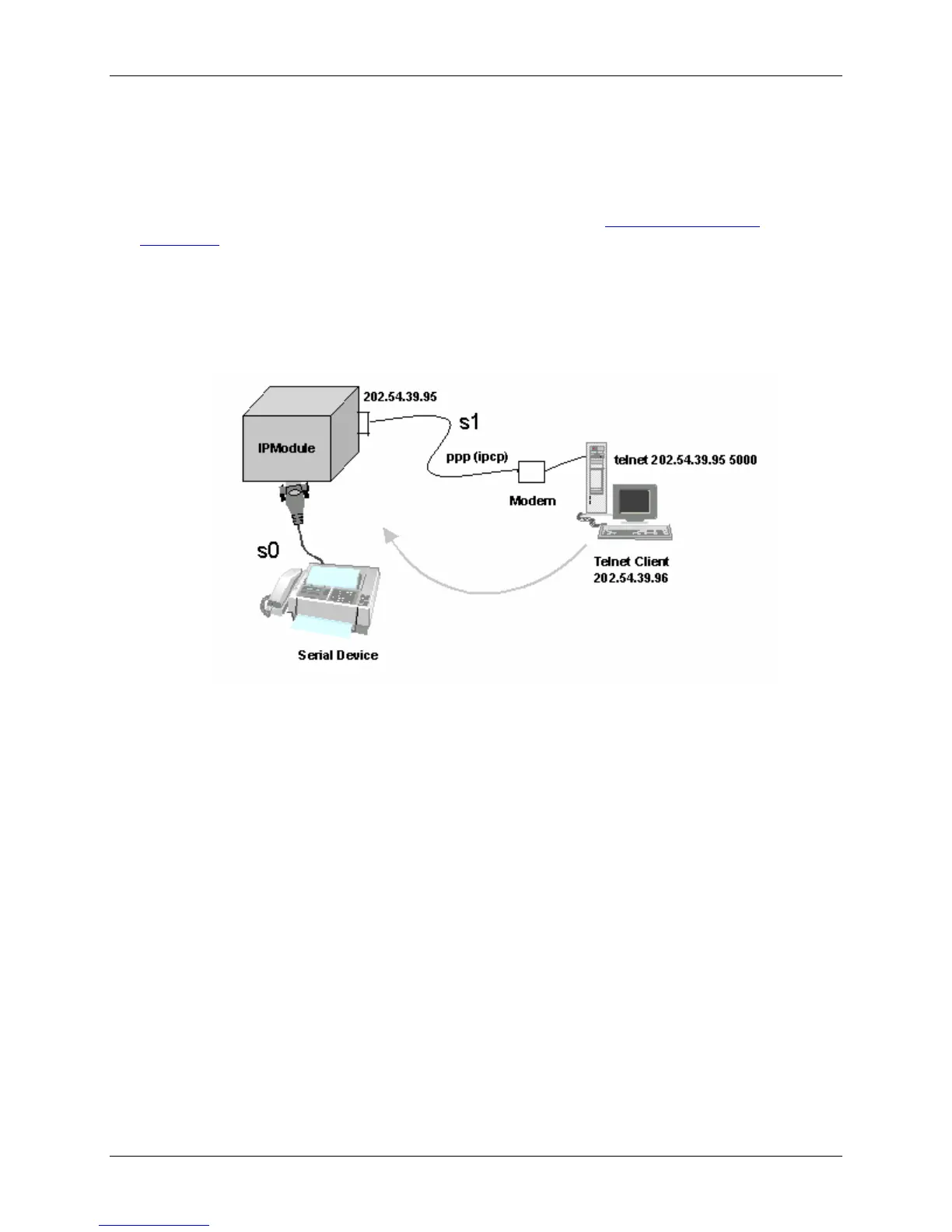
Scenario 2 – Auto Dialout
In this scenario, the Auto Dialout session in Telnet mode is opened using a Telnet client.
Prerequisites
RAW mode (global and each port) MUST BE DISABLED using the Optional Configuration
Commands.
A Telnet client can open an auto Dialout session by specifying the configured auto-dialout port.
• Once the session is opened successfully, there can be two-way traffic between the Telnet
session and the remote serial device.
Auto Dialout Feature in Telnet Mode















 To Next Page