Page14of41
IMC01 Banknote Counter User Manual
Version 1.06
to be taken out, and the machine will continue counting. The machine can only recognize all of the currencies
displayed in the currency selection interface.
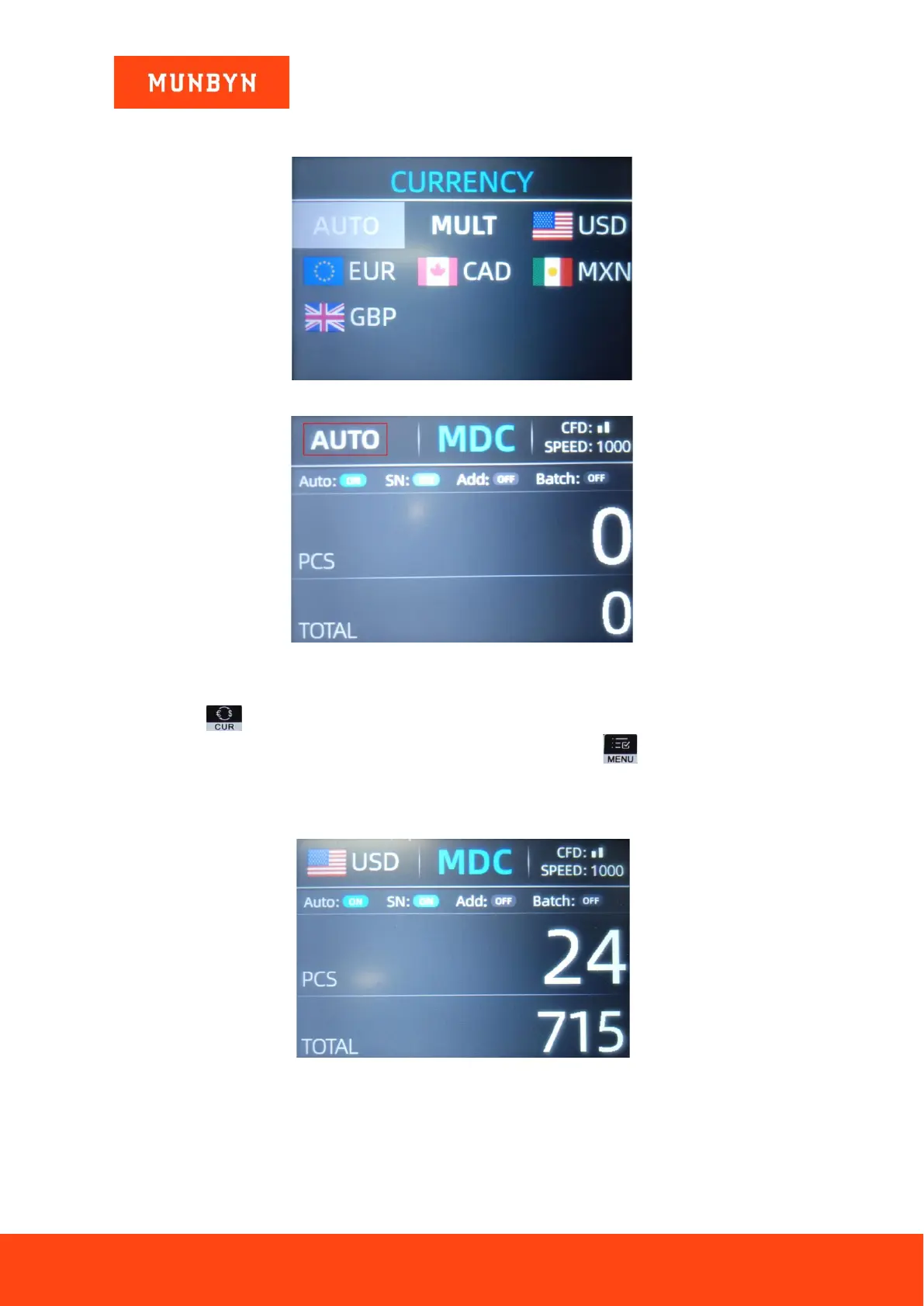
Figure 4-9 Currency Selection Interface
Figure 4-10 Auto Recognition Counting Interface
Press the key , the currency selection interface is shown as Figure 4-9. Move the cursor to ‘AUTO’ by
direction key (the default option is ‘AUTO’), and then press the menu key , the display screen will be
automatically adjusted to the main interface, as shown in the Figure 4-10.
Example: Put a handful of USD into the IMC01 hopper to count. The interface of the IMC01 displays as Figure
4-11 at the end of counting. The currency in the upper left corner is identified as USD.
Figure 4-11 USD Counting Result
Take out the USD in the stacker, and then put the EUR into the machine to count. The display screen is showed
as Figure 4-12.



 To Next Page