Page29of41
IMC01 Banknote Counter User Manual
Version 1.06
7.0. Maintenance
After starting the machine, it will go on self-check automatically. If the preset window shows the error code or
tell you to clean the sensors, generally speaking, it is because of dust on the surface or sensor blocked by notes.
So please clear the dust on the surface with brush or soft cloth, or take the notes away. Then restart the machine.
This document describes the error handling guideline and the maintenance manual.
7.1. Cleaning the Machine
Any dust, dirt or other substances sticking to the sensor will interfere with the normal operation of the sensor
and cause erroneous counting results. Therefore, the sensor and roller shaft shall be cleaned with the attached
cleaning tools as necessary every day.
Please turn off the power switch before cleaning to prevent electric shock or other injury accidents.
Please do not use chemicals such as benzene, thinner or water.
7.1.1. Clean the Hopper
There are 3 parts need to be clean in the hopper: hopper sensor, banknote processing wheel and the banknote
entrance.
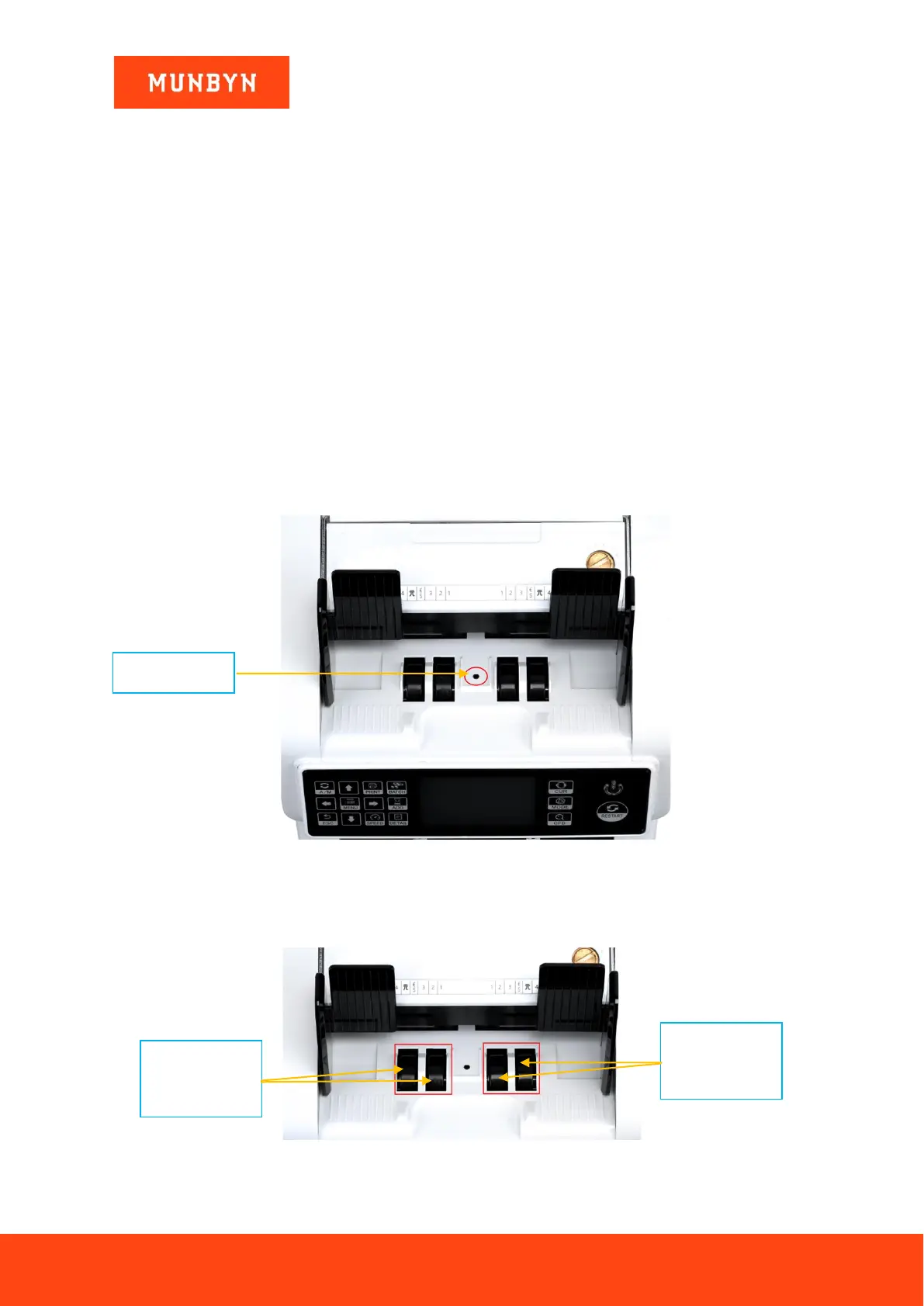
1) Hopper Sensor.
Figure 7-1 Hopper Sensor
As shown at the above figure, clean the hopper sensor with nylon brush or cleaning cloth.
2) Banknote processing wheel
As shown in the following figure, clean the banknote processing wheel with nylon brush or cleaning cloth.
Figure 7-2 Banknote Processing Wheel
3) Banknote entrance



 To Next Page