Page27of41
IMC01 Banknote Counter User Manual
Version 1.06
6.0. Software Upgrade
U-disk upgrade method is adopted for the software upgrade of this product. Please upgrade the software
according to the following steps.
1) The upgrade file needs to be moved to the root directory of the U-disk. (please do not change the file name
or format of the upgrade file, and there cannot be two or more upgrade files in the root directory of the
U-disk)
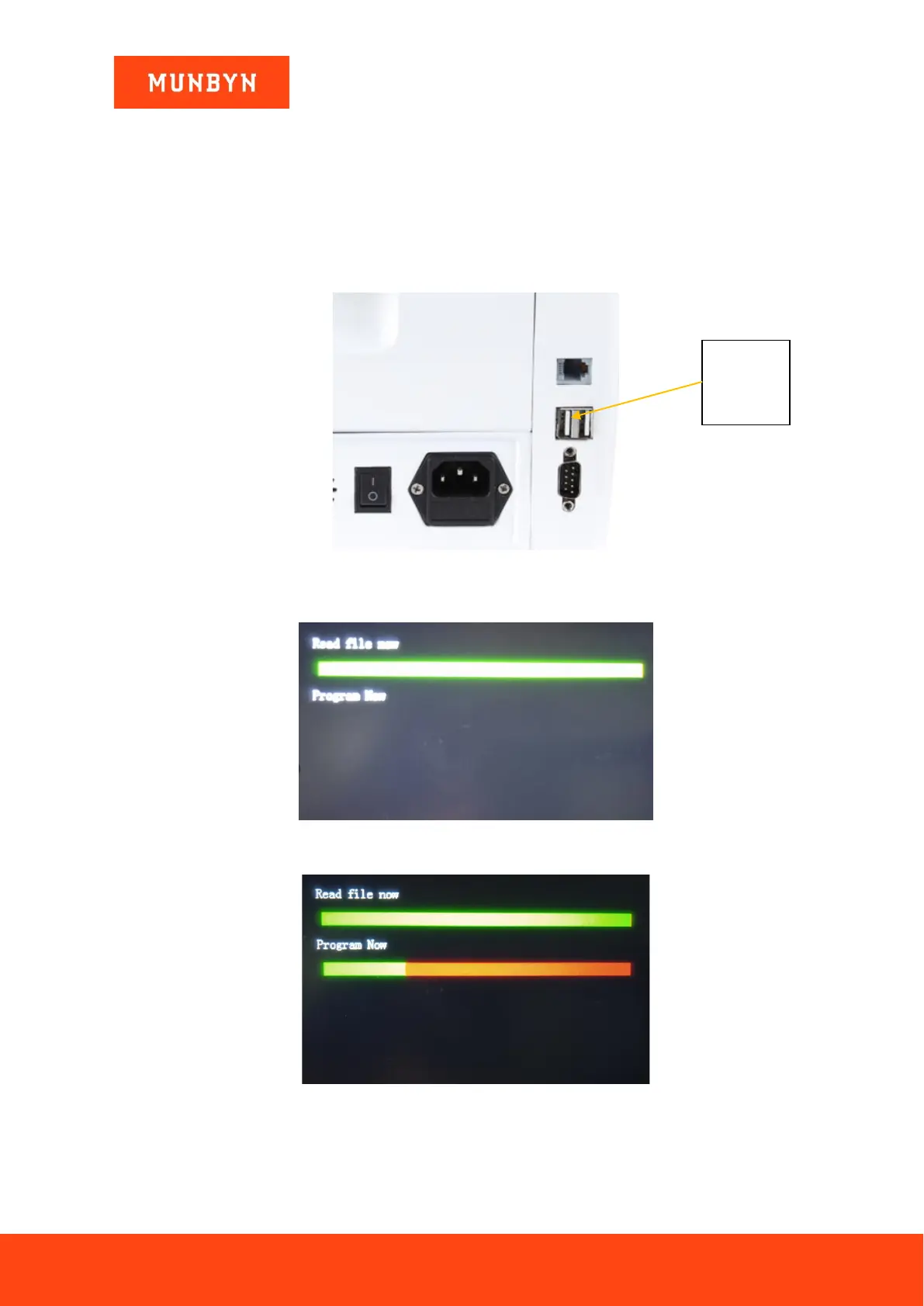
2) Insert the USB disk into the USB interface at the rear of the machine. Make sure the power is off before
insert the U-disk.
Figure 6-1 USB Upgrade Port
3) Turn on the IMC01, and the machine will automatically recognize the upgrade file. Upon successful
recognition, the machine will read the file first.
Figure 6-2 Upgrade File Reading
4) And program the file to the IMC01.
Figure 6-3 Program the Upgrade File
5) After finish the programming, unplug the USB disk and turn off the machine.



 To Next Page