Page15of41
IMC01 Banknote Counter User Manual
Version 1.06
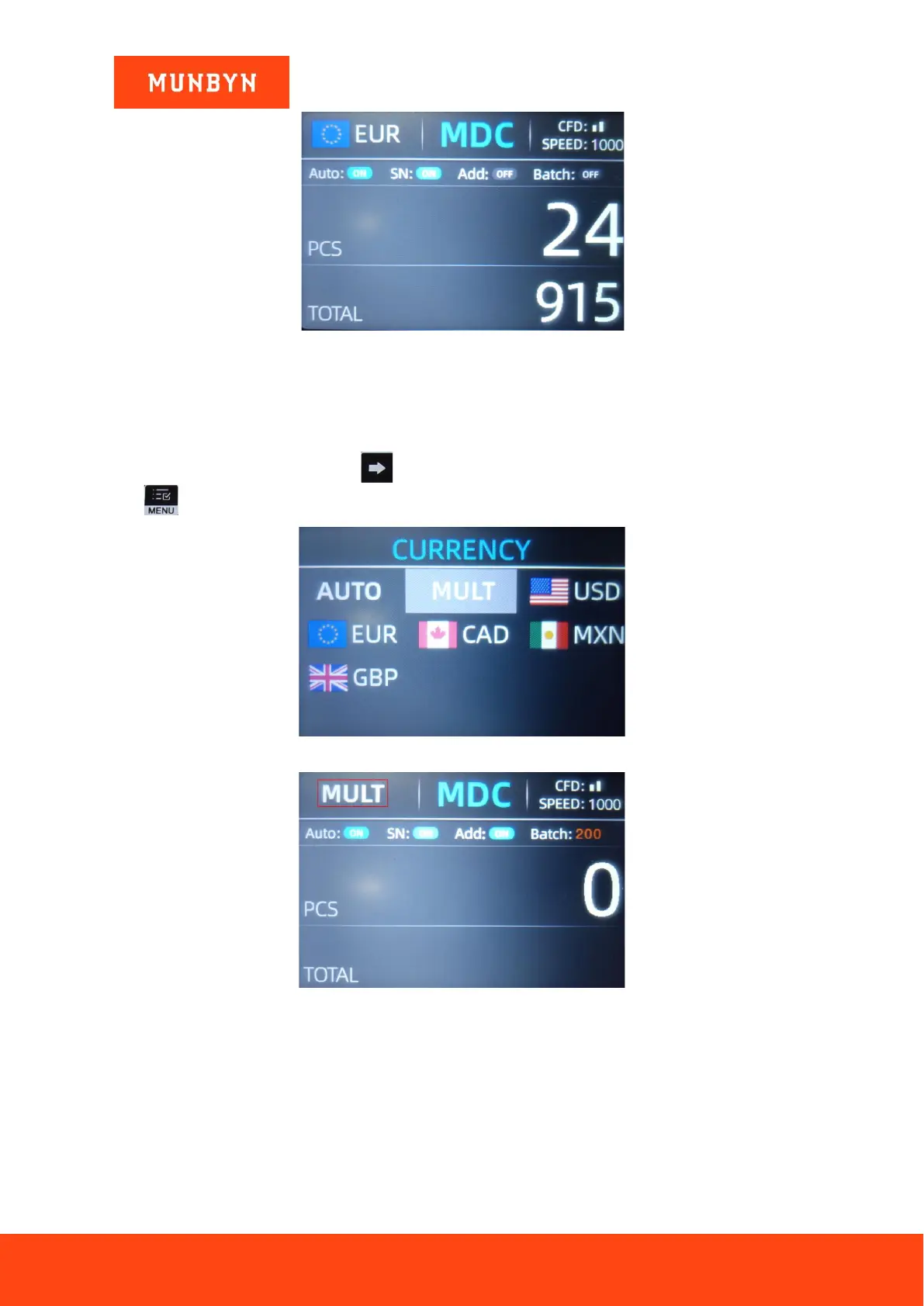
Figure 4-12 EUR Counting Result
4.2.3. Multi-currency Counting Mode
Multi-currency Mix Counting: Banknotes of multiple currencies are mixed together and put into the IMC01 to
count. The IMC01 can recognize all the first 4 currencies displayed on the currency selection interface.
As shown in Figure 4-9, press the key to select ‘MULT’ shown in Figure 4-13, and then press the menu
key , the display screen will be automatically adjusted to the main interface, as shown in the Figure 4-14.
Figure 4-13 Multi-Currency Selection
Figure 4-14 Multi-currency Counting Mode
Note: Only MDC mode is effective in the Multi-currency mode.
Example: Put a handful of banknotes (including USD, EUR, CAD, MXN) into the IMC01 hopper to count. The
interface of the IMC01 displays as Figure 4-15 at the end of counting.



 To Next Page