Page19of41
IMC01 Banknote Counter User Manual
Version 1.06
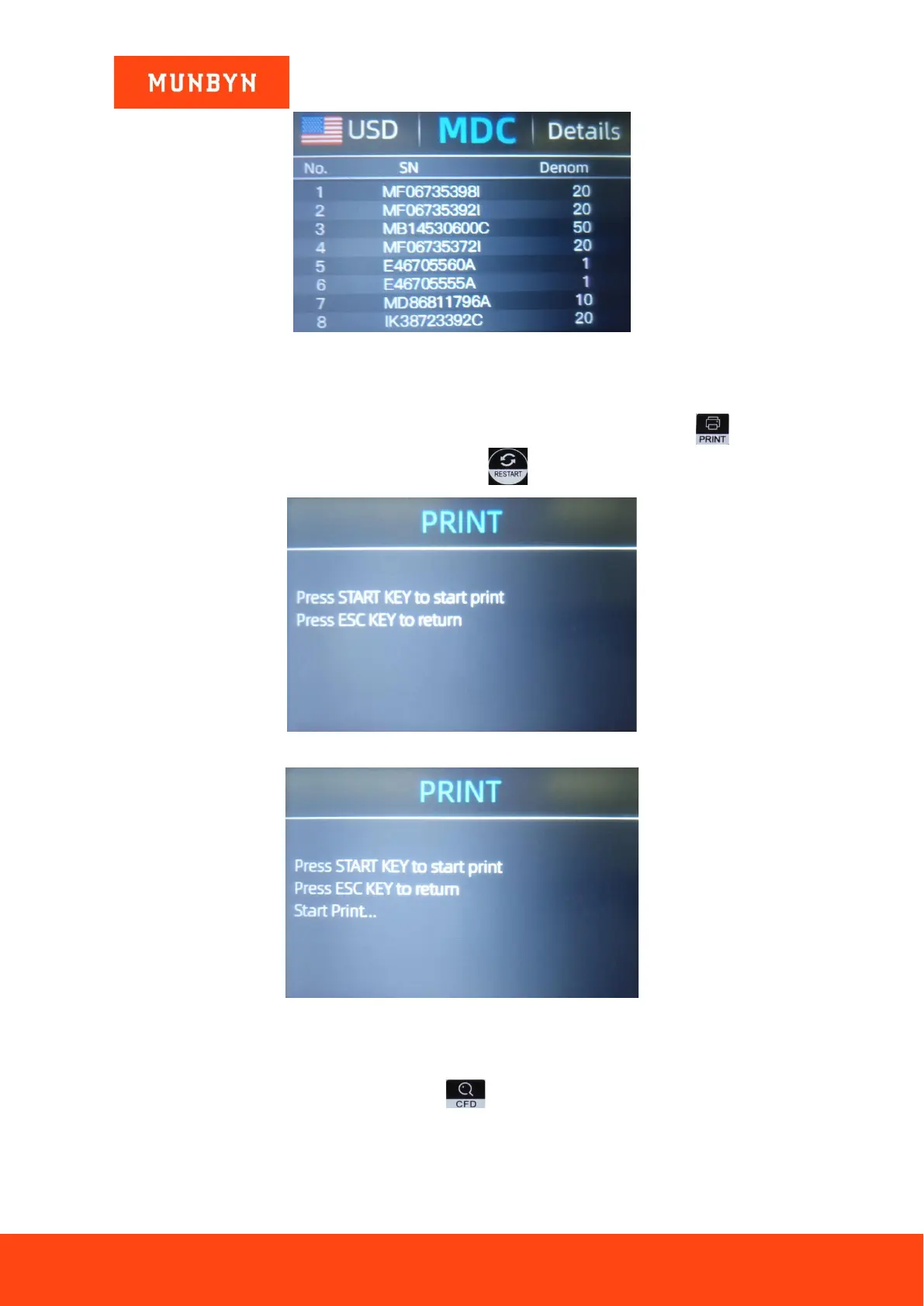
Figure 4-22 Serial Number Information
4.6. Print Information
When the external printer has been connected and can be printed, after counting, press the key to enter
the print interface shown in Figure 4-23, and then press the key, the printer starts print.
Figure 4-23 Printer Interface
Figure 4-24 Start Printing
4.7. CFD Level
There are 3 adjustable CFD levels. By pressing the key, the CFD level graphic appearing in the upper
right corner will change.



 To Next Page