Page17of41
IMC01 Banknote Counter User Manual
Version 1.06
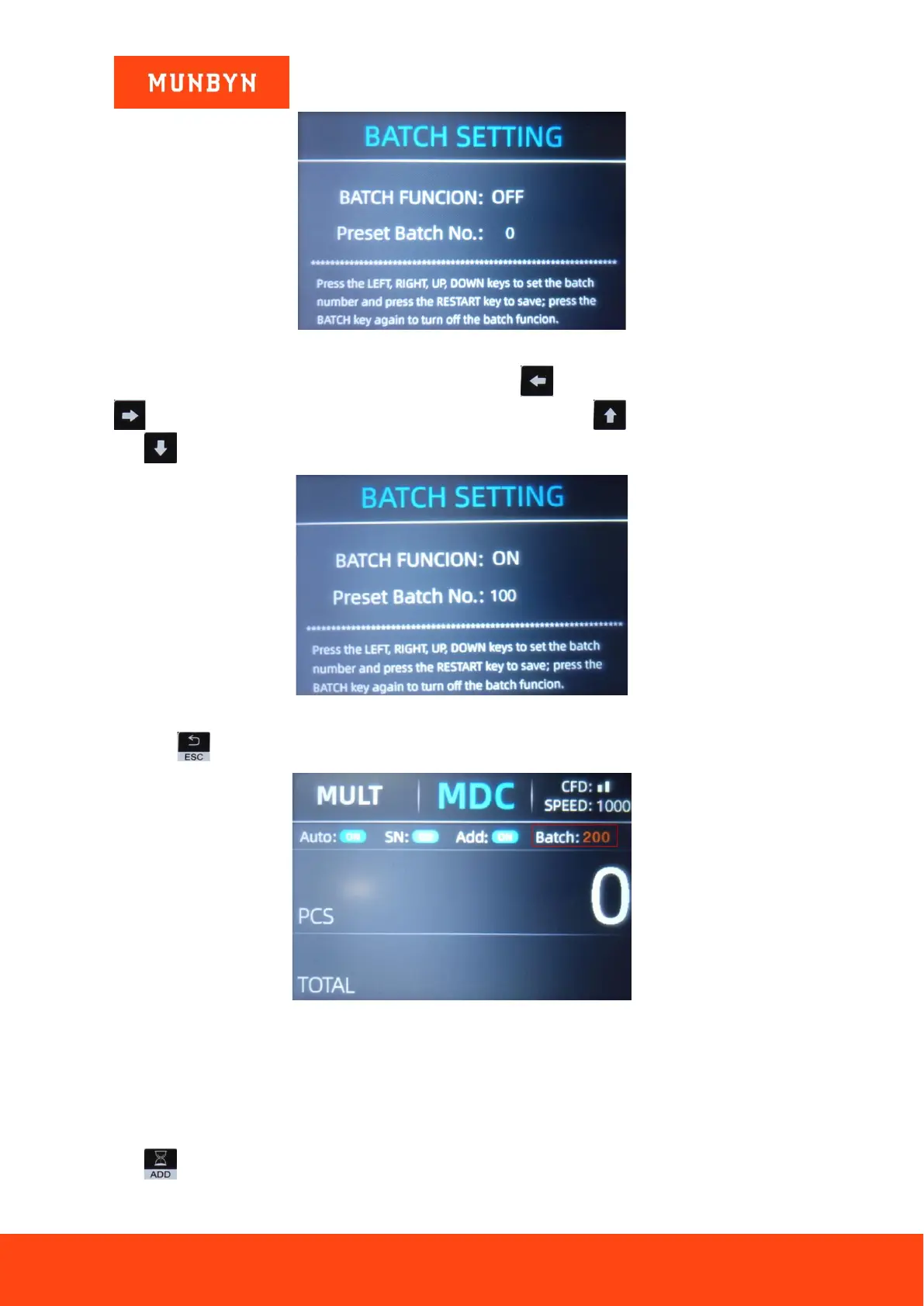
Figure 4-17 Batch Setting Interface
The batch number will be increased by 10 by pressing the key , or decreased by 10 by pressing the key
until it becomes 0. And it will be increased by 1 by pressing the key , or decreased by pressing the
key .
Figure 4-18 Batch Setting Interface
Press the key to return to the main interface if you confirm the batch number.
Figure 4-19 Batch Number Indicator
Note: the stacker maximum capacity is 200 bills, so the batch number should be less or equal to 200.
4.3.4. Accumulation
Press to enable the accumulation function.
In any counting mode, the accumulation function of the number of the banknotes can be enabled by pressing the
key .



 To Next Page