Page39of41
IMC01 Banknote Counter User Manual
Version 1.06
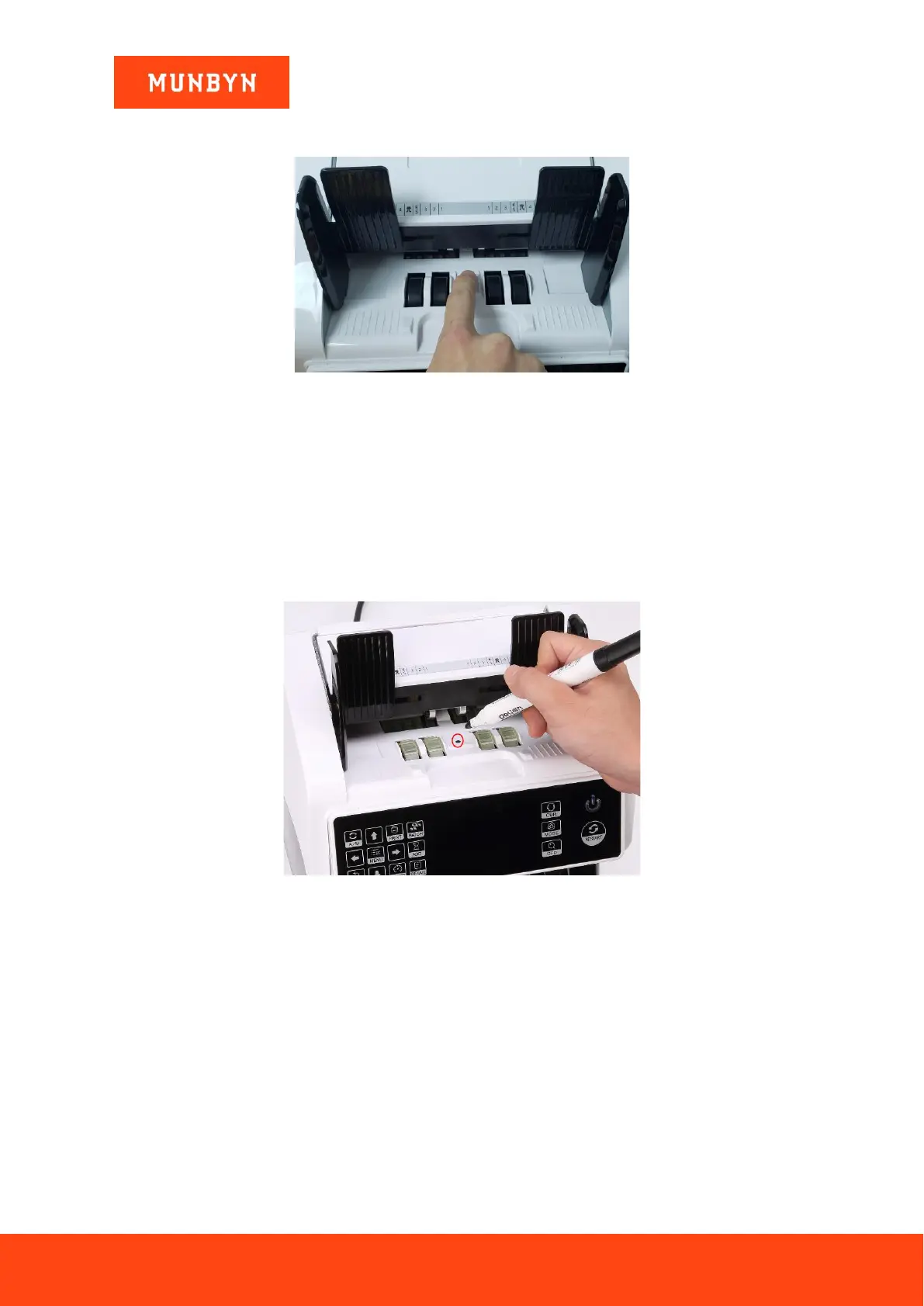
4) Go back the main screen, and the use your finger to touch the hopper sensor. The processing wheels and
rollers in the IMC01 will run for a while.
Figure 7-29 Touch the Hopper Sensor
7.7. Sensor Errors
The IMC01 banknote counter will take a few seconds to conduct a self-check with spinning the counting wheels
after power on. The IMC01 will check the sensors, the following errors may happen if the sensors have been
blocked or damaged.
7.7.1. Hopper Sensor Error
If the wheels in the hopper is always spinning, and then stop with the “hopper sensor error” or “main motor
error” indicated on the screen, that means the hopper sensor is too sensitive.
Figure 7-30 Use Marker Pen to Decrease the Sensitivity of Hopper Sensor
Please use the marker pen to paint a little on the hopper sensor as shown in the above figure.
If the wheels don’t move when you place the bill on the hopper by enabling the auto counting, that means the
hopper sensor doesn’t work.
7.7.2. Stacker Sensor Error
If the impeller is always spinning, or the “stacker sensor error” indicated on the screen, that means the stacker
sensor doesn’t work or too sensitive.
7.7.3. Counting Sensor Error
If the number of banknote counting is always not correct, or the “Main Motor Error” is shown on the screen,
that means the counting sensor error doesn’t work. Please clean the machine first.
If the error still happens, please contact us for machine repairment.



 To Next Page